Quick Command Mod is a mod for quickly and consecutively executing multiple arbitrary commands in the game. All commands can be executed by clicking the corresponding buttons in the chat box.
Features:
- Short Key: Integrated a shortcut key to quickly open the interface in the chat box, defaulting to
U, which can be changed in the game settings.
Commands:
- /quickCommand
- Open the quick command list.
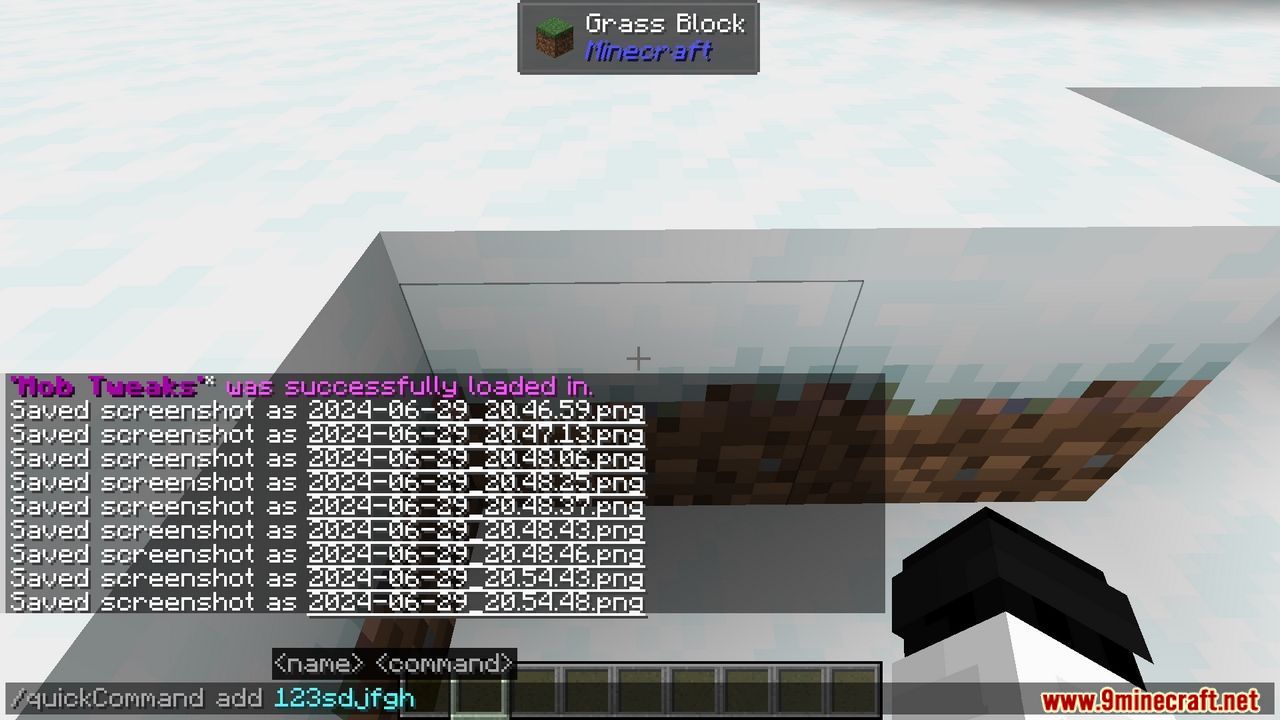
- /quickCommand add <name> <command>
- Add a quick command named <name> with command <command>.
- Example: /quickCommand add “Execute /seed” “/seed”
- Add a quick command to execute /seed.
- /quickCommand remove <name>
- Remove the quick command named <name>.
- Example: /quickCommand remove “Execute /seed”
- Remove the quick command named “execute /seed command”.
- /quickCommand removeAll
- Remove all quick commands.
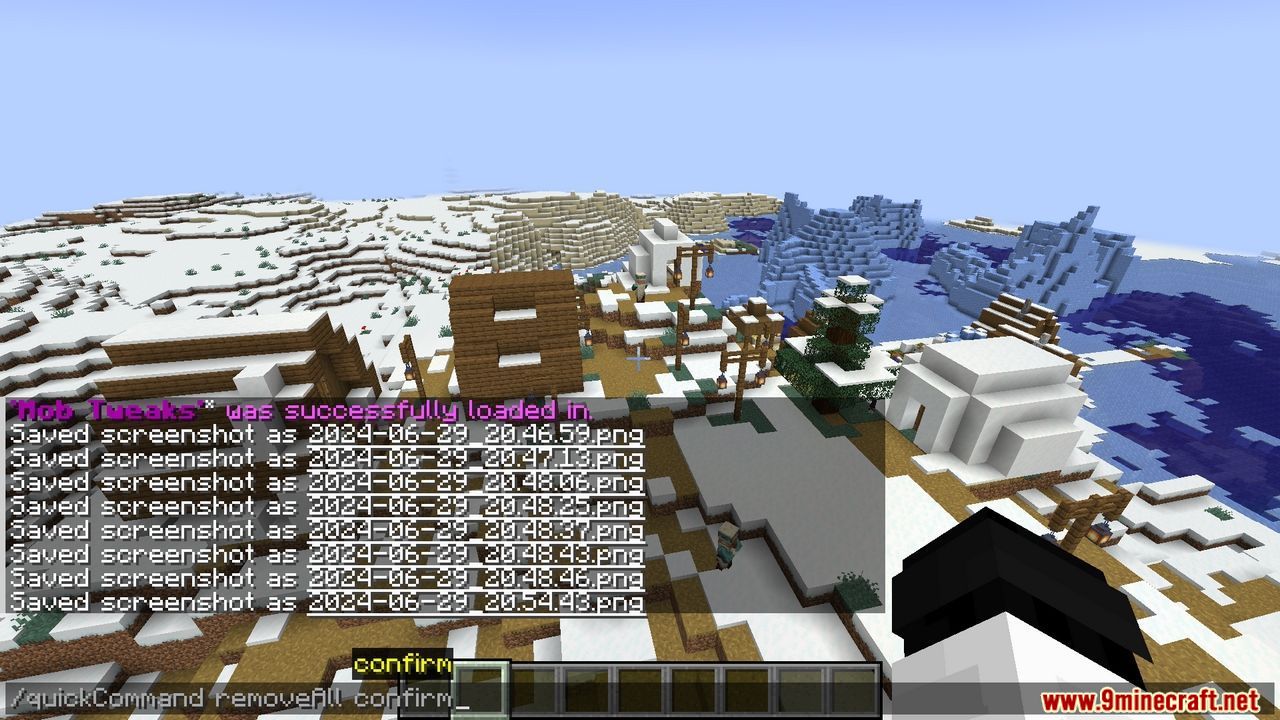
- /quickCommand removeAll confirm
- Confirm to remove all quick commands.
- /quickCommand listWithRun
- Open the quick command list.
- /quickCommand swap <index1> <index2>
- Swap the display positions of <index1> and <index2> in the list.
- /quickCommand displayCommandInList <true/false>
- Whether to display commands in the list.
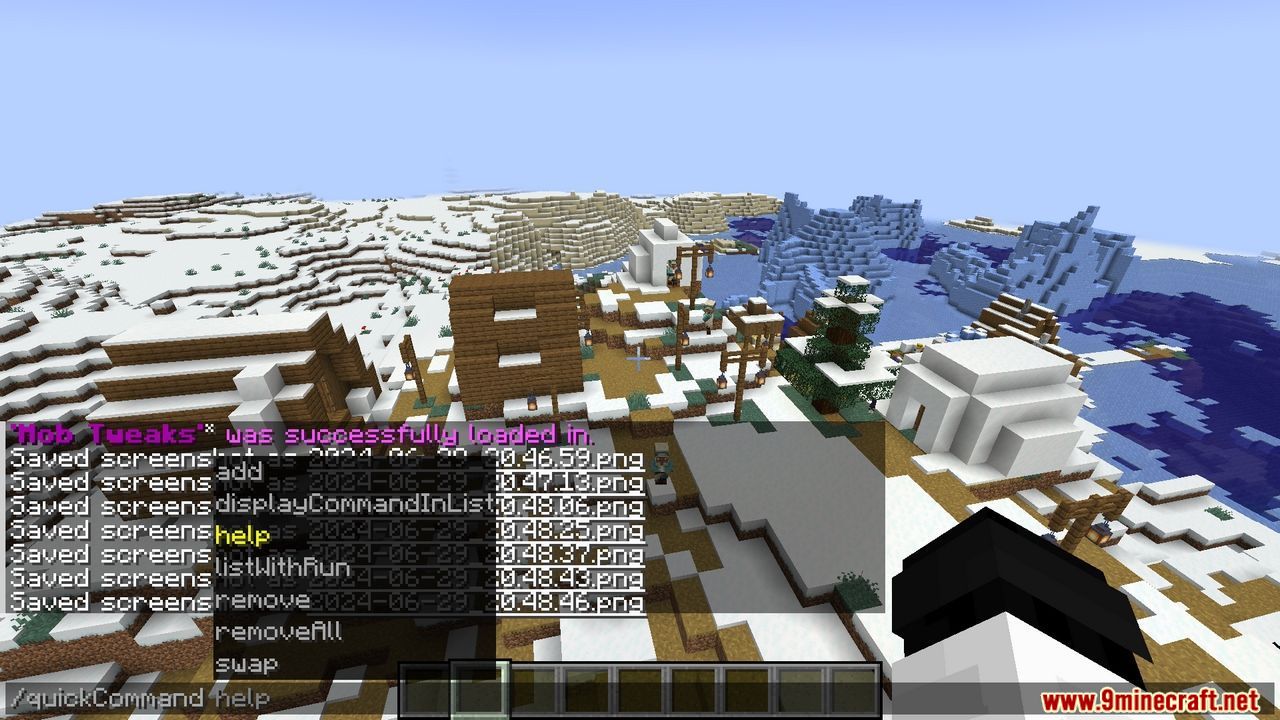
- /quickCommand help
- View the mod usage instructions.
Screenshots:
Quick Command Mod Download Links
For Minecraft 1.21.11
Fabric Version: Download from Server 1 – Download from Server 2
For Minecraft 1.21.10
Fabric Version: Download from Server 1 – Download from Server 2
For Minecraft 1.21.8, 1.21.7, 1.21.6, 1.21.5
Fabric Version: Download from Server 1 – Download from Server 2
For Minecraft 1.21.4
Fabric Version: Download from Server 1 – Download from Server 2
For Minecraft 1.21.1, 1.21
Fabric Version: Download from Server 1 – Download from Server 2
For Minecraft 1.20.6
Fabric Version: Download from Server 1 – Download from Server 2
For Minecraft 1.20.4
Fabric Version: Download from Server 1 – Download from Server 2
For Minecraft 1.20.2
Fabric Version: Download from Server 1 – Download from Server 2
For Minecraft 1.20.1
Fabric Version: Download from Server 1 – Download from Server 2
For Minecraft 1.19.4
Fabric Version: Download from Server 1 – Download from Server 2
For Minecraft 1.18.2
Fabric Version: Download from Server 1 – Download from Server 2
For Minecraft 1.17.1
Fabric Version: Download from Server 1 – Download from Server 2
For Minecraft 1.16.5
Fabric Version: Download from Server 1 – Download from Server 2
- Edition: Minecraft Java
- File type: .jar
- Minecraft versions listed: 1.21.11, 1.20.1
- How to install: Install the matching mod loader (Forge, Fabric or NeoForge) for your Minecraft version. → Download the .jar. → Put it in the .minecraft/mods folder and launch that loader profile.
- Where to get it: In MC Java Mods, or directly above on this page.
Install steps are the general flow for this file type — How to install Minecraft Java mods & modpacks walks through it step by step.
- Downloads as 175699.mcaddon
- Download size: 56 KB
- Download link checked 29 Jul 2026 — working
- Mirrored on our own servers — the download does not depend on the original host
These come from our own check of the pack file, not from the source page.