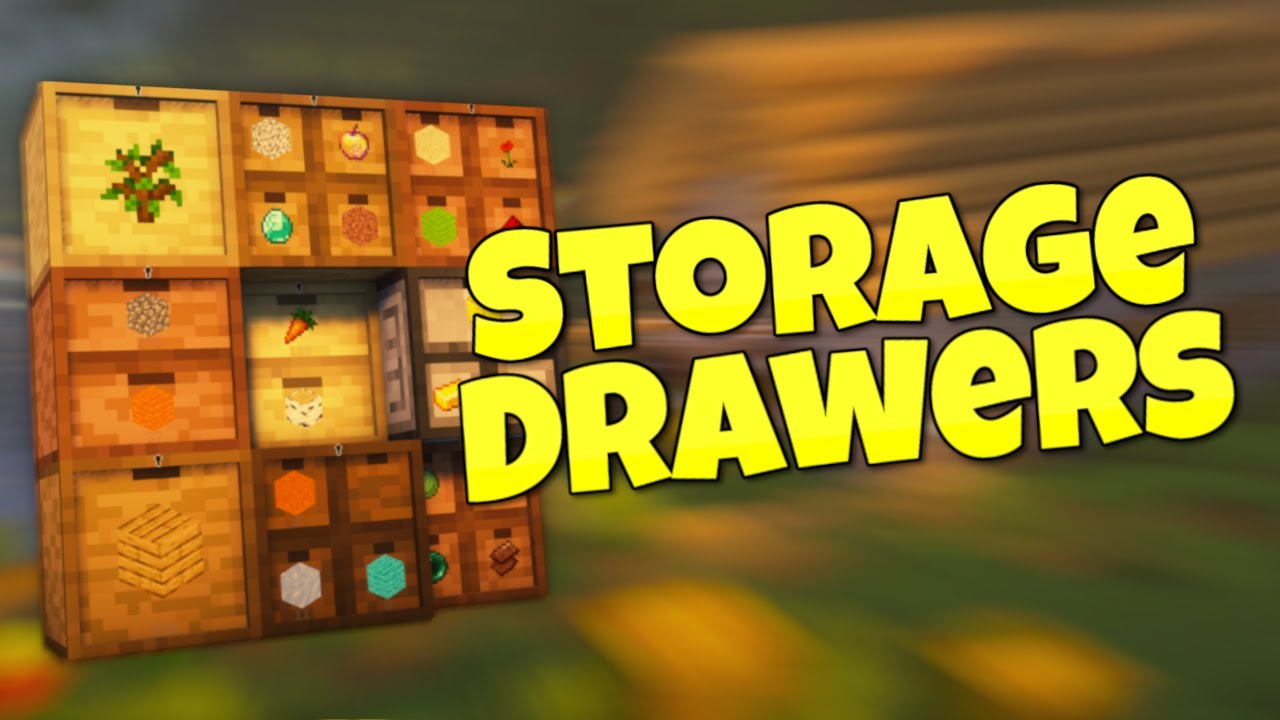
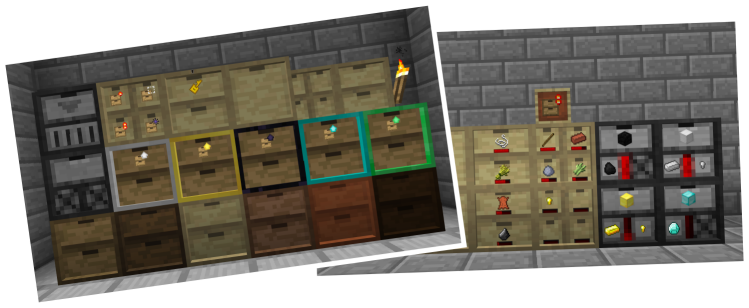
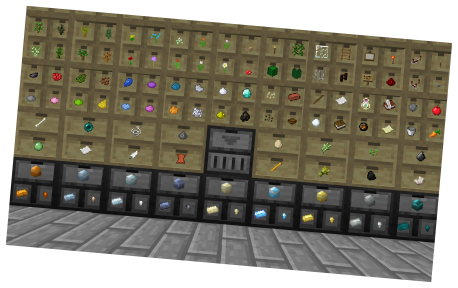
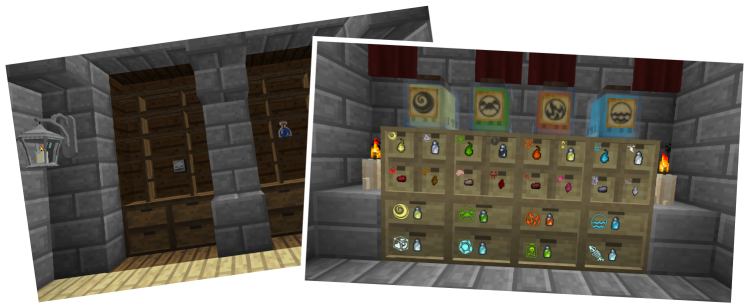
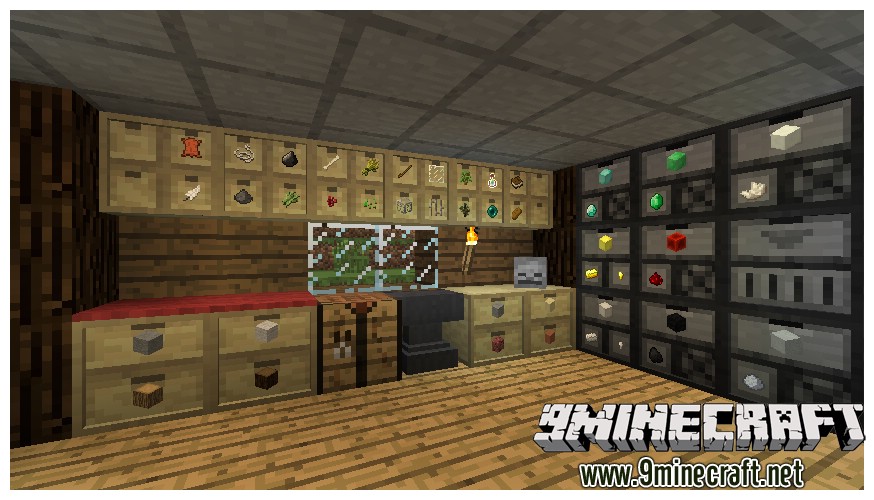
Storage Drawers Mod adds a new, convenient way to store your most-used items. Instead of chests, you get compact drawers that you can access directly by clicking on them. This mod lets you put items in and take them out quickly. You can also open a special menu to see exactly how many items are stored and to add powerful upgrades to each drawer.
Features:
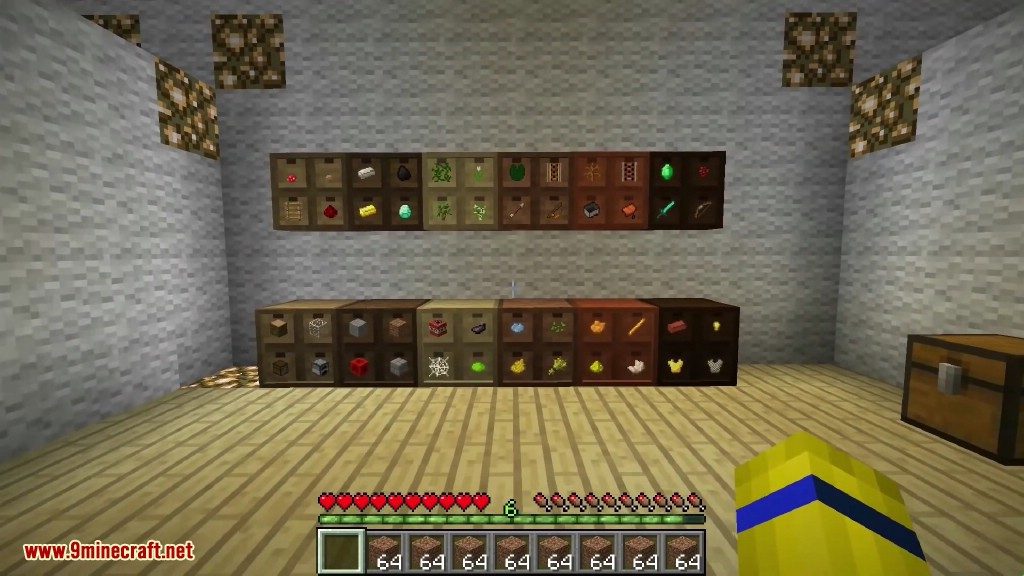
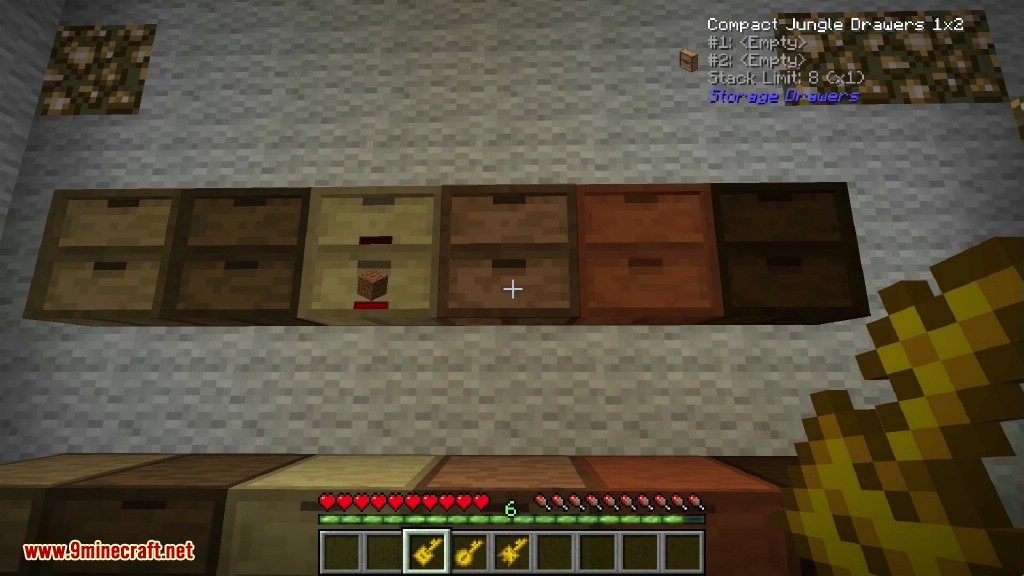
- Variety of Drawers: Craft drawers in different sizes like 1×1, 1×2, and 2×2, with half-size and full-size versions available. Each configuration offers a different storage capacity.
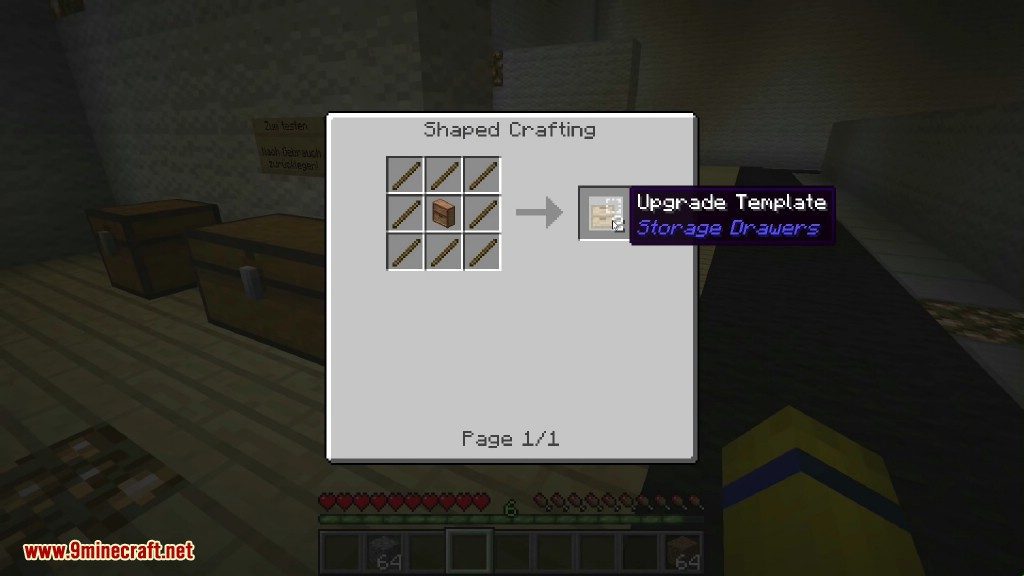
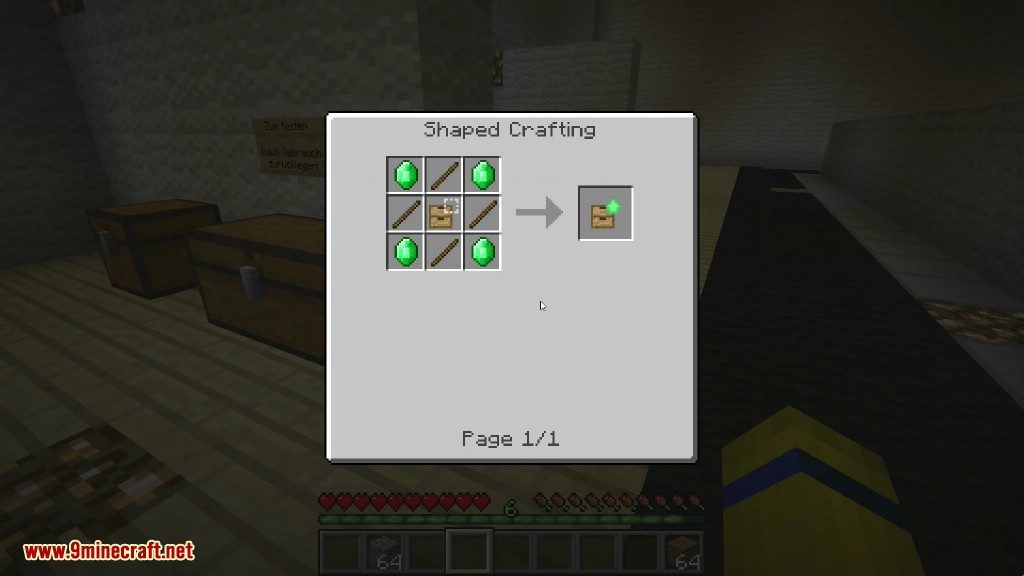
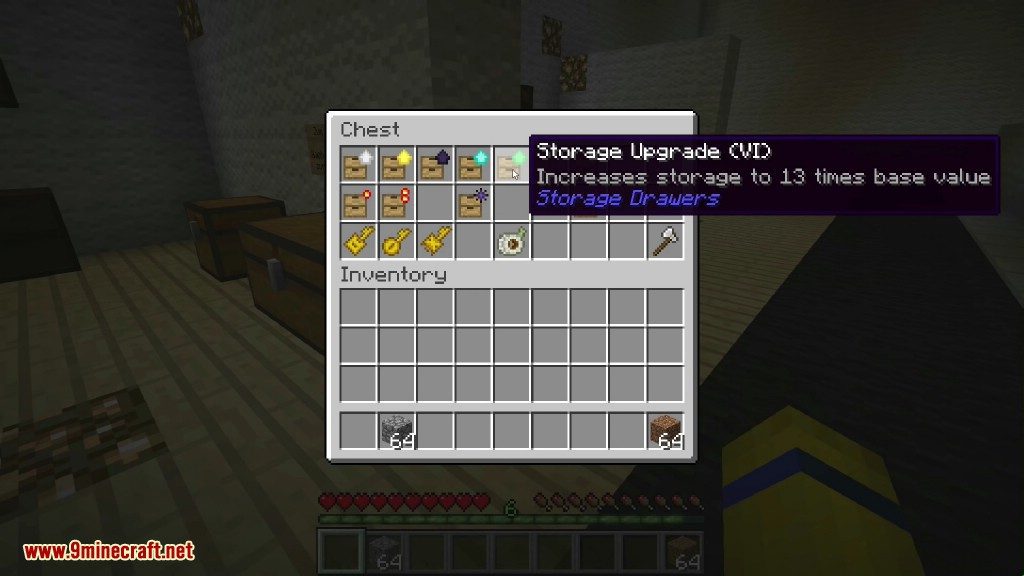
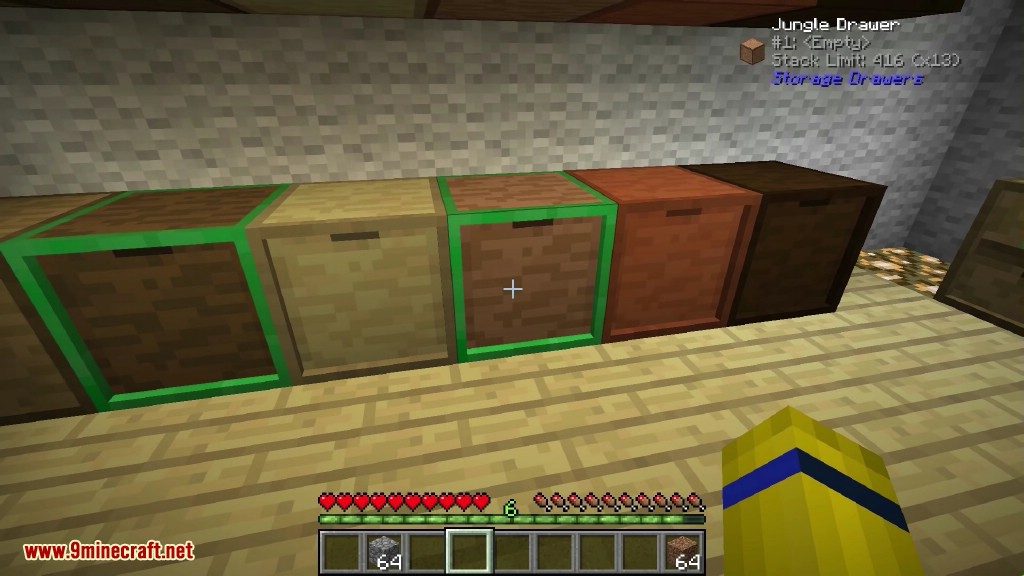
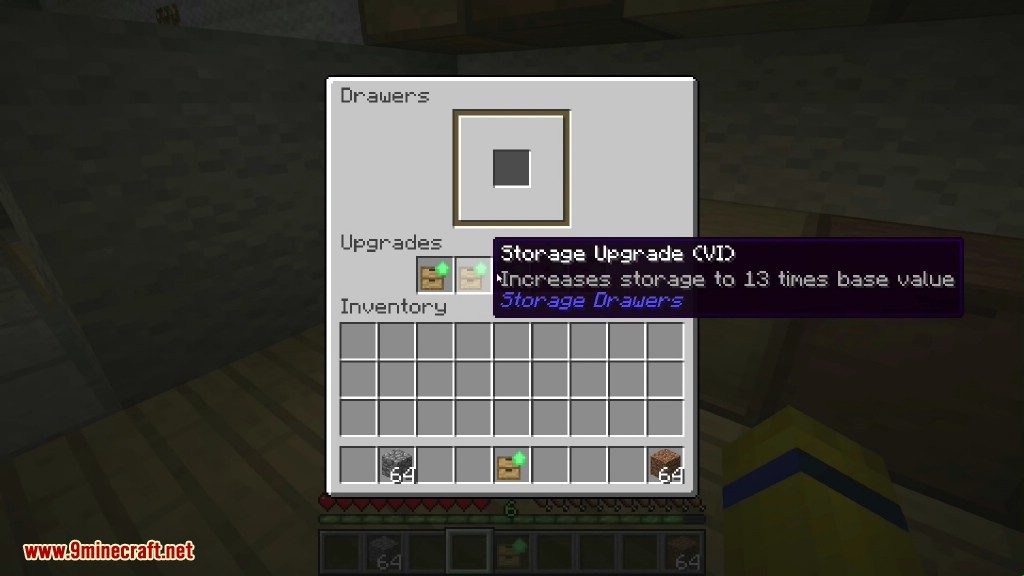
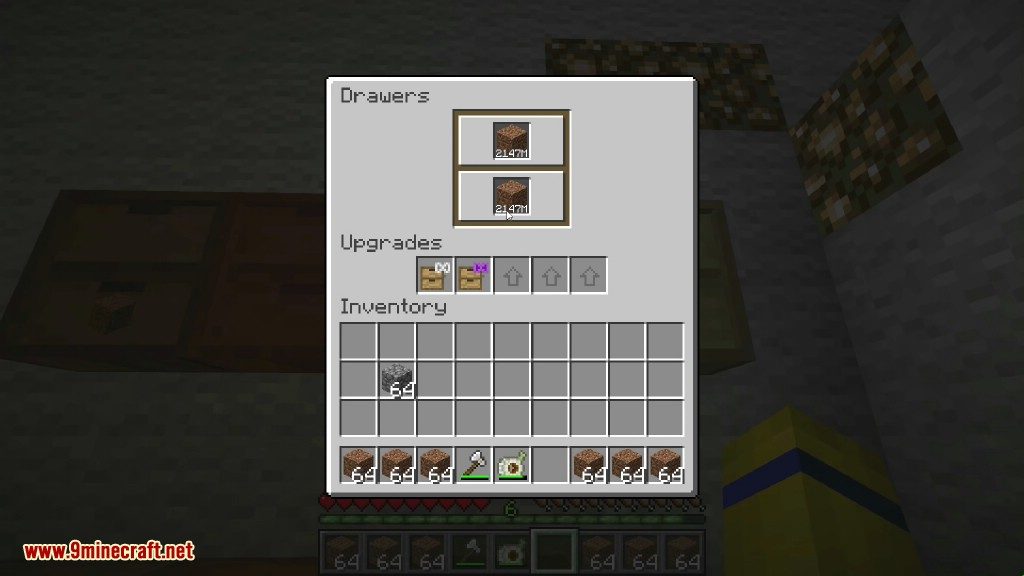
- Storage Upgrades: Increase the number of items a drawer can hold by applying storage upgrades. You can pick the size you need right away.
- Compacting Drawers: Use special drawers that automatically convert items. For example, they can turn gold ingots into gold blocks or nuggets as you need them.
- Drawer Controller: Link many drawers together with a Drawer Controller. This block combines them all into one large, accessible inventory.
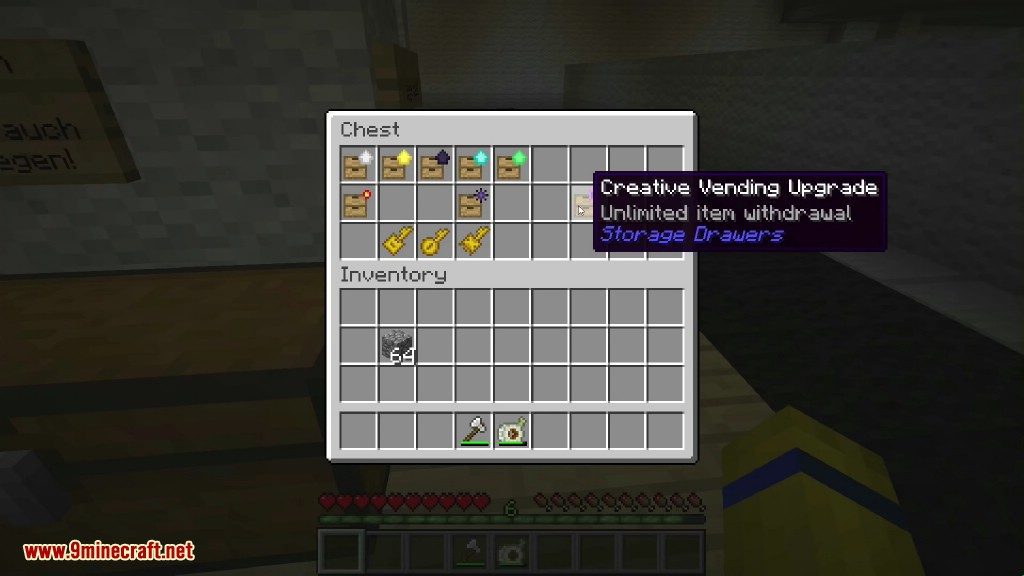
- Helpful Upgrades: Apply many types of upgrades, such as a void upgrade to destroy excess items, a redstone upgrade to emit signals based on how full the drawer is, or an illumination upgrade to make labels glow.
- Useful Keys: Craft different keys to manage your drawers. A Drawer Key locks an item type in place, while a Concealment Key can hide item labels to improve performance.
- Easy Item Deposit: Right-click a Drawer Controller to deposit an item into the network. Double-right-click to deposit all matching items from your inventory.
- Decorative Blocks: Use Trim blocks to connect drawers or for decoration, matching the style of your workshop.
Style, Choices, Upgrades:
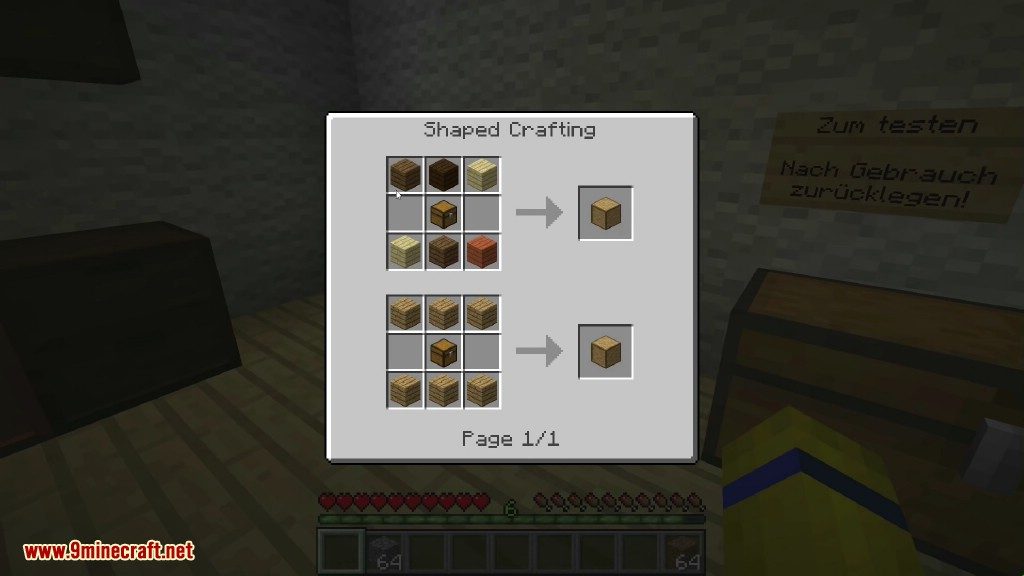
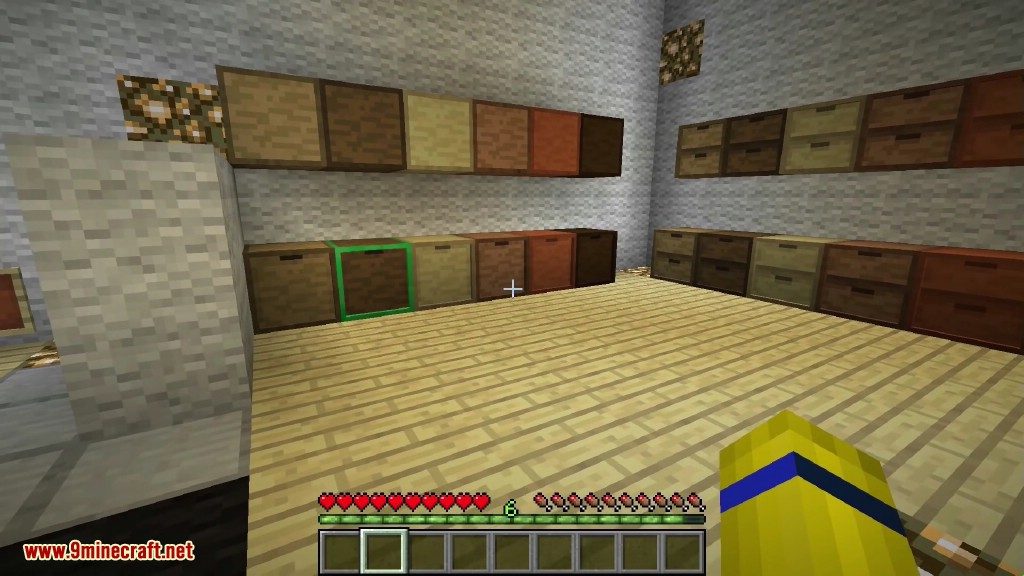
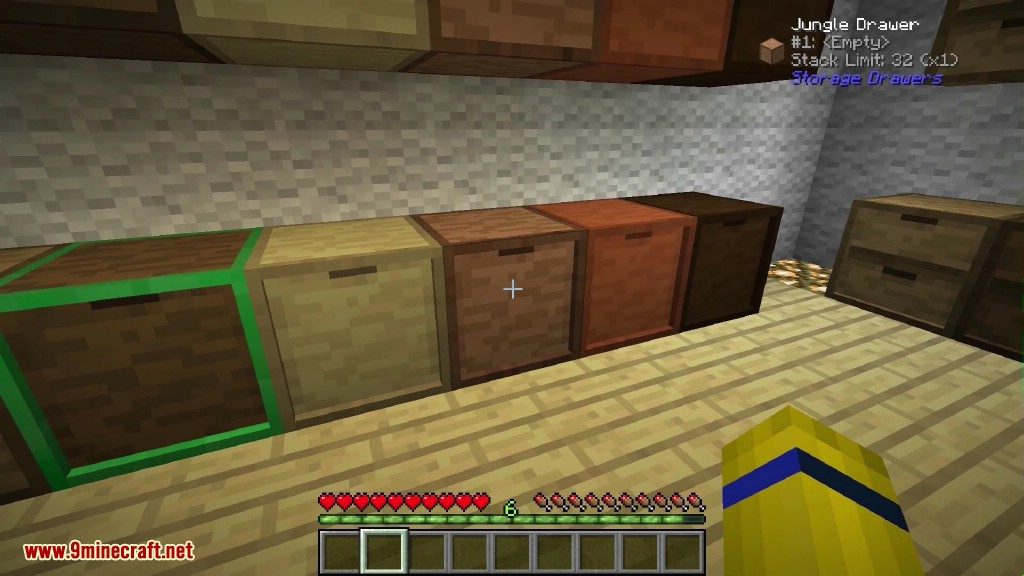
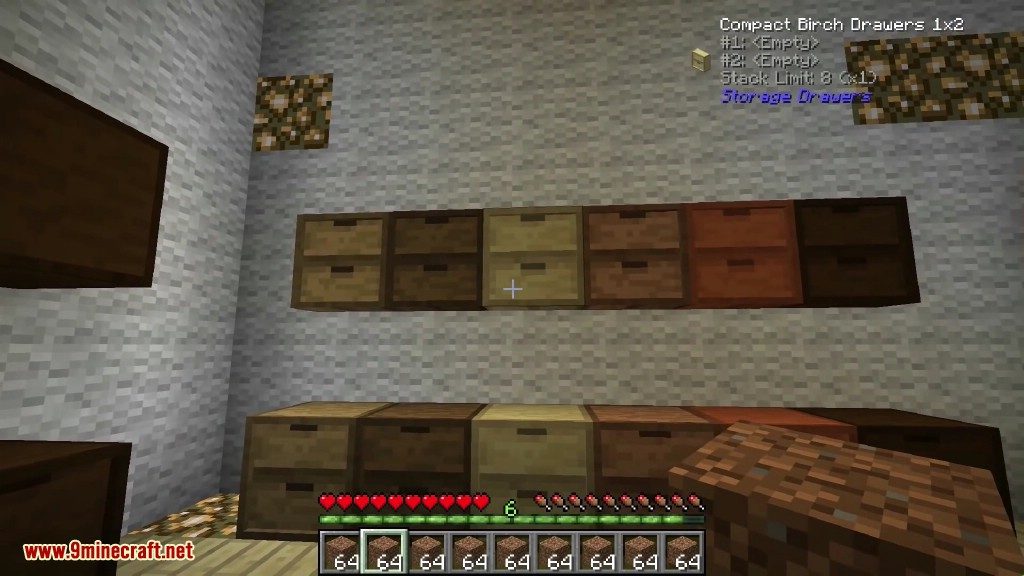
The wooden drawers are the main storage block in Storage Drawers, and they come in a variety of configurations and styles. You can pick from any of the Vanilla plank colors when crafting to get a matching block.
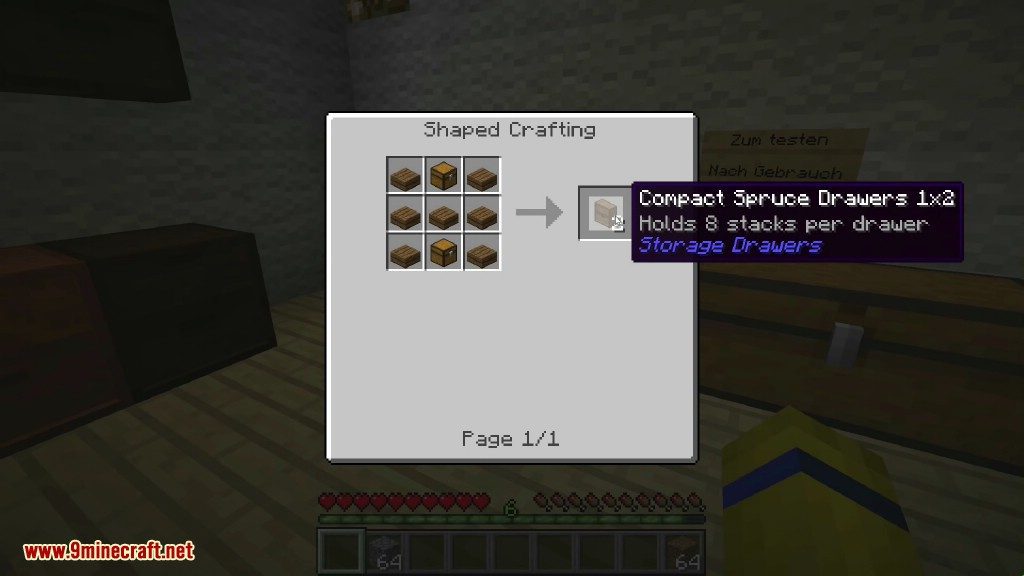
Drawers come in five configurations, trading capacity and compactness at different points:
- Half-size 2×2: Stores 4 stacks per drawer.
- Half-size 1×2: Stores 8 stacks per drawer.
- Full-size 2×2: Stores 8 stacks per drawer.
- Full-size 1×2: Stores 16 stacks per drawer.
- Full-size 1×1: Stores 32 stacks per drawer.
Capacity can be further boosted with storage upgrades. Upgrades do not need to be applied in sequence, so you can pick the size you need from the start.
If you need an estimate of how full your drawers are, indicator upgrades are available to put a fill bar on your drawers.
- Level 1: The indicator bar will light up when the drawer is full.
- Level 2: The indicator bar will fill proportional to how full the drawer is.
Drawers can also be locked or unlocked with the drawer key. When a drawer is locked, it will maintain its current item association even if the last item is removed. This will prevent pipes and other transport systems from re-filling that drawer with other items.
Compacting Drawers and the Drawer Controller:
Compacting drawers are a special stone-colored drawer that auto-convert compressible items. Instead of manually crafting and uncrafting between gold blocks, ingots, and nuggets, put them in a compacting drawer. The drawer will internally maintain a pool of the material, and let you insert or remove the material in any of the shown forms.
The compacting behavior applies to any item with a compressed recipe, including redstone, glowstone, wheat, and many others.
Drawer Controllers are the second special block in the mod. They will search for any connected drawer within 12 blocks, and then expose all of those drawers as a large combined inventory. This lets you hook up a single pipe, tube, duct, spark, storage bus, etc. and interact with the entire bank of drawers.
The second function of the controller is as a deposit-only interactive block. By right-clicking on the front face with an item, the item will be deposited into the connected network. By double-right clicking, it will attempt to dump your entire inventory. Items will only be dumped if they already exist in the network, allowing you to clear out a bunch of mob drops or farmed crops without literally dumping your entire inventory.
Controller Slaves act as an extension of a drawer controller, exposing more faces for attaching machines, pipes, or crafting frames. Controllers will bind to a slave when they find them on the network, and all slaves bound to the same controller will share the same inventory and range as that controller. Unlike drawers, slaves cannot be shared, and you should be careful to not put them in range of multiple controllers. Using controller slaves is better for performance than using multiple controllers.
Trim blocks are decorative wood paneled blocks similar to wooden drawers, but they can also be used to connect drawer blocks within a controller network.
Compatibility:
While some players choose to use Storage Drawers as a replacement for other storage mods, it works best with others.
- If aesthetics are important, the drawers complement many of the Bibliocraft blocks.
- Drawers are compatible with Jabba’s dolly, letting you move around filled blocks without needing to empty their contents and break them.
- Special compatibility is added for Thaumcraft, displaying an aspect label for the difficult-to-distinguish essentia-based items.
- All drawer blocks are compatible with Applied Energistics 2 storage buses, and this is the preferred way for seeing the exact contents of a drawer. A special consideration for compacting drawers: the full amount of blocks, ingots, and nuggets will be listed by the system, even though those amounts cannot exist simultaneously.
- WAILA will list the inventories of drawers, including their exact counts.
- A MineTweaker API is available for controlling the ore dictionary conversion whitelist and blacklist.
Configuration:
- Many features can be changed in the mod’s configuration file.
- You can adjust the base storage size of drawers and the effects of upgrades.
- Every block and item can be turned off individually in the config if you don’t want to use it.
- The full configuration menu is available through the game’s title screen.
How to Use:
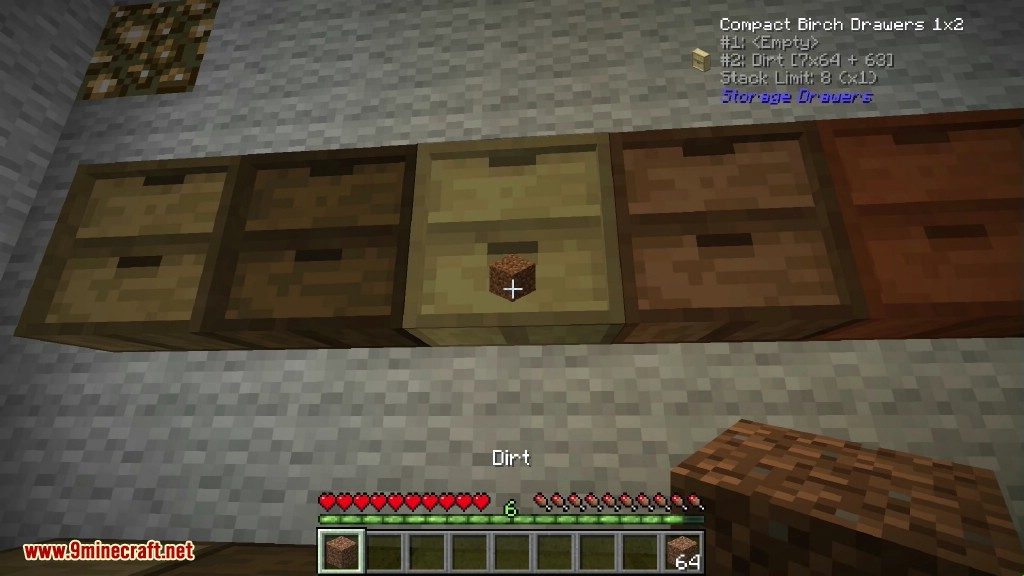
- Right-click on a drawer with an item stack to insert the entire stack.
- Double right-click to insert all matching stacks from your inventory into the drawer.
- Left-click on a drawer to take out a single item.
- Hold Shift and left-click to remove a full stack of items.
- Hold Shift and right-click with an empty hand to open a menu to see item counts and manage upgrades.
Crafting Recipes:
Screenshots:

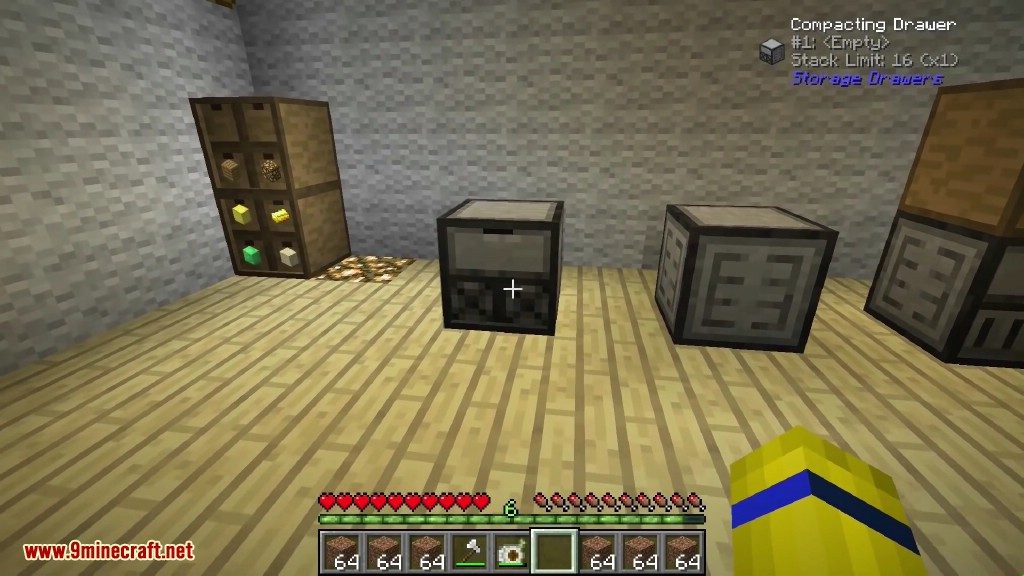
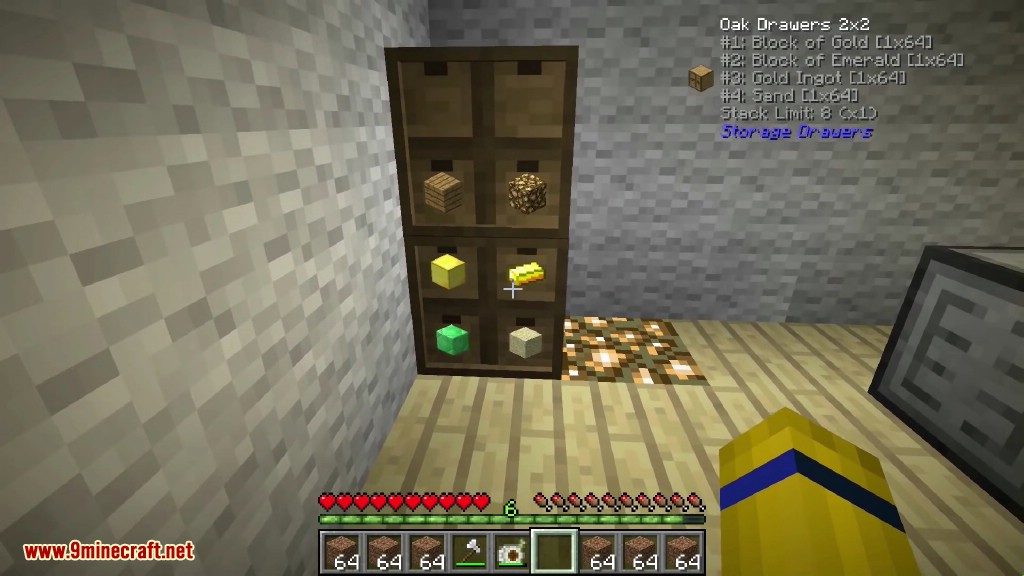
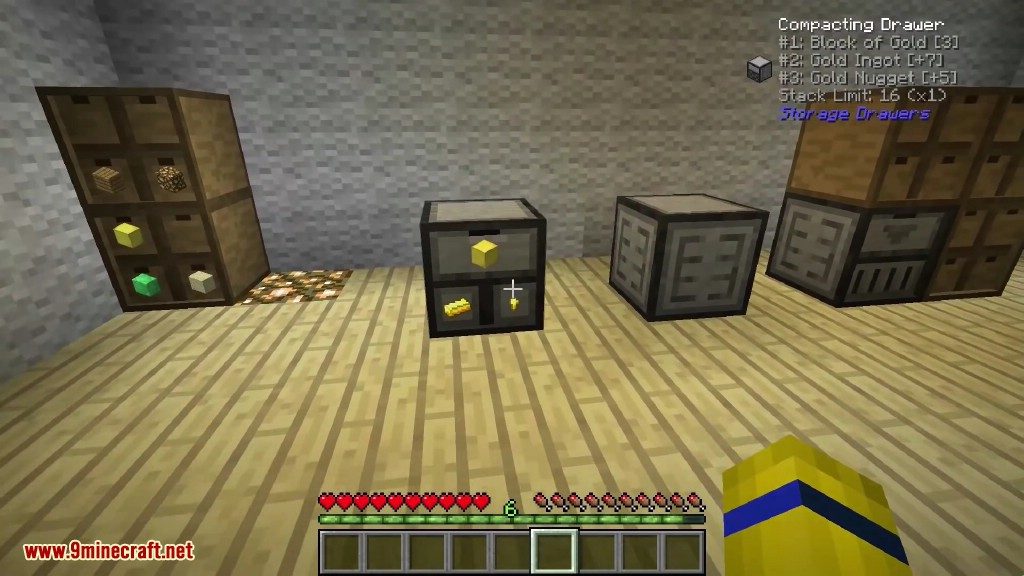

Storage Drawers Mod Download Links
For Minecraft 1.7.10
Forge version: Download from Server 1
For Minecraft 1.8.9
Forge version: Download from Server 1
For Minecraft 1.12.2, 1.12.1, 1.12
Forge version: Download from Server 1
For Minecraft 1.16.5
Forge version: Download from Server 1
For Minecraft 1.17.1
Forge version: Download from Server 1
For Minecraft 1.18.2
Forge version: Download from Server 1
For Minecraft 1.19.2
Forge version: Download from Server 1 – Download from Server 2
For Minecraft 1.19.3
Forge version: Download from Server 1
For Minecraft 1.19.4
Forge version: Download from Server 1 – Download from Server 2
For Minecraft 1.20.1, 1.20
Forge version: Download from Server 1 – Download from Server 2
Fabric version: Download from Server 1 – Download from Server 2
For Minecraft 1.21.1, 1.21
Forge version: Download from Server 1 – Download from Server 2
Fabric version: Download from Server 1 – Download from Server 2
NeoForge version: Download from Server 1 – Download from Server 2
For Minecraft 1.21.3, 1.21.2
Forge version: Download from Server 1 – Download from Server 2
Fabric version: Download from Server 1 – Download from Server 2
NeoForge version: Download from Server 1 – Download from Server 2
For Minecraft 1.21.4
Forge version: Download from Server 1 – Download from Server 2
Fabric version: Download from Server 1 – Download from Server 2
NeoForge version: Download from Server 1 – Download from Server 2
For Minecraft 1.21.5
Forge version: Download from Server 1 – Download from Server 2
Fabric version: Download from Server 1 – Download from Server 2
NeoForge version: Download from Server 1 – Download from Server 2
For Minecraft 1.21.8, 1.21.7, 1.21.6
Forge version: Download from Server 1 – Download from Server 2
Fabric version: Download from Server 1 – Download from Server 2
NeoForge version: Download from Server 1 – Download from Server 2
For Minecraft 1.21.10
Forge version: Download from Server 1 – Download from Server 2
Fabric version: Download from Server 1 – Download from Server 2
NeoForge version: Download from Server 1 – Download from Server 2
For Minecraft 1.21.11
Forge version: Download from Server 1 – Download from Server 2
NeoForge version: Download from Server 1 – Download from Server 2
- Edition: Minecraft Java
- File type: .jar
- Minecraft versions listed: 1.21.11, 1.20.1
- How to install: Install the matching mod loader (Forge, Fabric or NeoForge) for your Minecraft version. → Download the .jar. → Put it in the .minecraft/mods folder and launch that loader profile.
- Where to get it: In MC Java Mods, or directly above on this page.
Install steps are the general flow for this file type — How to install Minecraft Java mods & modpacks walks through it step by step.
- Downloads as 175937.mcaddon
- Download size: 576 KB
- Download link checked 25 Jul 2026 — working
- Mirrored on our own servers — the download does not depend on the original host
These come from our own check of the pack file, not from the source page.