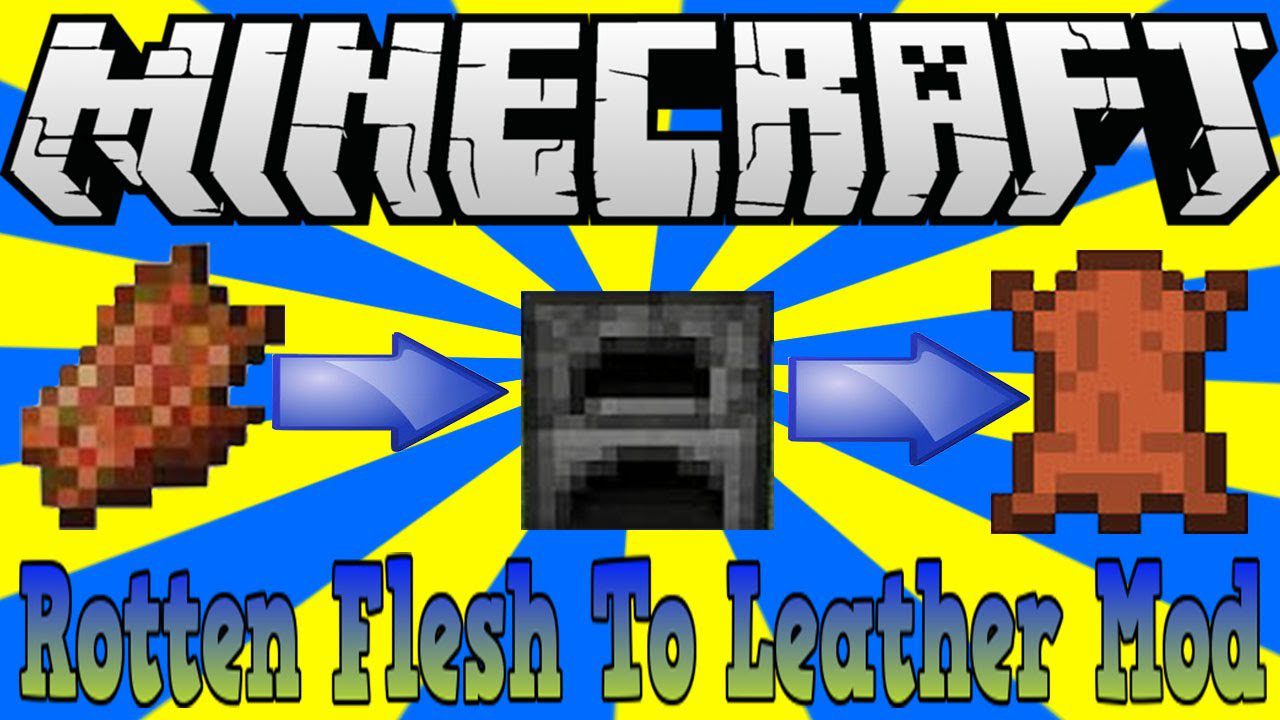
Just Another Rotten Flesh to Leather Mod lets you turn useless Rotten Flesh into valuable Leather. By default, you can get leather simply by smelting rotten flesh in a furnace. The mod also includes an optional HardMode, which you can turn on in the config file for a more challenging recipe.
Features:
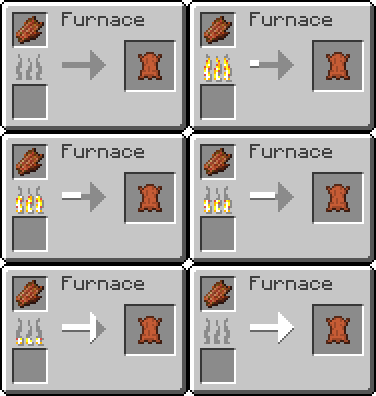
- Turn Rotten Flesh into Leather by smelting it.
- Use a smoker to smelt the flesh twice as fast as a regular furnace.
- Includes an optional HardMode for a more complex process.
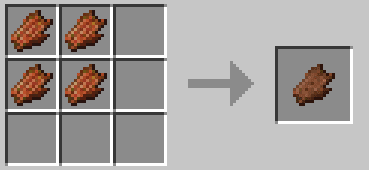
- In HardMode, you must first craft Prepared Flesh from four pieces of Rotten Flesh.
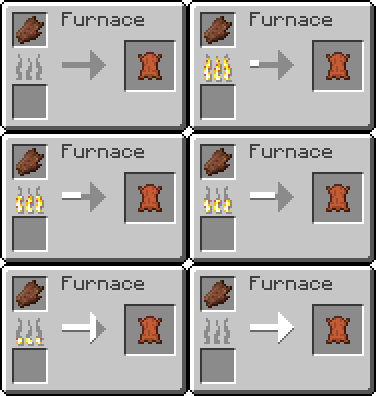
- After crafting Prepared Flesh, you can then smelt it to create Leather.
How to Use:
Normal Mode (Default)
- Place Rotten Flesh into a furnace or a smoker.
- Add fuel and wait for it to smelt into one piece of Leather.
HardMode (When enabled in the config)
- First, craft Prepared Flesh by combining four pieces of Rotten Flesh in a crafting grid.
- Then, place the Prepared Flesh into a furnace or smoker with fuel to smelt it into Leather.
Crafting Recipes:
Without HardMode:
With HardMode:
Just Another Rotten Flesh to Leather Mod Download Links
For Minecraft 1.12.2
Forge version: Download from Server 1
For Minecraft 1.15.2
Forge version: Download from Server 1
For Minecraft 1.16.5
Forge version: Download from Server 1
For Minecraft 1.17.1
Forge version: Download from Server 1
For Minecraft 1.18.2
Forge version: Download from Server 1
For Minecraft 1.19.2
Forge version: Download from Server 1
For Minecraft 1.19.4
Forge version: Download from Server 1 – Download from Server 2
For Minecraft 1.20.1, 1.20
Forge version: Download from Server 1 – Download from Server 2
For Minecraft 1.20.4
Forge version: Download from Server 1 – Download from Server 2
NeoForge version: Download from Server 1 – Download from Server 2
For Minecraft 1.21.1, 1.21
Forge version: Download from Server 1 – Download from Server 2
NeoForge version: Download from Server 1 – Download from Server 2
Fabric version: Download from Server 1 – Download from Server 2
For Minecraft 1.21.3, 1.21.2
Forge version: Download from Server 1 – Download from Server 2
NeoForge version: Download from Server 1 – Download from Server 2
Fabric version: Download from Server 1 – Download from Server 2
For Minecraft 1.21.4
Forge version: Download from Server 1 – Download from Server 2
NeoForge version: Download from Server 1 – Download from Server 2
Fabric version: Download from Server 1 – Download from Server 2
For Minecraft 1.21.5
Forge version: Download from Server 1 – Download from Server 2
NeoForge version: Download from Server 1 – Download from Server 2
Fabric version: Download from Server 1 – Download from Server 2
For Minecraft 1.21.8, 1.21.7, 1.21.6
Forge version: Download from Server 1 – Download from Server 2
NeoForge version: Download from Server 1 – Download from Server 2
Fabric version: Download from Server 1 – Download from Server 2
- Edition: Minecraft Java
- File type: .jar
- Minecraft versions listed: 1.21.8, 1.20.1
- How to install: Install the matching mod loader (Forge, Fabric or NeoForge) for your Minecraft version. → Download the .jar. → Put it in the .minecraft/mods folder and launch that loader profile.
- Where to get it: In MC Java Mods, or directly above on this page.
Install steps are the general flow for this file type — How to install Minecraft Java mods & modpacks walks through it step by step.
- Downloads as 176452.mcaddon
- Download size: 10 KB
- Download link checked 26 Jul 2026 — working
- Mirrored on our own servers — the download does not depend on the original host
These come from our own check of the pack file, not from the source page.