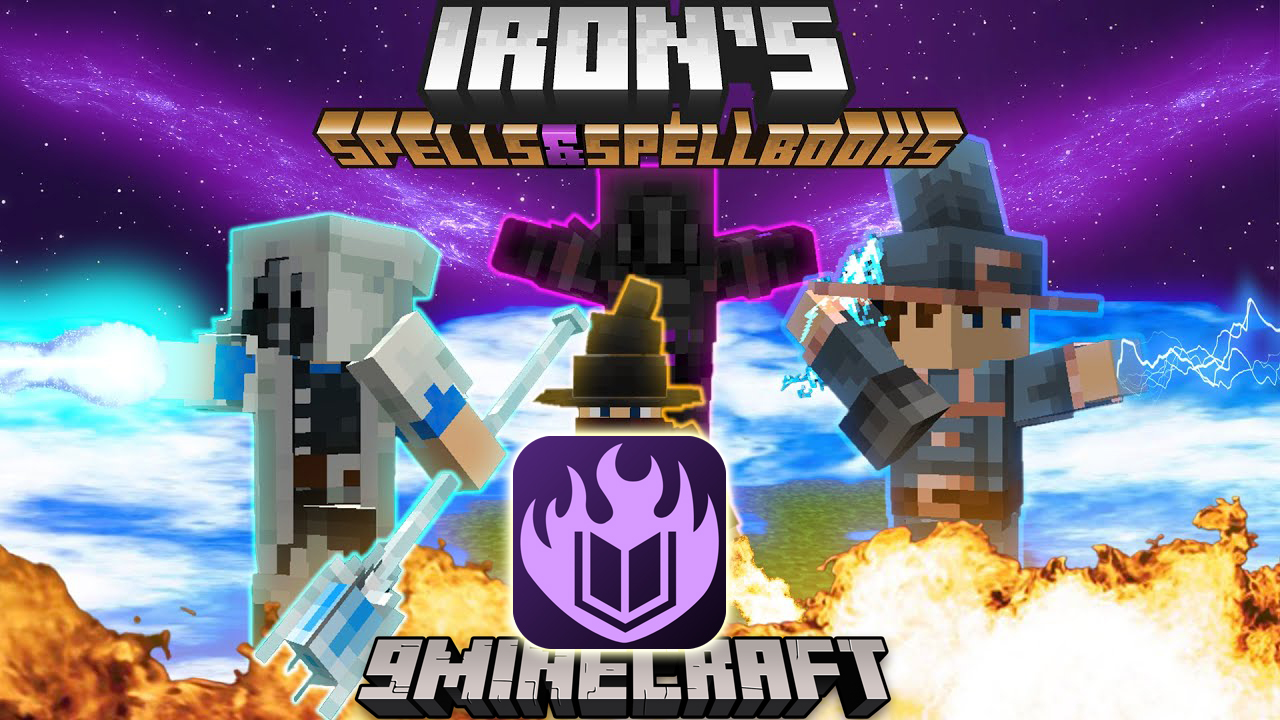
KubeJS Iron's Spells Mod (1.21.1, 1.20.1) – Creating Custom Spells
Java mod listed for Minecraft 1.20–1.21. Downloads from the MC Java Mods app on Android.
KubeJS Iron's Spells Mod is an addon that integrates Iron's Spells and Spellbooks into KubeJS. Features: Creating custom spells and spell schools Creating…
⬇ DownloadKubeJS Iron’s Spells Mod is an addon that integrates Iron’s Spells and Spellbooks into KubeJS.
Features:
- Creating custom spells and spell schools
- Creating custom Alchemist Cauldron recipes
- Creating custom spellbooks, staves and magic swords
- EntityJS compatibility for custom spell casting mobs, spell projectiles, and to modify existing mobs to cast spells and use spell casting AI (use their wiki for more information on these features)
- New special events
Configs:
Custom Spells:
Show MoreIf you change the properties of a spell between restarts, you’ll need to regenerate the Iron’s Spells server config by deleting it and joining the world again.
Example script:
// Spell registry goes in the startup_scripts folder

StartupEvents.registry('irons_spellbooks:spells', event => {
	event.create('bloodfed')
		.setCastTime(60)                           // Cast time in ticks
		.setCooldownSeconds(10)                    // Spell cooldown in seconds
		.setManaCostPerLevel(20)                   // How much additional mana is needed per level
		.setCastType('continuous')                 // Cast type can be "continuous", "long", "instant", or "none"
		.setSchool('irons_spellbooks:blood')       // The school type. This is the ID of the school you want to use
		.setMinRarity('epic')                      // The minimum rarity of the spell. Can be "common", "uncommon", "rare", "epic", or "legendary"
		.setMaxLevel(2)                            // The maximum level
		.setStartSound('item.honey_bottle.drink')  // The sound to be played when you start casting the spell. Used for long spells
		.setFinishSound('item.honey_bottle.drink') // Plays when the spell has finished casting
		.onCast(ctx => global.bloodfed(ctx))       // The function to be called when the spell is cast
		// Other methods like these also exist:
		.onClientCast(ctx => {})                   // Client-side only cast method. Useful for particles and sounds
		.onPreCast(ctx => {})                      // Called before the spell is cast.
		.onPreClientCast(ctx => {})
		.setAllowLooting(true)                     // Setting this to false will disallow looting the spell from mobs or chests
		.needsLearning(false)                      // Usually this one is used for Eldritch spells
		.canBeCraftedBy(player => true)
		.setUniqueInfo((spellLevel, caster) => {   // Caster refers to the player
			return [
				// You need to return an array of components for this method. They can be any text you want.
	 			Component.green(`Health: ${spellLevel / 2}`),
	  			Component.green(`Hunger Usage: ${caster.getFoodData().getFoodLevel() * (spellLevel / 2)}`)
			]
		})
		.checkPreCastConditions(ctx => { // This method can be used to check if the spell can be cast. If it returns false, the spell won't be cast.
			// You can use this for targeting spells, like how the Slow spell works. preCastTargetHelper returns true or false based on the target conditions.
			// The parameters of this method include the level, entity, the player's magic data, the spell, the range, and the aim assist.
            return ISSUtils.preCastTargetHelper(ctx.level, ctx.entity, ctx.playerMagicData, ctx.spell, 48, 0.35)
        })
})

// The functions for certain methods with callbacks like onCast can go in a global variable if you want it to be reloadable by using /kubejs reload startup_scripts
// It is recommended to use ProbeJS for this, to see all the available methods and properties in the context object.
global.bloodfed = (ctx) => {
	let player = ctx.entity
	if ((player.getFoodData().getFoodLevel() * (ctx.getSpellLevel() / 2)) < 2
	|| !ctx.entity.isPlayer()) return
	player.heal(ctx.getSpellLevel() / 2)
	player.getFoodData().setFoodLevel(player.getFoodData().getFoodLevel() - 2 * (ctx.getSpellLevel() / 2))
}
Listening to Iron’s Spells Events:
// These two go in server_scripts
PlayerEvents.changeMana(event => {
	// This makes it so that casting any spell consumes only 10 mana
	if (event.getMagicData().getCastSource() != 'SPELLBOOK') return
	event.setNewMana(event.getOldMana() - 10)
})

// There is also spellPreCast, which is cancelable
PlayerEvents.spellOnCast(event => {
	// Casting any spell kills the player who casted it
	event.player.kill()
})

// The one below goes in startup_scripts
// You can add spells to the spell selection wheel without requiring the player to have a spell book, magic sword or scroll
PlayerEvents.spellSelection(event => {
	// This event is fired when the spell selection wheel changes or appears, or on login
	// You can add spells to the selection wheel by using the addSelectionOption method, which requires SpellData (the spell and spell level), a selection option ID, and the local slot index
    event.addSelectionOption(new SpellData('kubejs:test_with_ctx', 1), "custom", 0) // Usually the last parameter should be 0.
    event.addSelectionOption(new SpellData('irons_spellbooks:blood_slash', 1), "custom2", 0)
})
Creating Spell Schools:
To create a spell school, you’ll first need to create two attributes for spell power and spell resistance.
// This goes in startup_scripts

StartupEvents.registry("attribute", event => {
	// Use the `spell` type for these attributes and set all the values needed. The default value has to be higher than the minimum value and lower than the maximum value.
	event.create("test_spell_power", "irons_spells_js:spell").setDefaultValue.setMinimumValue.setMaximumValue
	event.create("test_spell_resistance", "irons_spells_js:spell").setDefaultValue.setMinimumValue.setMaximumValue
})
Then, in the next few lines, you need to apply these attributes to entities.
// You can listen to mod bus events by using `ForgeModEvents.onEvent`, and then inputting the event class.
ForgeModEvents.onEvent("net.minecraftforge.event.entity.EntityAttributeModificationEvent", event => {
	// Here, we loop through all the entity types and add both attributes to each and every one of them.
	// This makes sure that every entity that has magic capabilities can use these attributes.
	event.types.forEach(type => {
		event.add(type, 'kubejs:test_spell_power')
		event.add(type, 'kubejs:test_spell_resistance')
	})
})
If you have EntityJS, you can do this easier:
EntityJSEvents.attributes(event => {
    event.allTypes.forEach(type => {
        event.modify(type, (a) => {
            a.add('kubejs:test_spell_power')
            a.add('kubejs:test_spell_resistance')
        })
    })
})
Finally, we need to register the school.
StartupEvents.registry("irons_spellbooks:schools", event => {
	// This creates a school named `Test` with the ID `kubejs:test`.
	// You can use the ID of this school in any spell you create, or to change the school of an existing spell using the Iron's Spells server config.
	event.create("test")
		.setName(Component.of("Test").aqua()) // This sets what the school will be displayed as. This needs to be a Component.
		.setFocus("kubejs:test_focus") // The focus needs to be an item tag. You can add this same tag to an item to make it the focus.
		.setPowerAttribute("kubejs:test_spell_power") // This sets the power attribute.
		.setResistanceAttribute("kubejs:test_spell_resistance") // This sets the resistance attribute.
		.setDefaultCastSound('minecraft:entity.chicken.death') // You can also set a default cast sound for each spell in the school.
		// In 1.20.1 and up, creating spell schools requires a damage type to be inputted.
		// You can create a damage type using datapacks. https://minecraft.wiki/w/Damage_type
		// .setDamageType('kubejs:test_spell_damage_type')
})
Custom Spell Books, Staves, and Magic Swords:
Show More// These all go in startup scripts
StartupEvents.registry("item", event => {
// Other item methods also work on these builders. It is recommended to give the spell books the proper Curios item tag for them to work properly.
// (that being "curios:spellbook")
//This just creates a basic spell book with nothing special to it. It is given 3 spell slots as defined.
event.create("test_spellbook", "irons_spells_js:spellbook")
.setMaxSpellSlots(3)
// You can add attributes to the spell book, including custom attributes.
// This spell book is given 8 total spell slots and two attributes.
event.create("test_attribute_spellbook", "irons_spells_js:spellbook")
.setMaxSpellSlots(8)
.addDefaultAttribute("kubejs:test_spell_power", "Test Spell Power", 2.0, "multiply_total")
.addDefaultAttribute("minecraft:generic.movement_speed", "Test Movement Speed", 1.2, "multiply_total")
// If you give a spell book default spells, it is converted to a Unique spell book.
// This spell book has been given two extra attributes and a single default spell, being Firebolt at level 1.
event.create("test_unique_spellbook", "irons_spells_js:spellbook")
.setMaxSpellSlots(4)
.addDefaultAttribute("kubejs:test_spell_power", "Test Spell Power", 2.0, "multiply_total")
.addDefaultAttribute("minecraft:generic.movement_speed", "Test Movement Speed", 1.2, "multiply_total")
.addDefaultSpell(SpellRegistry.FIREBOLT_SPELL, 1)
// You can create custom staves too, and give them additional custom attributes.
// This staff deals 50 base damage and gives the user 200% more spell power for the school Test, shown in a previous example.
event.create("test_staff", "irons_spells_js:staff")
.addAdditionalAttribute("kubejs:test_spell_power", "Test Spell Power", 2.0, "multiply_total")
.attackDamageBaseline(50)
.speedBaseline(-2.4)
// Along with custom staves, you can also create custom magic swords that come with default spells.
// This sword deals 100 damage, has 3 attack speed, and has two pre-inscribed spells, being Firebolt and Blood Slash.
event.create("test_magic_sword", "irons_spells_js:magic_sword")
.addAdditionalAttribute("kubejs:test_spell_power", "Test Spell Power", 2.0, "multiply_total")
.attackDamageBaseline(100)
.speedBaseline(3)
.addDefaultSpell(SpellRegistry.FIREBOLT_SPELL, 1)
.addDefaultSpell(SpellRegistry.BLOOD_SLASH_SPELL, 2)
// Also, you don't need to use a registry object for spells. You can input a string as the spell ID and it works just fine as well.
event.create("test_magic_sword_2", "irons_spells_js:magic_sword")
.addAdditionalAttribute("kubejs:test_spell_power", "Test Spell Power", 2.0, "multiply_total")
.attackDamageBaseline(100)
.speedBaseline(3)
.addDefaultSpell("irons_spellbooks:starfall", 1)
.addDefaultSpell("irons_spellbooks:planar_sight", 2)
})
Custom Alchemist Cauldron Recipes:
Show MoreYou can also add custom recipes for the Alchemist Cauldron.
// This goes in startup_scripts
StartupEvents.postInit(event => {
	// This creates a recipe that turns an apple into a golden apple using a gold ingot.
    AlchemistCauldronRecipeBuilder.create()
        .setInput('minecraft:apple')
        .setIngredient('minecraft:gold_ingot')
        .setResult('minecraft:golden_apple')
        .setBaseRequirement(1) // This sets the minimum amount required for the input item
        .setResultLimit(1) // This sets how much of the result item you get
        .register() // You need to call this at the end of the recipe for it to work

    AlchemistCauldronRecipeBuilder.create()
        .setPotionInput(Potions.THICK) // You can also use potion inputs. Only one of either setPotionInput or setInput can be used, not both.
        .setIngredient('minecraft:diamond')
        .setResult('minecraft:diamond_sword')
        .setBaseRequirement(1)
        .setResultLimit(1)
        .register()
})
KubeJS Iron’s Spells Mod Download Links
For Minecraft 1.19.2
Forge version: Download from Server 1 – Download from Server 2
For Minecraft 1.20.1, 1.20
Forge version: Download from Server 1 – Download from Server 2
For Minecraft 1.21.1, 1.21
NeoForge version: Download from Server 1 – Download from Server 2
- Edition: Minecraft Java
- File type: .jar
- Minecraft versions listed: 1.21.1, 1.20.1
- How to install: Install the matching mod loader (Forge, Fabric or NeoForge) for your Minecraft version. → Download the .jar. → Put it in the .minecraft/mods folder and launch that loader profile.
- Where to get it: In MC Java Mods, or directly above on this page.
Install steps are the general flow for this file type — How to install Minecraft Java mods & modpacks walks through it step by step.
- Downloads as 177320.mcaddon
- Download size: 115 KB
- Download link checked 24 Jul 2026 — working
- Mirrored on our own servers — the download does not depend on the original host
These come from our own check of the pack file, not from the source page.