Separated Leaves Mod (1.21.5, 1.20.1) – Keeps Tree Farms Clean and Organized
Java mod listed for Minecraft 1.20–1.21. Downloads from the MC Java Mods app on Android.
⬇ Download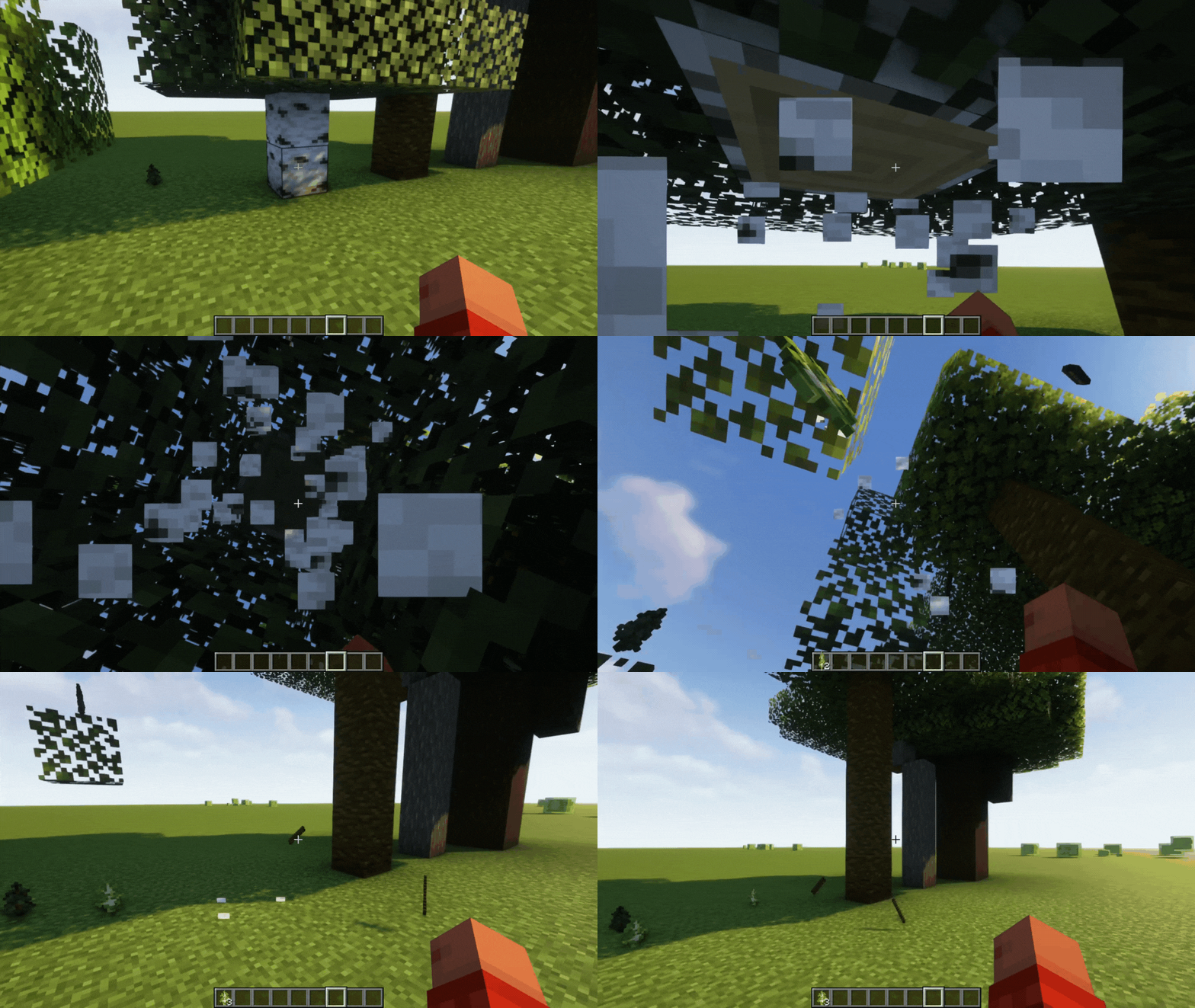
Separated Leaves Mod is a simple yet useful mod that changes the way leaves behave in Minecraft. By default, leaves will stick to any type of log, regardless of their own type. This can lead to unwanted results, such as when leaves from different trees stick together and create a cluttered mess. The Separated Leaves mod changes this behavior so that leaves will only stick to their own type of log. This means that if you chop down an oak tree, only oak leaves will despawn, even if they are connected to a birch log. Overall, the Separated Leaves mod is a great way to improve the look and feel of your Minecraft forests. It is also a useful mod for anyone who wants to keep their tree farms clean and organized.
Features:
This can be useful for a variety of reasons, such as:
- Keeping your tree farms clean and organized. With the Separated Leaves mod, you can use any type of log in your tree farm without worrying about leaves sticking to your walls or other structures.
- Creating more realistic and immersive forests. In real life, different types of trees have different types of leaves. The Separated Leaves mod helps to recreate this effect in Minecraft, making your forests look more natural and realistic.
- Improving performance. When there are a lot of leaves on the ground, it can impact performance. The Separated Leaves mod helps to reduce this impact by despawning leaves that are no longer connected to their own type of log.
- It has built-in compatibility with:
- Atmospheric
- Autumnity
- Biomes o’ Plenty
- Ecologics
- Environmental
- Hex Casting
- Malum
- Oh The Biomes You’ll Go
- Premium Wood
- Quark
- Reqions Unexplored
- The Twilight Forest
- Upgrade Aquatic
- Windswept
Screenshots:
Separated Leaves Mod Download Links
For Minecraft 1.21.5
NeoForge Version: Download from Server 1 – Download from Server 2
Fabric Version: Download from Server 1 – Download from Server 2
For Minecraft 1.21.4
NeoForge Version: Download from Server 1 – Download from Server 2
Fabric Version: Download from Server 1 – Download from Server 2
For Minecraft 1.21.1, 1.21
NeoForge Version: Download from Server 1 – Download from Server 2
Fabric Version: Download from Server 1 – Download from Server 2
For Minecraft 1.20.4
Forge Version: Download from Server 1 – Download from Server 2
Fabric Version: Download from Server 1 – Download from Server 2
For All Version from Minecraft 1.19.3 to Minecraft 1.20.2
Forge Version: Download from Server 1 – Download from Server 2
Fabric Version: Download from Server 1 – Download from Server 2
For Minecraft 1.19.2
Forge Version: Download from Server 1 – Download from Server 2
Fabric Version: Download from Server 1 – Download from Server 2
For Minecraft 1.18.2
Forge Version: Download from Server 1 – Download from Server 2
Fabric Version: Download from Server 1 – Download from Server 2
- Edition: Minecraft Java
- File type: .jar
- Minecraft versions listed: 1.21.5, 1.20.1
- How to install: Install the matching mod loader (Forge, Fabric or NeoForge) for your Minecraft version. → Download the .jar. → Put it in the .minecraft/mods folder and launch that loader profile.
- Where to get it: In MC Java Mods, or directly above on this page.
Install steps are the general flow for this file type — How to install Minecraft Java mods & modpacks walks through it step by step.
- Downloads as 177540.mcaddon
- Download size: 124 KB
- Download link checked 29 Jul 2026 — working
- Mirrored on our own servers — the download does not depend on the original host
These come from our own check of the pack file, not from the source page.