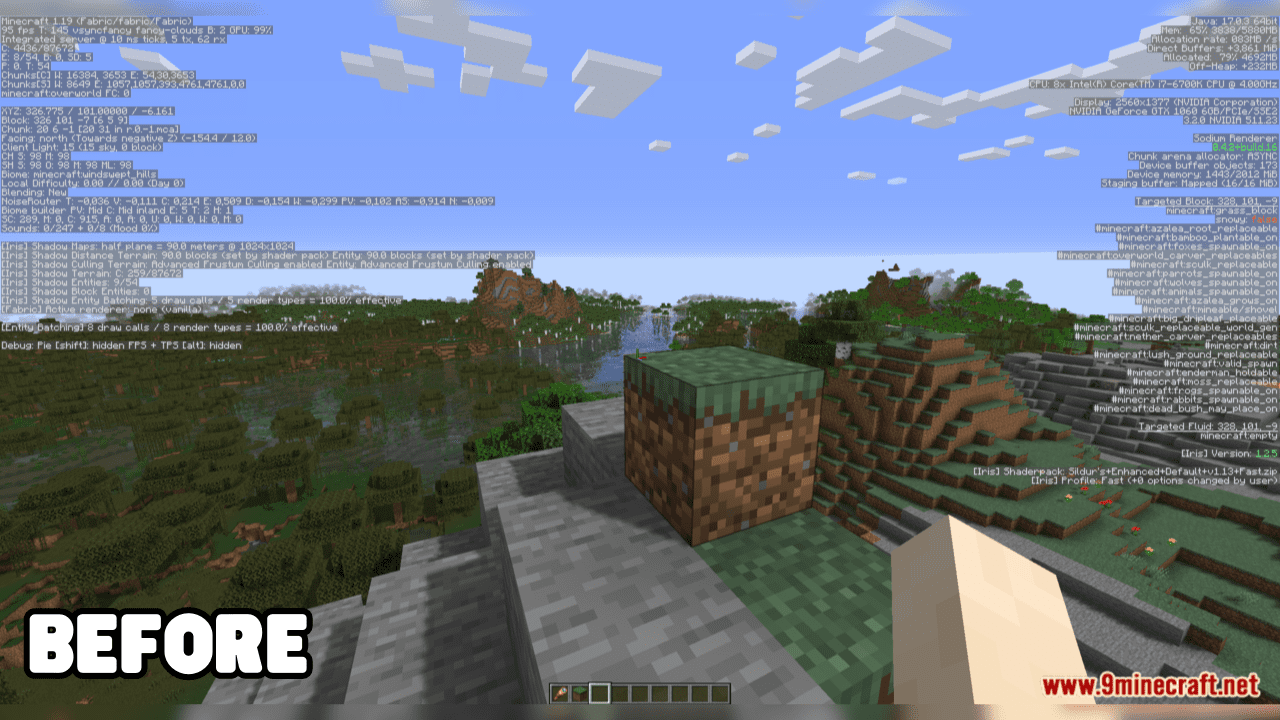
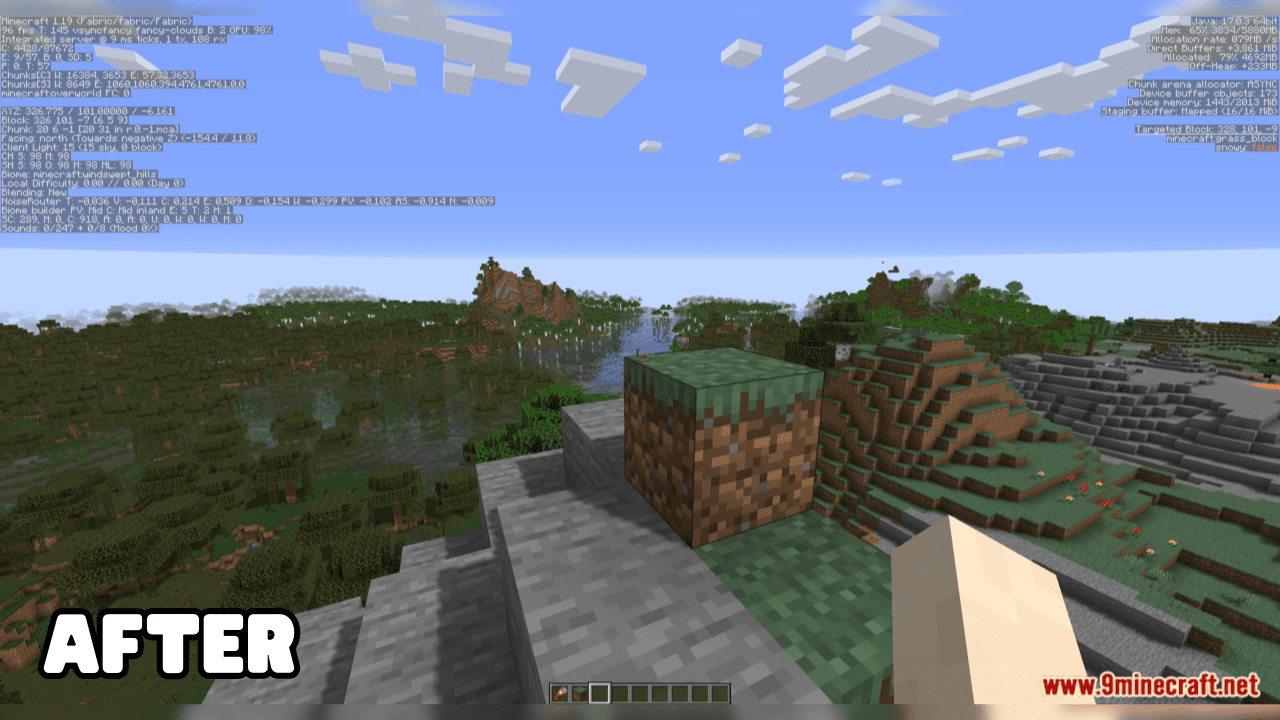
Clean F3 Mod is a lightweight and open-source solution designed to enhance the user’s experience with the game’s debug screen. Its primary feature is the effective removal of superfluous information from the debug screen, ensuring an uncluttered, streamlined view. This user-friendly mod targets and eliminates non-essential data, facilitating a more focused debugging process and improving the overall user experience. Simplicity and improved functionality are at the core of this mod, providing users with an efficient and cleaner debugging interface.
Features:
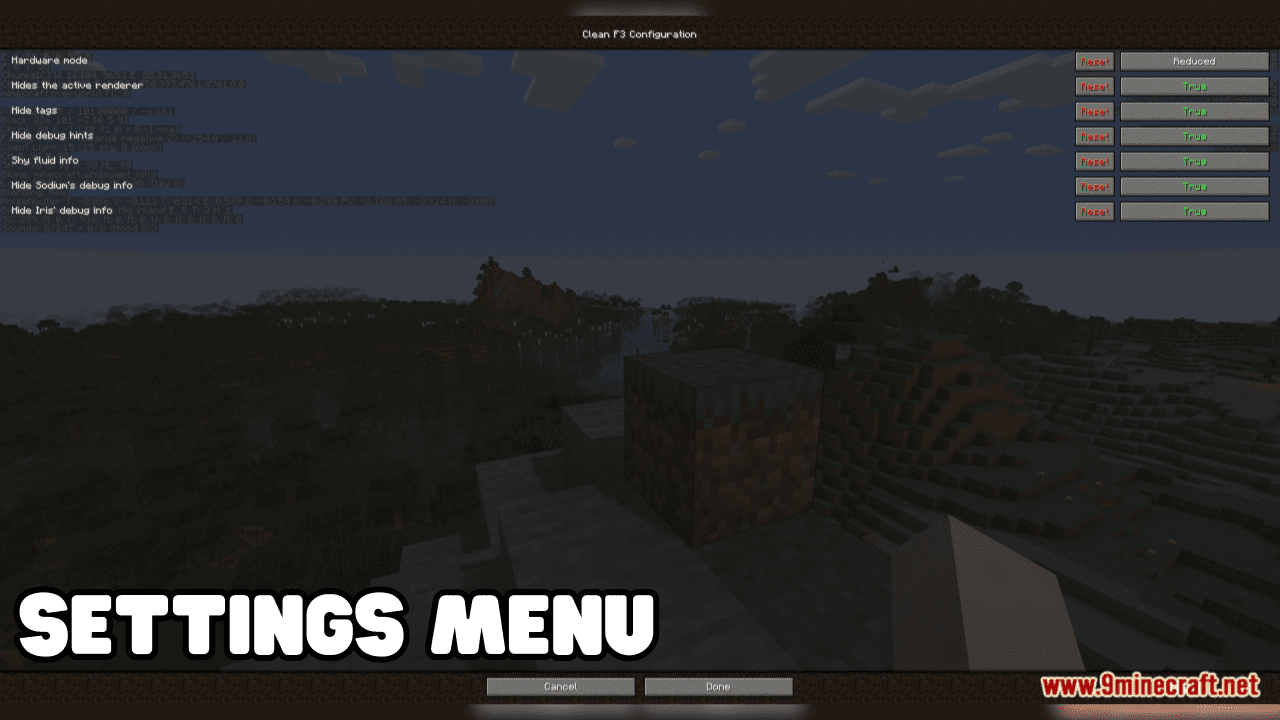
This mod not only allows you to remove debug elements from Vanilla but also from some popular mods:
- Sodium
- Iris
- EntityCulling
- Presence Footsteps
- Litematica
- ViaFabric
Screenshots:
Clean F3 Mod Download Links
For Minecraft 1.21.8, 1.21.7, 1.21.6
Fabric Version: Download from Server 1 – Download from Server 2
For Minecraft 1.21.5
Fabric Version: Download from Server 1 – Download from Server 2
For Minecraft 1.21.4
Fabric Version: Download from Server 1 – Download from Server 2
For Minecraft 1.21.3, 1.21.2
Fabric Version: Download from Server 1 – Download from Server 2
For Minecraft 1.21.1, 1.21
Fabric Version: Download from Server 1 – Download from Server 2
NeoForge Version: Download from Server 1 – Download from Server 2
For Minecraft 1.20.6
Fabric Version: Download from Server 1 – Download from Server 2
For Minecraft 1.20.4
Fabric Version: Download from Server 1 – Download from Server 2
For Minecraft 1.20.2
Fabric Version: Download from Server 1 – Download from Server 2
For Minecraft 1.20.1, 1.20
Fabric Version: Download from Server 1 – Download from Server 2
For All Version from Minecraft 1.17.1 to Minecraft 1.19.4
Fabric Version: Download from Server 1 – Download from Server 2
- Edition: Minecraft Java
- File type: .jar
- Minecraft versions listed: 1.21.8, 1.20.1
- How to install: Install the matching mod loader (Forge, Fabric or NeoForge) for your Minecraft version. → Download the .jar. → Put it in the .minecraft/mods folder and launch that loader profile.
- Where to get it: In MC Java Mods, or directly above on this page.
Install steps are the general flow for this file type — How to install Minecraft Java mods & modpacks walks through it step by step.
- Downloads as 178226.mcaddon
- Download size: 18 KB
- Download link checked 24 Jul 2026 — working
- Mirrored on our own servers — the download does not depend on the original host
These come from our own check of the pack file, not from the source page.