



Transfer Labels Mod helps transfer items and fluids quickly between adjacent blocks. Labels can be placed on blocks to control the transfer. The mod also has filter and speed settings, making it easier to choose what to move and how fast it goes.
Features:
- Transfer items and fluids between blocks that are side by side.
- Place labels by sneak right-clicking on blocks.
- Interact with placed labels using a label item.
- Remove labels by left-clicking while holding a label.
- Access labels through blocks using the label accessor.
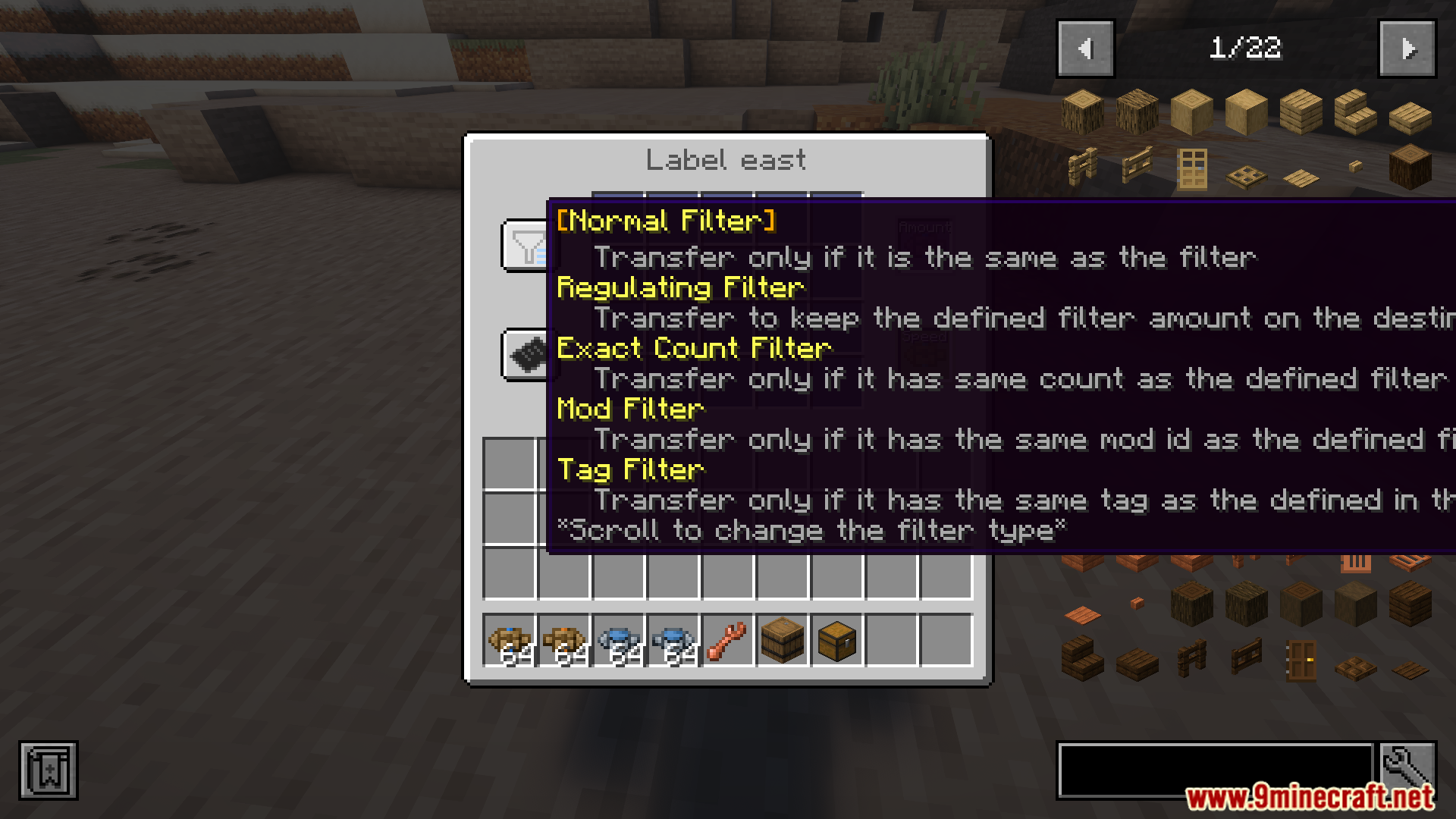
- Filter options include: regulating, exact count, mod-based, and tag-based filters.
- Change filter amounts by scrolling while holding Shift, Alt, Ctrl, or combinations.
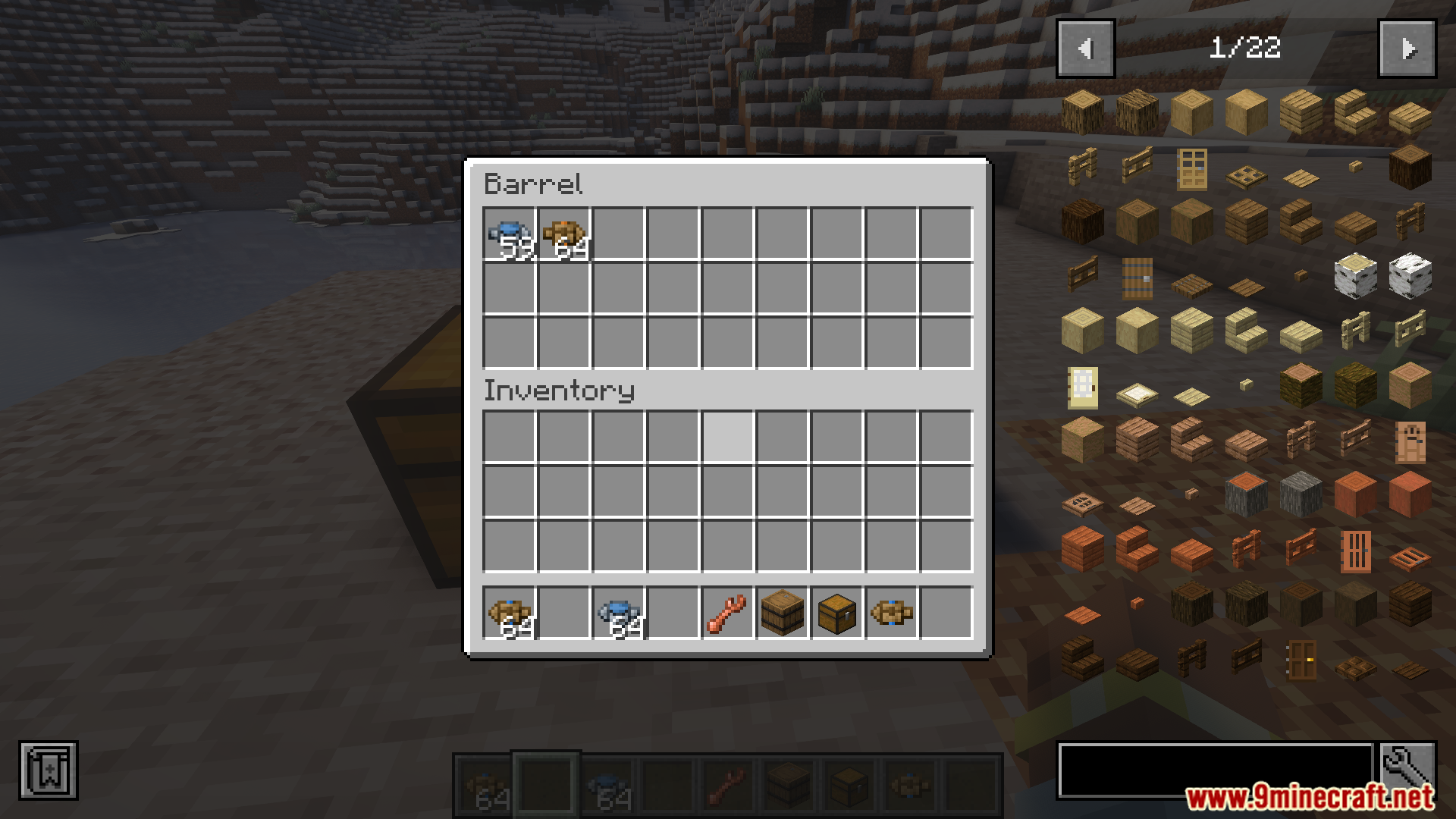
- Increase speed or amount by adding more of the same label in the right slots.
Screenshots:


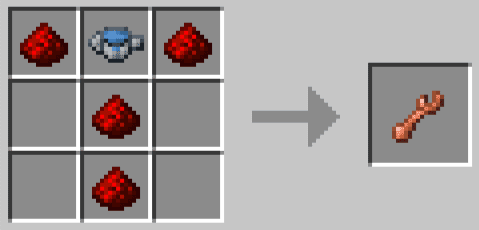
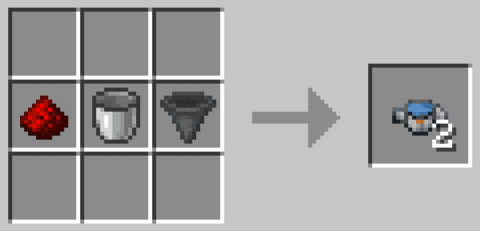
Crafting Recipes:
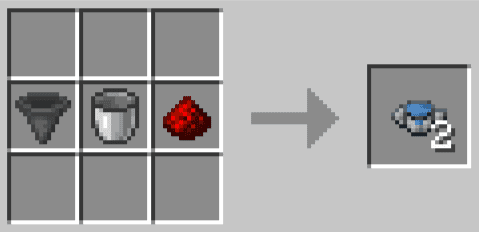

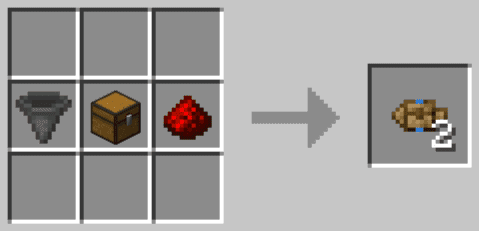
Transfer Labels Mod Download Links
For Minecraft 1.21.1, 1.21
Forge Version: Download from Server 1 – Download from Server 2
Quick facts
- Edition: Minecraft Java
- File type: .jar
- Minecraft version listed: 1.21.1
- How to install: Install the matching mod loader (Forge, Fabric or NeoForge) for your Minecraft version. → Download the .jar. → Put it in the .minecraft/mods folder and launch that loader profile.
- Where to get it: In MC Java Mods, or directly above on this page.
Install steps are the general flow for this file type — How to install Minecraft Java mods & modpacks walks through it step by step.
Verified by MCModsHub
- Downloads as 178383.mcaddon
- Download size: 147 KB
- Download link checked 29 Jul 2026 — working
- Mirrored on our own servers — the download does not depend on the original host
These come from our own check of the pack file, not from the source page.