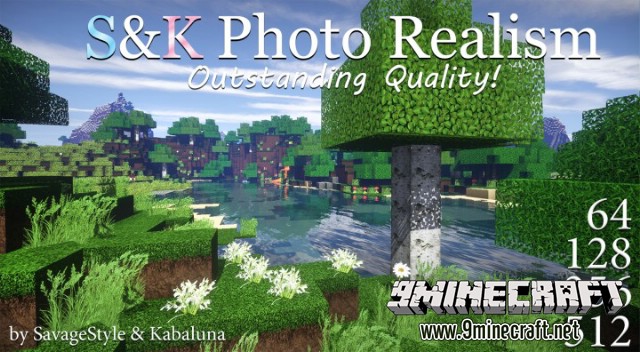
S&K Photo Realism Resource Pack – Texture Pack
Minecraft Java resource pack. Downloads from the MC Java Mods app on Android.
S&K Photo Realism Resource Pack for Minecraft Frostburn update version that added new blocks and some new sounds. Outstanding Quality! Great Optimization!…
⬇ Download


S&K Photo Realism Resource Pack for Minecraft Frostburn update version that added new blocks and some new sounds.
Outstanding Quality!
Great Optimization! (37mb for x512)
# 1 Most Popular x512 texture pack!!


How to use:
(Better graphics, better FPS – resulting quadruple gameplay boost!)
RECOMMENDED SETTINGS (open spoiler to read)
Show MoreFor minecraft 1.8+ and above:
Varian # 1:
You need OptiFine!* (Minecraft + OptiFine Settings)
If you don’t have OptiFine, watch our video tutorial below
- Mipmap levels: 4 (Options -> Video Options -> Quality)
- Anisotropic Filtering: 4++(Options -> Video Options -> Quality)
- Antialiasing: 4++ (Options -> Video Options -> Quality)
- Alternate blocks: ON (Options -> Video Options)
- Trees: Fancy (Options -> Video Settings -> Details)
- Better grass: OFF (Options -> Video Options -> Quality)
- Better snow: OFF (Options -> Video Options -> Quality)
- Fast Math: ON (Options -> Video Options -> Perfomance)
- Use VBOs: ON (Options -> Video Options -> Use VBOs)
*in default version 1.8+ mojang removed antialiasing option and decreased render quality in general, so you forced to use bad settings and you can’t change this. You just can not achieve fine graphics with Vanilla (unmoded, official) minecraft 1.8+
Download links for S&K Photo Realism Resource Pack:
- Edition: Minecraft Java
- File type: .zip (resource pack)
- How to install: Download the .zip resource pack — do not unzip it. → Put it in .minecraft/resourcepacks. → Enable it in Options → Resource Packs.
- Where to get it: In MC Java Mods, or directly above on this page.
Install steps are the general flow for this file type — How to install Minecraft Java resource packs walks through it step by step.
- Downloads as 183324.mcpack
- Download size: 87.8 MB
- Download link checked 26 Sept 2026 — working
- Mirrored on our own servers — the download does not depend on the original host
These come from our own check of the pack file, not from the source page.