ProPortals
Bedrock add-on listed for Minecraft 26.x (behavior + resource pack). File opened and checked on 27 Sep 2026; installs from the MC Bedrock Mods app on Android.
⬇ Download on CurseForge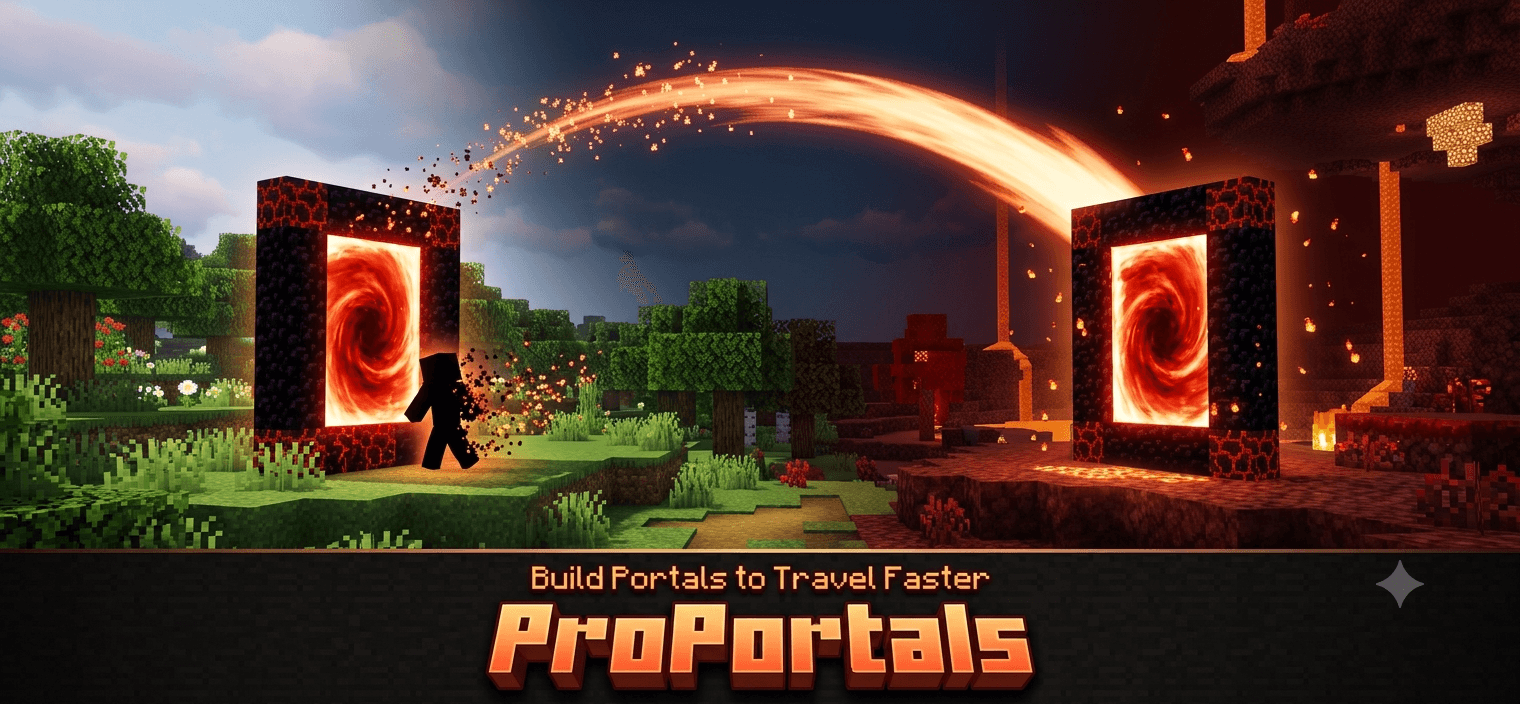
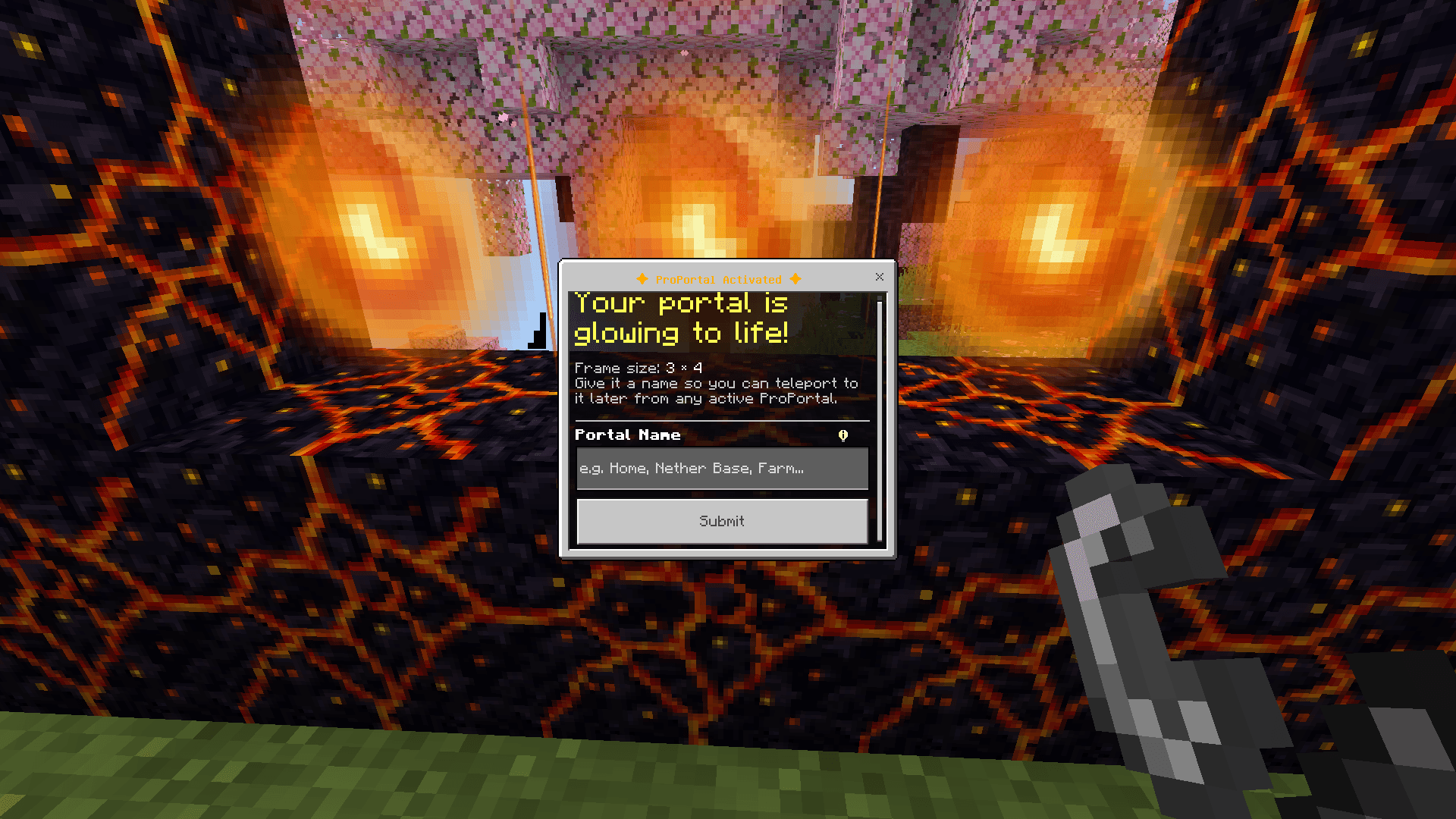
ProPortals
Build your own portal network — craft a frame, ignite it, name it, and teleport anywhere.
ProPortals adds a custom, fully craftable portal block to Minecraft Bedrock. Build a frame just like a Nether Portal, light it with Flint & Steel, give it a name, and instantly travel between any of your portals — across the Overworld, the Nether, and the End.
✦ Features
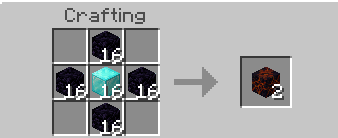
- Craftable Portal Block — Combine a Diamond Block with Obsidian in a simple recipe to get your ProPortal Blocks.
- Build Any Size Frame — Just like vanilla Nether Portals, build a rectangular frame with a minimum interior size, and scale it up as large as you want.
- Ignite with Flint & Steel — Light the frame just like a normal portal. A burst of fiery particles confirms it's active.
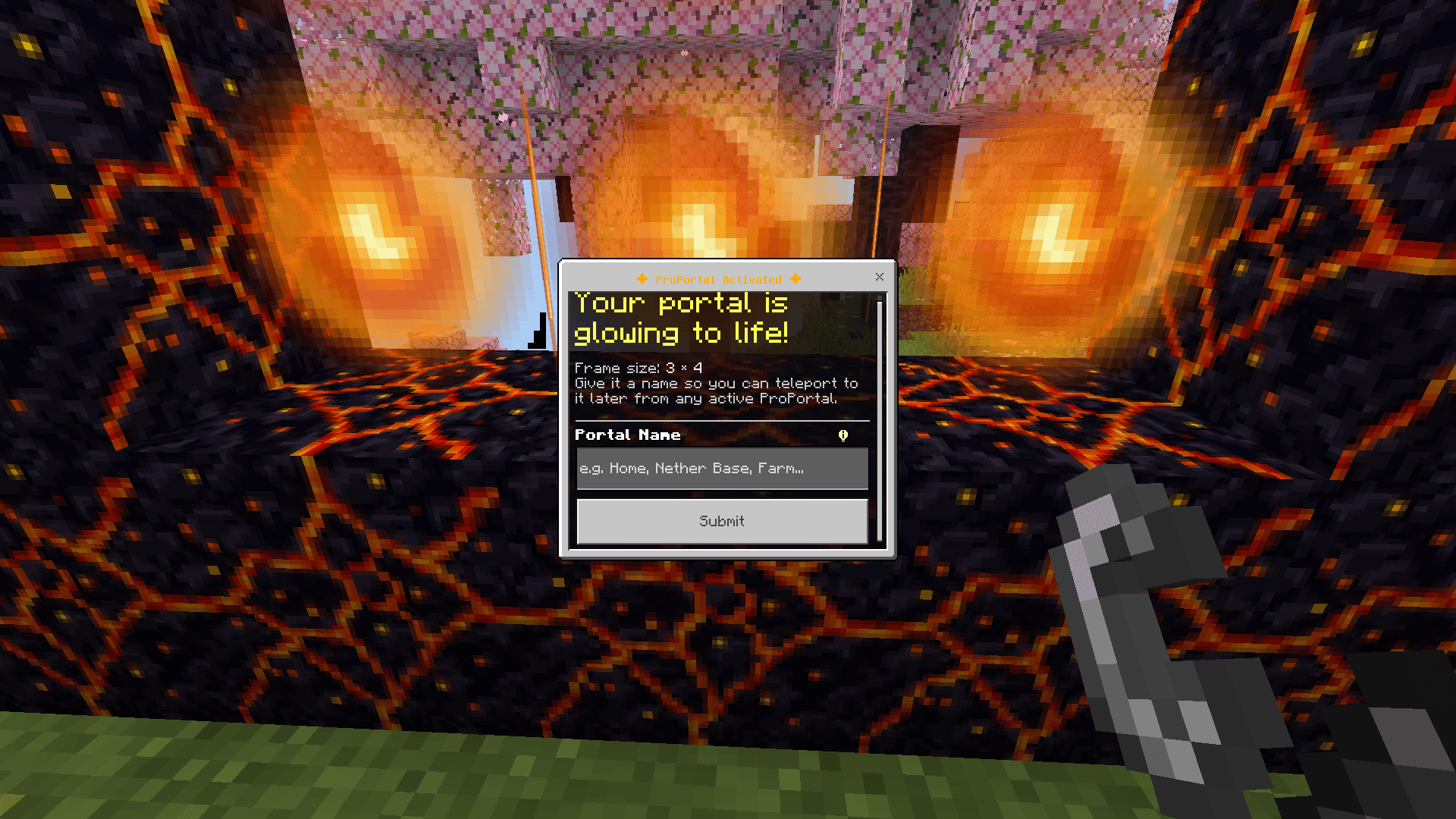
- Name Your Portal — The moment a portal ignites, a menu pops up so you can name it anything you like.
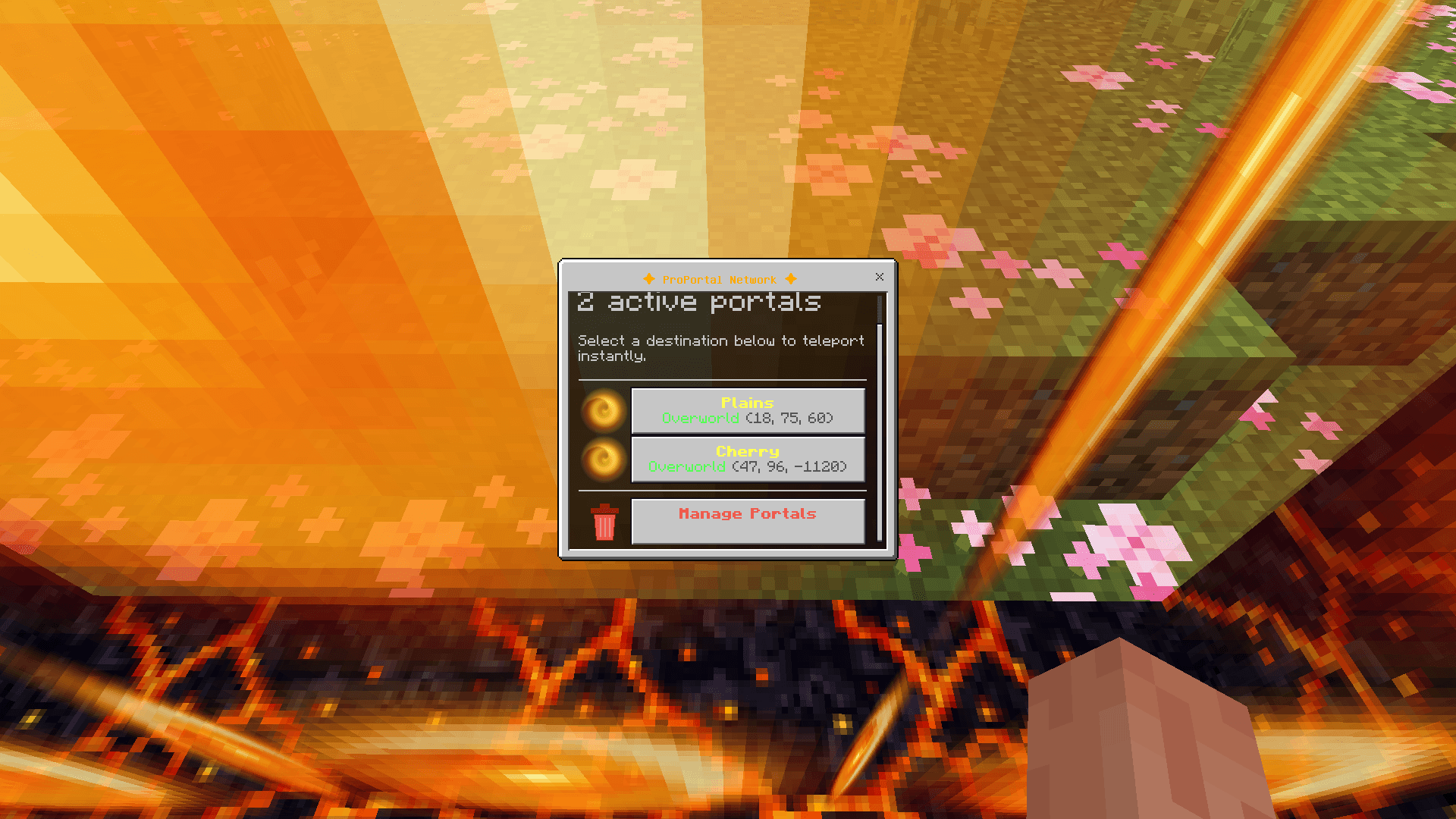
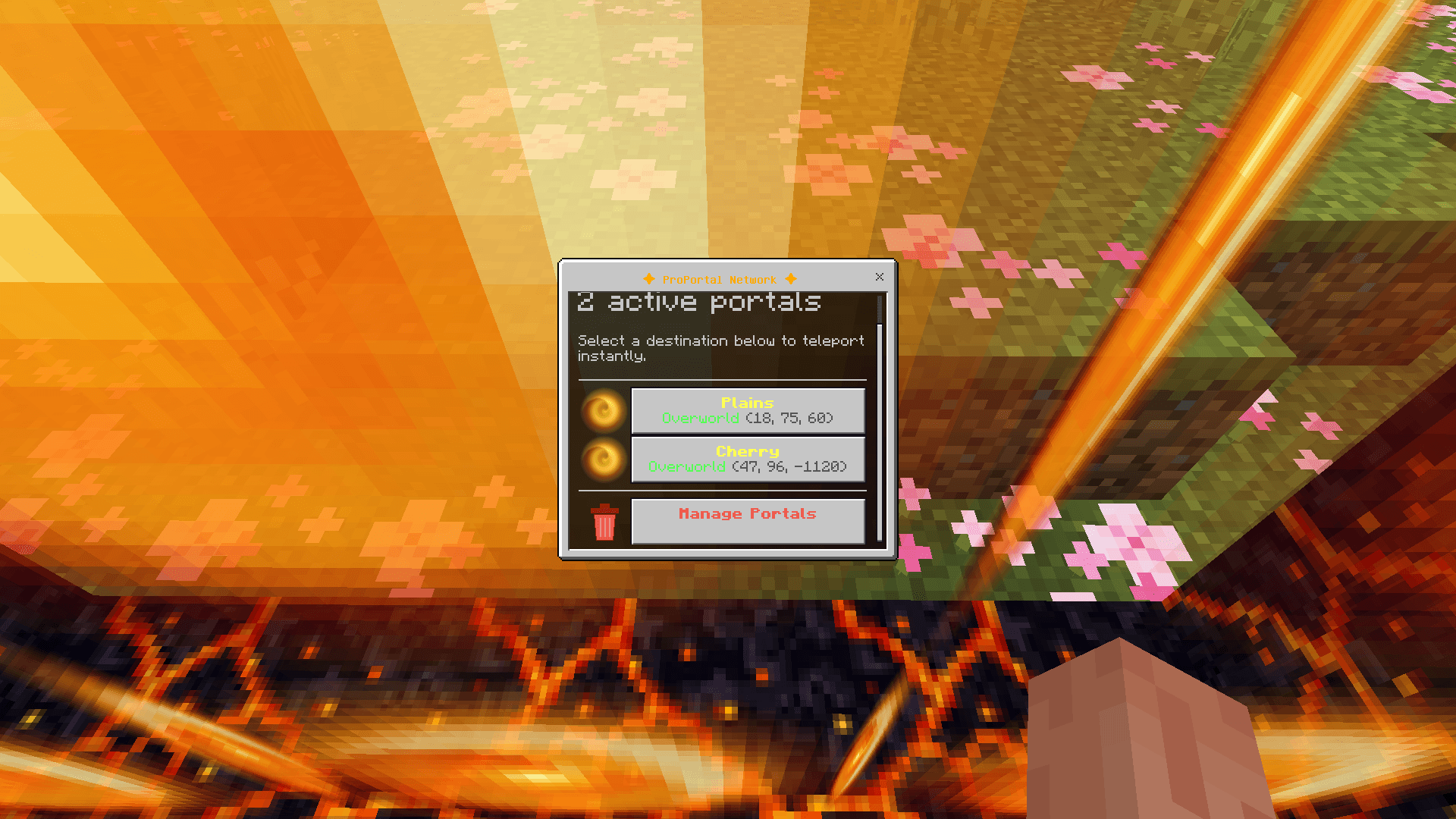
- One-Click Teleport Network — Step into any active ProPortal and a list of every portal you've created appears. Tap a name, and you're there.
- Cross-Dimension Travel — Portals work seamlessly across the Overworld, the Nether, and the End.
- Portal Management — Delete portals you no longer need directly from the in-game menu.
- Safe & Self-Cleaning — Breaking a portal's frame automatically clears its interior and removes it from your network.
✦ How to Use
- Craft the Frame Place 4 Obsidian blocks around a Diamond Block in a plus-shaped pattern on the crafting table to get ProPortal Blocks.
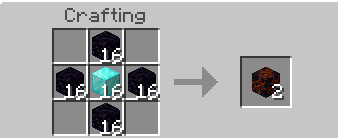
Build the Frame Arrange your ProPortal Blocks into a rectangle, just like a Nether Portal — leave the inside empty.
Ignite It Right-click any frame block with Flint & Steel. If your frame is valid, it will fill with a swirling animated portal effect.
Name It A form will pop up immediately after ignition — give your portal a unique name.
- Teleport Walk into any active ProPortal to open the network menu. Select a destination and you'll be instantly teleported there.
✦ Requirements
- Minecraft Bedrock Edition 1.26.30 or higher
- Beta APIs are NOT required — ProPortals runs entirely on stable Script API modules
✦ Notes
- Adding this behavior pack will disable vanilla achievements for your world. This is a platform-wide Minecraft Bedrock restriction that applies to any behavior pack with scripting, not something specific to this addon.
- Portal data is stored per-world, so your network persists between play sessions.
✦ Compatibility
ProPortals is designed to be lightweight and should work alongside most other behavior packs. If you run into a conflict, please report it in the comments.
Enjoy building your own portal network!
- Edition: Minecraft Bedrock
- File type: .mcpack or .mcaddon
- Minecraft version listed: 26.30
- How to install: Download the .mcpack or .mcaddon file. → Open it — Minecraft imports it. → In your world: Behavior Packs → Available → Activate, then the same under Resource Packs.
- Where to get it: Opens on CurseForge — not every file is mirrored on our own servers.
Install steps are the general flow for this file type — How to install Minecraft Bedrock addons & mods walks through it step by step.
- Pack type: .mcaddon — behaviour and resource pack in one file
- Manifest requires Minecraft 1.26.30 or newer
- Complete pack — everything it depends on is inside the file
- Download size: 417 KB
- Download link checked 16 Oct 2026 — working
These come from our own check of the pack file, not from the source page.