
Crystal per Second HUD
Mod that displays End Crystals destroyed per second (CPS) as an in-game HUD overlay, with full multi-version support via Stonecutter.
⬇ Download on Modrinth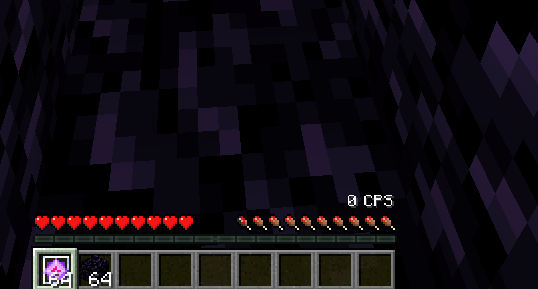
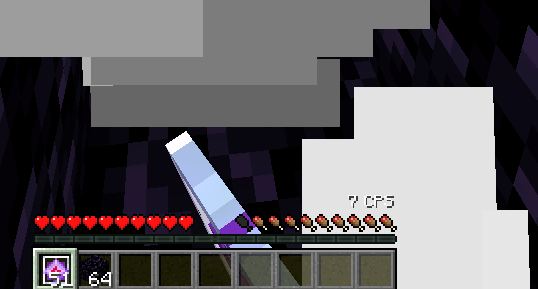
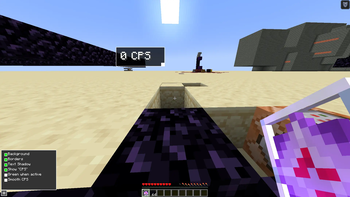
Crystal per Second HUD

A modern Fabric mod that displays End Crystals destroyed per second (CPS) as an in-game HUD overlay, with full multi-version support via Stonecutter.
Editor Keybind:
H
Use Cases
- Crystal PvP Practice: Track your real-time crystal destruction speed while training
- Performance Benchmarking: Compare CPS output across different crystal optimizer mods
Features
CPS Tracker
Tracks End Crystal destructions in real-time and displays them directly on your screen:
- Instant Mode: Reactive calculation, averaged over the last 3 intervals
- Smoothed Mode: Window-based calculation, counted over a rolling 1-second window
- Live Updates: HUD value updates continuously as you play, no manual refresh needed
Editable HUD
Full in-game control over how the HUD looks and where it sits:
- Drag & Resize: Reposition and resize the HUD directly in the editor screen
- Editor Popup: Quick-access gear icon (⚛) for toggling display options
Display Customization
Fine-tune the HUD to fit your setup:
- Background: Toggle the dark background box
- Borders: Toggle the white border around the HUD
- Text Shadow: Toggle text shadow rendering
- "CPS" Label: Show or hide the "CPS" label suffix
- Green When Active: Color the text green whenever CPS > 0
- Smooth CPS: Switch between instant and window-based calculation
Crystal Optimizer Compatibility
Counts crystal destructions via Player.attack(), so it works correctly alongside most crystal optimizer mods:
- Marlow's Crystal Optimizer
- Walksy Crystal Optimizer
- CrystalAccelerator
- G1ax Tweak Mode
Known limitation: G1ax Crystal Optimizer (Default Mode) bypasses vanilla attack paths and may result in lower CPS readings.
Installation
Requirements
- Minecraft 1.21 – 1.21.11 or 26.1
- Fabric Loader 0.19.3+
- FabricAPI
Download
Download the mod from Modrinth and place the .jar file into your .minecraft/mods folder.
License
CC0 1.0 Universal — feel free to use, modify, and distribute.
Credits
- Fabric API Team
- Minecraft Modding Community
- Edition: Minecraft Java
- File type: .jar
- Minecraft version listed: 1.21
- How to install: Install the matching mod loader (Forge, Fabric or NeoForge) for your Minecraft version. → Download the .jar. → Put it in the .minecraft/mods folder and launch that loader profile.
- Where to get it: Opens on Modrinth — not every file is mirrored on our own servers.
Install steps are the general flow for this file type — How to install Minecraft Java mods & modpacks walks through it step by step.
- Ships as crystal-per-second-hud-1.0.0+mc1.21.jar — drop this file into the mods folder
- Download size: 1.7 MB
- Download link checked 11 Sept 2026 — working
These come from our own check of the pack file, not from the source page.