
GhostTap
A lightweight client-side Fabric mod that lets you click through item frames, signs, banners, wall torches and other thin decorations to interact with…
⬇ Download on Modrinth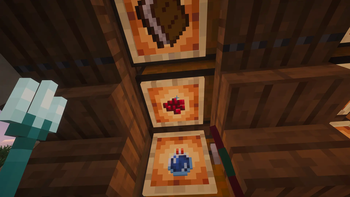
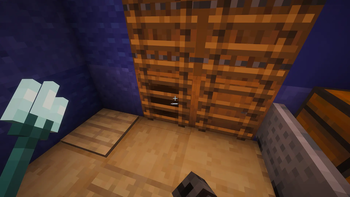
GhostTap
Hi :) GhostTap is a small client-side Fabric mod that lets you interact with blocks hidden behind thin decorations.
Ever placed an item frame, sign, banner, or wall torch in front of a chest, and then had to carefully aim around it just to open the chest?
GhostTap fixes that.
With GhostTap, you can right-click the decoration, and the mod will try to interact with the usable block behind it.
Hold Shift to use normal vanilla behavior.
What can I use it for?
GhostTap is useful for cleaner builds, hidden storage, decorative walls, compact rooms, and bases where you want things to look good without making them annoying to use.
Examples:
- Open a chest behind an item frame
- Open a barrel behind a wall sign
- Use a container hidden behind a banner
- Interact through a wall torch
- Keep decorative blocks in place without breaking them
- Build cleaner storage rooms and hidden utility walls
Enabled by default
These objects work with GhostTap right out of the box:
- Item frames
- Glow item frames
- Wall signs
- Wall banners
- Wall torches
Supported target blocks
GhostTap works with many normal usable blocks behind supported decorations, including:
- Chests
- Trapped chests
- Barrels
- Shulker boxes
- Furnaces
- Blast furnaces
- Smokers
- Hoppers
- Droppers
- Dispensers
- Brewing stands
- Other compatible blocks with normal right-click interaction
Special interactions
Some blocks need special handling because their behavior depends on the held item or block state.
GhostTap includes dedicated support for:
- Cauldrons
- Composters
- Bee nests
- Beehives
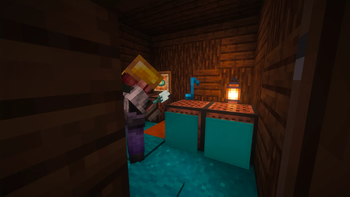
- Jukeboxes
- Decorated pots
- Respawn anchors
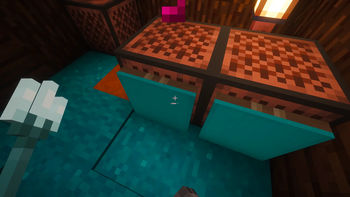
- Note blocks
- Campfires
- Bells
Risky options
GhostTap also has optional support for more sensitive click-through objects:
- Paintings
- Wall heads / skulls
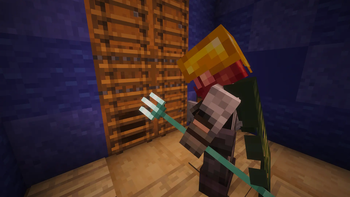
- Ladders
- Vines
- Glow lichen
- Sculk veins
- Wall coral fans
⚠️ These options are disabled by default.
They may be unwanted or disallowed on some multiplayer servers. Before enabling risky options, check the server rules or ask the server staff/admins first.
Use risky options at your own responsibility.
Config
GhostTap creates a config file automatically on first launch:
.minecraft/config/ghosttap.json
You can edit it with any text editor.
Main options:
{
  "enabled": true,
  "riskyThroughObjects": false,
  "specialInteractions": true
}
If Mod Menu is installed, GhostTap also provides an in-game configuration screen.
Changes made through the in-game config screen apply after saving. If you edit the JSON file manually, restart the game after changing the config.
Compatibility
GhostTap is client-side only.
If another mod with similar click-through functionality is detected, GhostTap disables itself to avoid conflicts and shows a warning to the local player.
🔒 The warning is only shown to you. It is not sent to server chat.
Localization
GhostTap includes localized text for the configuration screen, Mod Menu description, and compatibility warning messages.
Supported languages:
English, Russian, Ukrainian, Simplified Chinese, Traditional Chinese, Japanese, Korean, German, French, Spanish, Brazilian Portuguese, Italian, Polish, Turkish, Arabic.
Requirements
- Minecraft 1.21.4
- Fabric Loader 0.16.0 or newer
- Java 21
- Fabric API 0.110.5 or newer
Optional:
- Mod Menu 13.0.0 or newer
Mod Menu is only needed for the in-game configuration screen. GhostTap can still work without Mod Menu.
Permissions
You may use GhostTap in modpacks, videos, streams, reviews, articles, screenshots, and tutorials, provided that Redocean Studio / VictorAsh is credited and the official project page is linked when possible.
Reuploads, modified versions, ports, redistribution, selling, claiming GhostTap as your own, or using GhostTap code, assets, or project files in other projects require explicit written permission from VictorAsh.
Built by Redocean Studio · VictorAsh
- Edition: Minecraft Java
- File type: .jar
- Minecraft version listed: 1.21.4
- How to install: Install the matching mod loader (Forge, Fabric or NeoForge) for your Minecraft version. → Download the .jar. → Put it in the .minecraft/mods folder and launch that loader profile.
- Where to get it: Opens on Modrinth — not every file is mirrored on our own servers.
Install steps are the general flow for this file type — How to install Minecraft Java mods & modpacks walks through it step by step.
- Ships as GhostTap-1.1.0-F1.21.4.jar — drop this file into the mods folder
- Download size: 110 KB
- Download link checked 24 Aug 2026 — working
These come from our own check of the pack file, not from the source page.