
Song Of Ice And Cogs
Bigger, better, medieval loocking, and more realistic (excluding the magic, dragons, dungeons, and flying vilages i guess).
⬇ Download on Modrinth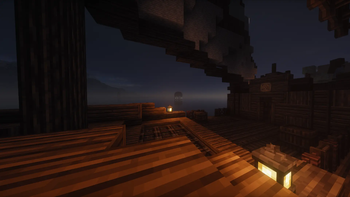
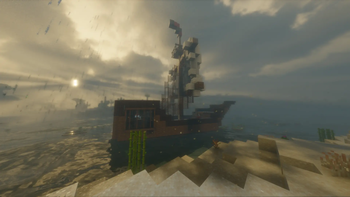
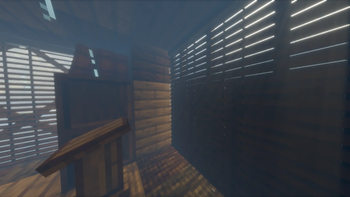

Dragons, trains, foundries, floating islands, incredible mountain ranges and even player built and usable ships, planes, tanks or whatever you can think off!
-- Read Disclaimer below before downloading --
♦ Features
This modpack brings better world gen, new biomes, structures, sound effects, mobs (both cute and deadly), background noises, music, bosses, villages, dungeons, tech, magic, house decoration, gliders, food and much more.
Look out for Dragons. They are incredibly dangerous and will smell you from a mile away. Same as nukes, if from your position they look bigger than a thumb, RUN.
New beautiful music and sounds sistems by Reactive Music, Sounds and Sound Physics Remastered
Yes, i said ships up there. With the glorius Valkirien Skies and Clockwork you can create moving, floating ships and vehicles. So living life at sea in your ship is now posible. Clockwork allows for many more posibilities and types of vehicles, but if you want an easier way to get them going feel free to swap it for Eureka!Ships!, wich offers a simpler but more limited way to build them. (The ship in the images is built with this)
Create (pun intended) machine sistems to automate factories and power your creations. Go from a small workshop to a train powered factory.
Build a foundry with Tinker's Construct to melt your metals and make powerful tools and weapons.
Become a nomad in the desert and carry your stuff like medieval merchant with NiftyCarts. Or take to the skies, jumping from tower to tower with Paragliders.
Give hunt to the new bosses brought by Aquamirae, Bosses Of Mass Destruction
Explore a new dimension, the Otherside from Deeper And Darker.
Make your way through the improved nether thanks to BetterNether and Incendium
Experience a new way to get to The End with End Remastered and try your luck finding the rare Lost Castle
Explore the new End from Better End and fight it's now more powerful End Dragon
Beautify your home with decorations, plants and furniture. And cook deliciuos foods to get buffs before a fight
Like half a dozen structure mods to make exploring interesting.
And many many more things, but this is getting too long.
Oh, and make sure to photograph it all with Exposure
⚠ Warning
This is a pretty heavy pack, so make sure to have at least 10GB of RAM assigned.
If experiencing invisble beds or chests it may be caused by Enhanced Block Entities mod. Should fix itself when disabling optimizations for that block in the mod options.
Make sure to try out Do a Barrel Rol before throwing youself into the void with the elytras, as it changes the fliying mechanics
🚩DISCLAIMER
Due to licensing, i can`t repackage some texturepacks not found on Modrinth, please make sure to also download these texture packs from CurseForge:
- Excalibur | Ice and Fire
- Excalibur | Ice and Fire | Tabla's Dragon Retextures
- Excalibur | End Remastered Support
- Excalibur | Deeper and Darker Support
- Excalibur | Traveler's Backpack Support
- Excalibur | [Let's Do] Vinery Support
- Excalibur | Apotheosis Support
For this last one you`ll have to rename some things, but it's really easy don't worry, explanation below.
Renaming Apotheosis Support to work with ZenithTo make it work, all references to "apotheosis" must be changed to "zenith". Sounds long but it's really quick. You'll just need Notepad++, VS Code, or something similar. You could use the deafult notepad, but you'd have to go file by file renaming everything.
First, extract the .zip file and chage the folders inside assets from "apotgheosis" to "zenith".
Then, open the folder in your editor, and Find & Replace "apotheosis" for "zenith" on all files.
Inside now assets/zenith/models/block make sure "bookshelf_apotheosis.json" has changed to "bookshelf_apotheosis.json".
And done. Enjoy the pack my friend :)
📖 Resource Pack Load Order
💡 Recommended Load Order for Best Compatibility:- Defaults (froms mods and vanilla)
- Semos Animation Lib
- Excalibur
- Excalibur | Clarent Edition (Clarent)
- Fresh Animations
- Freshly Modded (FMRP)
- Excalibur | Fresh Animations (EFA)
- Everything else
There should be a folder in the selection screen with all extensions, you just have to order them once selected.
⚙ Optional and performance stuff
Make sure to check out ServerCore's explained config options here to squeeze out more performance if you need it. And Vanilla Refresh's many changes (not so many, but you may like or dislike some).
I meant for this pack to be as immersive as it is fun, so there is also a thirst and body heat system. If fighting the elements isn't your thing, just remove EnviromentZ and Dehydration from the pack. For those that want it in, make sure to set Bonus Chest to On in world gen and/or to focus on getting a leather flask to hold your water and a copper cauldron to purify water at the start.
The pack was made with Excalibur in mind for it's mod compatibility packs, but i've thrown in Embrace Pixels and Create Ultra for those who may prefer some PBR and Alacrity as another alternative. Feel free to remove everything but Sparkles and Fresh Animations if you want vanilla textures or to free up RAM usage.
There are various shaders included, choose to your liking. I recommend using any of them with cloud shadows enabled, but for those that won't/can't use them, Nuit has some beautiull skyboxes, give it a look.
Feel free to remove or substitute Distant Horizons for more performance, although world gen is beautiful enough to be worth it. Lowering the distance and CPU usage should be enough for most though.
Credits for non Modrinth Creators
- someaddon for Login Protection and Cupboard
- Shinyflvres for Sky Villages
- Nebulr for Default Dark Mode and Darkomizer
- Aric3435 for Default Dark Mode: Expansion and it`s Darkomizer implementation
- Edition: Minecraft Java
- File type: .jar
- Minecraft version listed: 1.20.1
- How to install: Install the matching mod loader (Forge, Fabric or NeoForge) for your Minecraft version. → Download the .jar. → Put it in the .minecraft/mods folder and launch that loader profile.
- Where to get it: Opens on Modrinth — not every file is mirrored on our own servers.
Install steps are the general flow for this file type — How to install Minecraft Java mods & modpacks walks through it step by step.
- Downloads as Song Of Ice And Cogs 1.0.0.mrpack
- Download size: 249.7 MB
- Download link checked 21 Aug 2026 — working
These come from our own check of the pack file, not from the source page.