
ResourcepacksJava
GreyPack
Grey Tools ( Grey Axe, Grey sword, Grey Pickaxe and more soon) Grey Armors ( Grey Helmet, Grey Chestplate, Grey Leggings, Grey Boots)
⬇ Download on Modrinth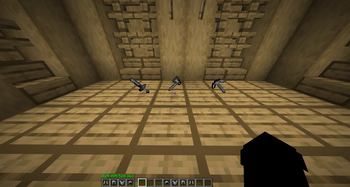
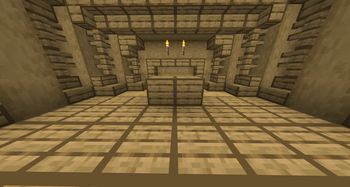
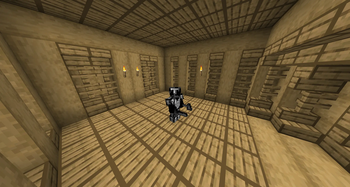
my texture pack modifies a lot of content, such as: Items :
- the sword is grey
- the Pickaxe is grey
- the axe is grey
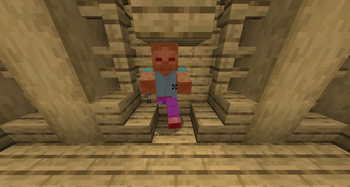
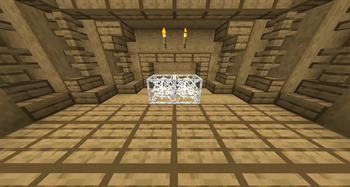
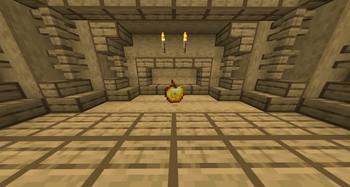
- armor items (helmet, chestplate, leggings, boots) is grey too The aromor on you is grey too (see the result in the gallery) Useless particle remove, (potion particle, explosion particle and another useless). change crit particle (that's a black particle), block outline (only oak planks now, more soon), (By yKoseli) web outline (the outline of the web is white so that she can see herself better),(By yKoseli) the gap is big on the ground(When you drop the apple, it becomes big and visible).(By yKoseli) The pictures is on the gallery.
This Ressource pack is compatible with all other ressource pack.
08-06-2026
Quick facts
- Edition: Minecraft Java
- File type: .zip (resource pack)
- Minecraft versions listed: 1.16.2, 1.16.3, 1.16.4
- How to install: Download the .zip resource pack — do not unzip it. → Put it in .minecraft/resourcepacks. → Enable it in Options → Resource Packs.
- Where to get it: Opens on Modrinth — not every file is mirrored on our own servers.
Install steps are the general flow for this file type — How to install Minecraft Java resource packs walks through it step by step.
Verified by MCModsHub
- Downloads as SimplePack (4).zip
- Download size: 256 KB
- Download link checked 12 Sept 2026 — working
These come from our own check of the pack file, not from the source page.