
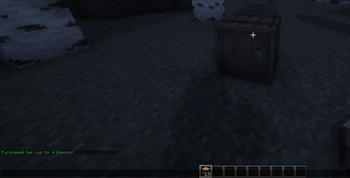
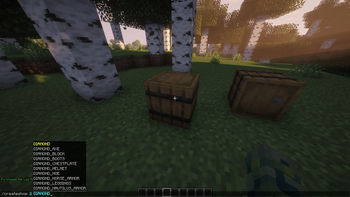
The plugin allows players to create barrel shops and set prices for items inside them. It protects against griefing and theft of these items, as well as against explosions and hopper damage. Players can also choose any items they want to trade for selling items.
The plugin is highly vanilla-friendly and does not add any custom menus. It is suitable for vanilla and SMP servers.
Guide Creating a shop
Look at a barrel.
Use the command:
/createshop <price> <payment item (diamonds by default)>
Example:
/createshop 5 diamond
This creates a barrel shop where players must pay 5 diamonds for each item they take.
Selling items
After creating the shop, simply put the items you want to sell into the barrel.
Players must have the required payment items in their inventory to purchase anything from the shop.
Buying items
To buy an item:
Open the barrel shop
Click on any item you want to purchase
If you have enough payment items in your inventory, the trade will be completed automatically.
Protection
Only the barrel owner or a player with OP can break the barrel shop.
Players with OP see barrel shops as normal barrels and can freely take, place, or move items inside them.
Barrel shops are fully protected from griefing.
- Edition: Minecraft Java
- File type: .jar
- Minecraft versions listed: 1.21, 1.21.1, 1.21.2
- How to install: Install the matching mod loader (Forge, Fabric or NeoForge) for your Minecraft version. → Download the .jar. → Put it in the .minecraft/mods folder and launch that loader profile.
- Where to get it: Opens on Modrinth — not every file is mirrored on our own servers.
Install steps are the general flow for this file type — How to install Minecraft Java mods & modpacks walks through it step by step.
- Ships as BarrelShop-1.0.0.jar — drop this file into the mods folder
- Download size: 18 KB
- Download link checked 24 Aug 2026 — working
These come from our own check of the pack file, not from the source page.