
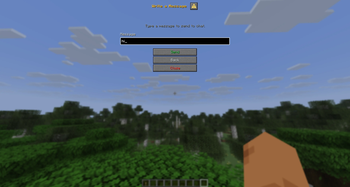
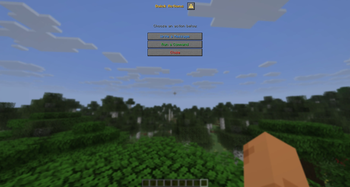
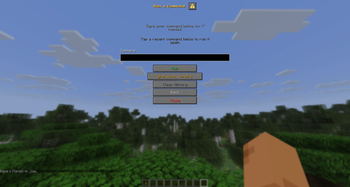
ChatRestrictionBypass lets players execute commands and send messages through an elegant in-game dialog — no chat bar, no slash commands, no typing required.
Perfect for servers with chat/command restrictions, mobile/Bedrock players, or anyone who wants a smoother, more accessible command experience.
Features
- Gesture Trigger — Crouch 3 times within 1.5s to open the dialog (fully configurable)
- Two Modes — Run server commands or send chat messages from a clean UI
- Command History — Quick re-run your last commands with one click
- Permission-Aware — Respects existing command permissions; blocks dangerous commands by default
- Lightweight — Built for Paper 1.21.7+ with Adventure Components & native dialogs
- Customizable — Full MiniMessage support for colors, gradients, and formatting
Commands
| Command | Permission | Description |
|---|---|---|
/chatbypass reload |
chatbypass.admin |
Reload configuration |
/chatbypass open |
chatbypass.admin |
Open the dialog manually |
Default Blocked Commands
op, deop, stop, restart, reload, plugins, pl, version, ver, about, icanhasbukkit, bukkit, minecraft:*
Permissions
chatbypass.admin— Access to/chatbypasscommands (default:op)
Requirements
- Paper 1.21.7+ (uses native
io.papermc.paper.dialogAPI)
Quick facts
- Edition: Minecraft Java
- File type: .jar
- Minecraft versions listed: 1.21.7, 1.21.8, 1.21.9
- How to install: Install the matching mod loader (Forge, Fabric or NeoForge) for your Minecraft version. → Download the .jar. → Put it in the .minecraft/mods folder and launch that loader profile.
- Where to get it: Opens on Modrinth — not every file is mirrored on our own servers.
Install steps are the general flow for this file type — How to install Minecraft Java mods & modpacks walks through it step by step.
Verified by MCModsHub
- Ships as ChatRestrictionBypass-1.0.0.jar — drop this file into the mods folder
- Download size: 54 KB
- Download link checked 14 Sept 2026 — working
These come from our own check of the pack file, not from the source page.