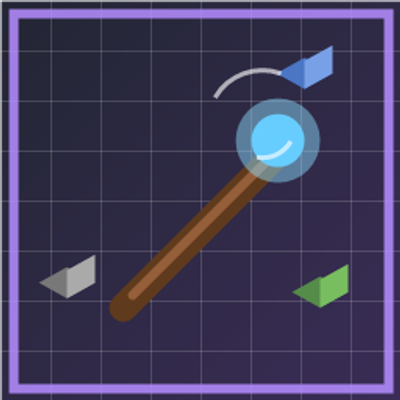
Apeion's Debug Stick brings the familiar Java Edition debug stick to Minecraft Bedrock. Cycle block states in Creative mode, just like on Java — no extra items, blocks, or gameplay changes.
What it does
- Adds the Debug Stick item (enchanted stick appearance)
- Left-click / right-click a block to cycle its selected state
- Sneak + use to switch which property you are editing
- Break a block (while holding the stick) to cycle backward
- Supports hundreds of blocks: doors, stairs, redstone components, furnaces, logs, crops, and more
- Handles Bedrock quirks such as lit torches, powered repeaters, and variant block IDs
- Pinning keeps edited appearances from reverting; pinned states persist across world reloads
- Per-player DDUI settings to enable or disable blocks by category
- Optional Force pin toggle: pin only states that would revert (default), or pin every edit
Commands
/debugstick:give— Give yourself a Debug Stick (Game Directors)/debugstick:settings— Open the settings menu
Requirements
- Minecraft Bedrock 1.26.30 or newer
- Beta APIs enabled in world settings
- Behavior pack and resource pack both active
- Creative mode; operator permission when other players are online
Permissions
In single-player, Creative mode is enough. With multiple players connected, you must be an operator.
Settings menu
Open /debugstick:settings to:
- Turn individual block types on or off by category
- Bulk enable/disable blocks (including low-visual blocks)
- Choose Force pin all state changes:
- OFF (default): Pin only when the game would otherwise revert the appearance (lit blocks, brewing stand bottles, etc.)
- ON: Pin every block you edit with the Debug Stick until you break it
Notes
- Some connection-based blocks (e.g. iron bars) cannot be fully controlled on Bedrock because those states are not exposed to Script API
- Sugar cane
ageis a growth timer and does not change appearance - Item name is localized: Debug Stick (English) / デバッグ棒 (Japanese)
Installation
- Download both the behavior pack and resource pack (or the combined
.mcaddonif provided) - Import into Minecraft
- Enable Beta APIs in your world
- Activate Debug Stick behavior and resource packs
- Run
/debugstick:giveor obtain the stick from your workflow
Quick facts
- Edition: Minecraft Bedrock
- File type: .mcpack or .mcaddon
- Minecraft version listed: 26.30
- How to install: Download the .mcpack or .mcaddon file. → Open it — Minecraft imports it. → In your world: Behavior Packs → Available → Activate, then the same under Resource Packs.
- Where to get it: Opens on CurseForge — not every file is mirrored on our own servers.
Install steps are the general flow for this file type — How to install Minecraft Bedrock addons & mods walks through it step by step.
Verified by MCModsHub
- Pack type: .mcaddon — behaviour and resource pack in one file
- Download size: 55 KB
- Download link checked 7 Sept 2026 — working
These come from our own check of the pack file, not from the source page.