Flying Feather
Bedrock add-on listed for Minecraft 1.21–26.x (behavior pack only). File opened and checked on 4 Oct 2026; installs from the MC Bedrock Mods app on Android.
A craftable Flying Feather that launches you into the sky with a right-click. Slow falling glide, adjustable speed, particles and sound toggles. No cheats…
⬇ Download on CurseForgeThe author built this one for Minecraft 26.50. On other versions it may install and then do nothing.
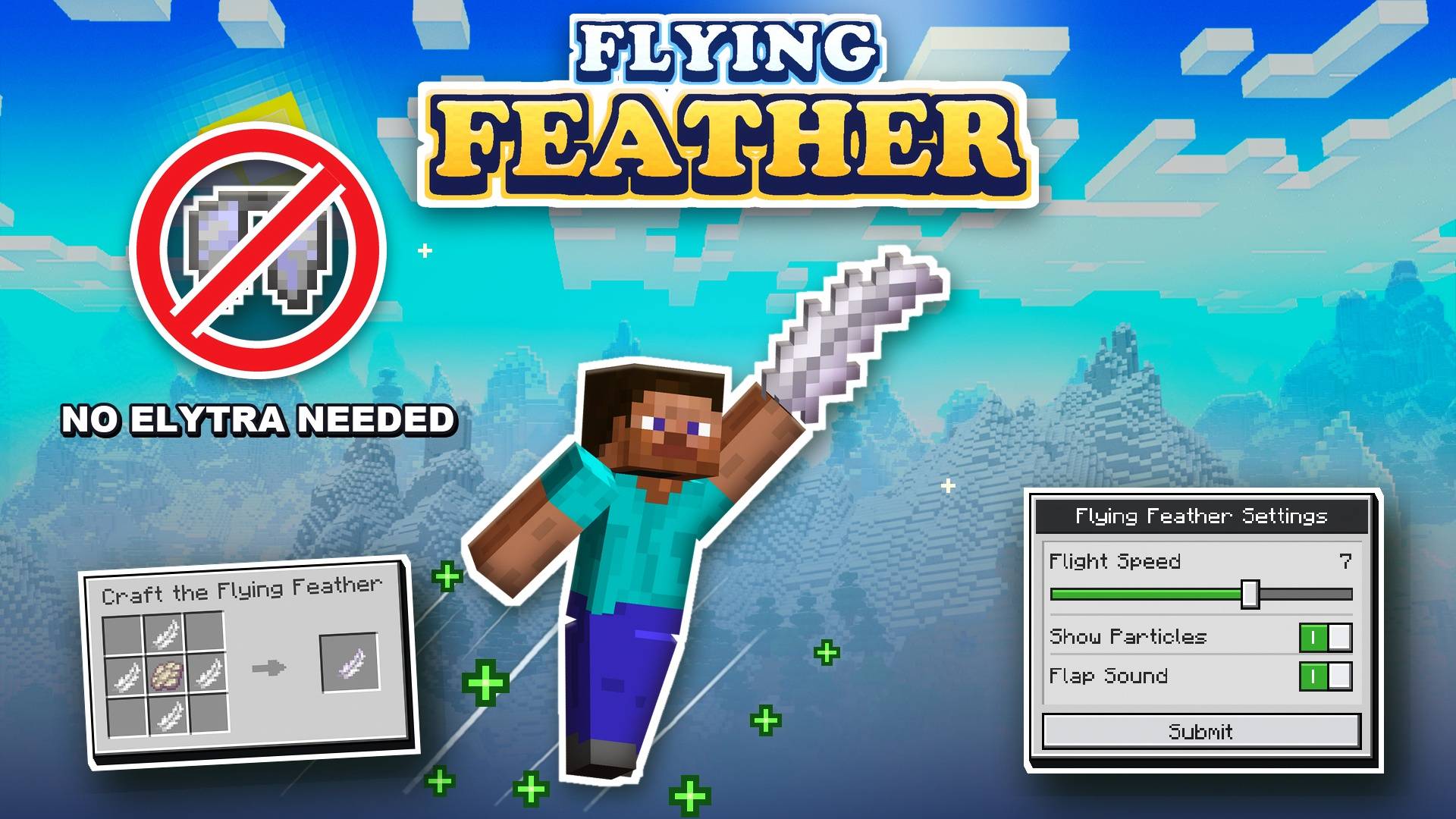
Don't have an Elytra yet? Or tired of repairing your Elytra again and again? Maybe you are still at the start of your world and want an easier way to travel long distances. Flying Feather gives you a simple way to fly without needing an Elytra or cheats.
- Easy Flying - Use the Flying Feather to launch yourself into the air and travel around your world
- Simple Controls - Right-click on PC or hold the screen on mobile to launch into the air
- Slow Falling - Slow Falling is applied after launching, allowing you to safely glide back down
- Adjustable Flight Speed - Choose your preferred speed from 1 to 10 in the settings menu
- Craftable - Craft the Flying Feather using 4 Feathers and 1 Phantom Membrane
Crafting Recipe:
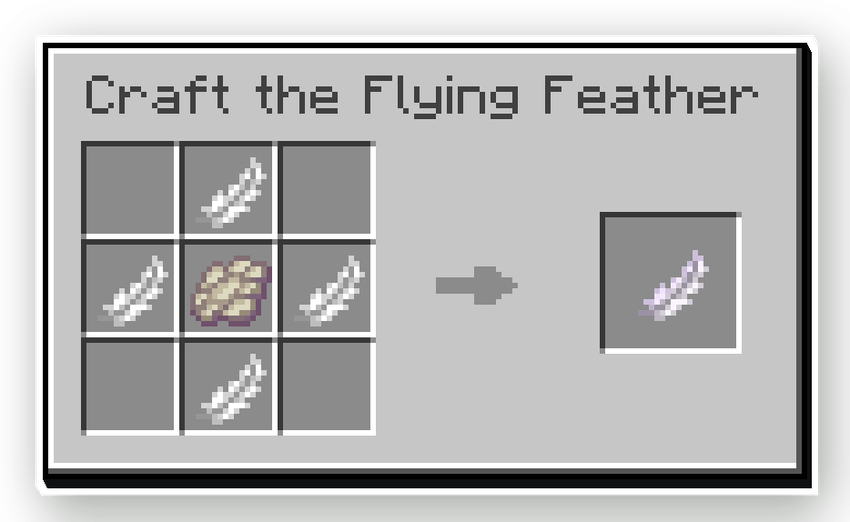
Craft the Flying Feather at a Crafting Table using 4 Feathers and 1 Phantom Membrane. Place the Feathers in a plus shape with the Phantom Membrane in the center
Commands
/voxen:feather- Gives you the Flying Feather./voxen:flyf- Opens the settings menu.
How to Use
PC: Hold the Flying Feather and right-click to launch into the air.
Mobile: Hold the Flying Feather and hold the screen to launch into the air.
Use /voxen:flyf anytime to change your flight speed, particles, and sound settings.
Achievement Friendly
Yes, the addon is achievement friendly and can be used in survival worlds.

- Edition: Minecraft Bedrock
- File type: .mcpack or .mcaddon
- Minecraft version listed: 26.50
- How to install: Download the .mcpack or .mcaddon file. → Open it — Minecraft imports it. → In your world: Behavior Packs → Available → Activate, then the same under Resource Packs.
- Where to get it: Opens on CurseForge — not every file is mirrored on our own servers.
Install steps are the general flow for this file type — How to install Minecraft Bedrock addons & mods walks through it step by step.
- Save it as Flight_Feather.mcaddon before opening — it downloads as .mcpack, but it is a .mcaddon pack
- Manifest requires Minecraft 1.21.100 or newer
- Complete pack — everything it depends on is inside the file
- Download size: 160 KB
- Download link checked 16 Oct 2026 — working
These come from our own check of the pack file, not from the source page.