Auto Collect
Bedrock add-on listed for Minecraft 1.21–26.x (behavior pack only). File opened and checked on 29 Aug 2026; installs from the MC Bedrock Mods app on Android.
Automatically pulls item drops into your inventory within 10 blocks. Toggle All Ores, Crops, or Logs instantly or build a custom collect list. No cheats…
I don't know my version
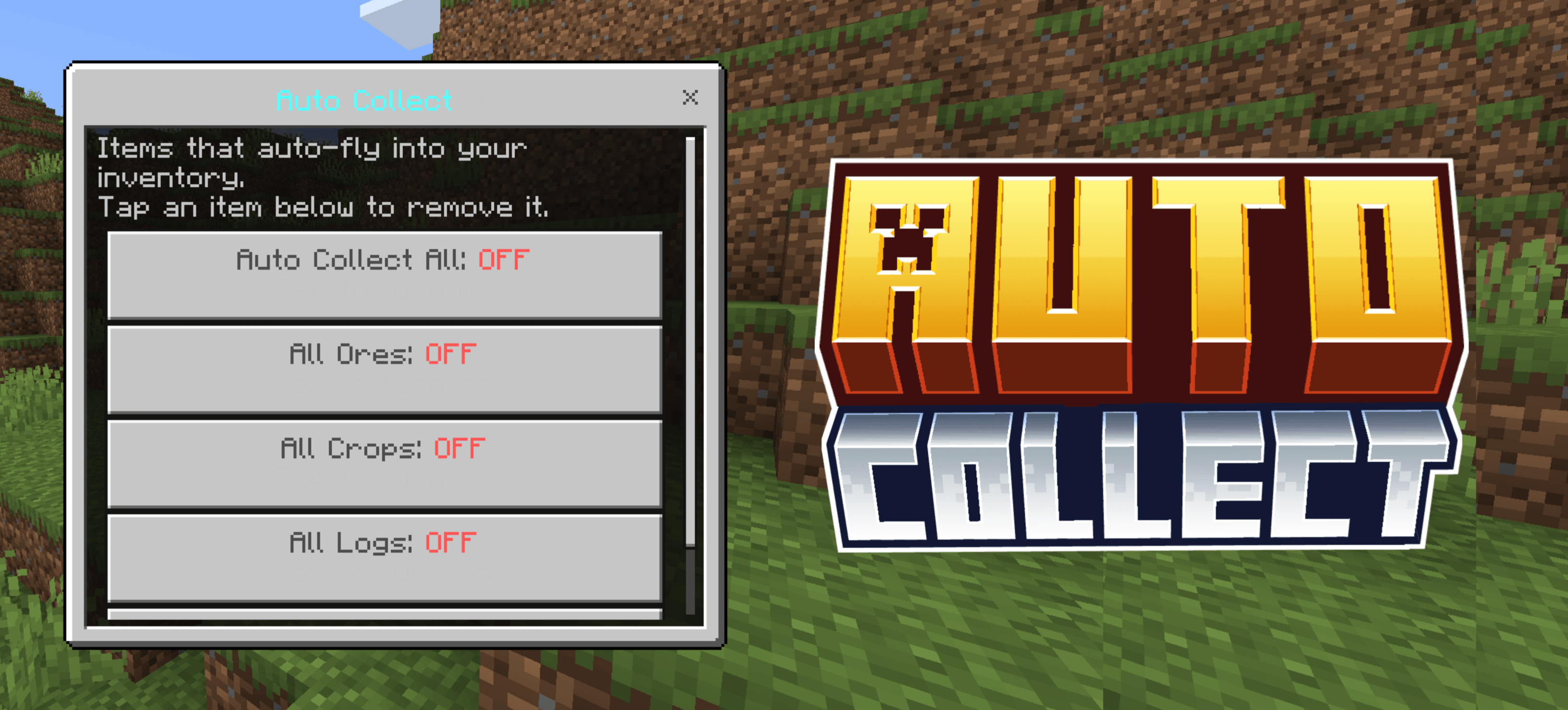
Tired of running around picking up drops? Auto Collect automatically pulls items into your inventory the moment they land near you — no magnet, no hassle. Ores, crops, logs, or any custom item you choose — all flying straight into your inventory within 10 blocks.
✦ Features
- Auto Collect All — one toggle to automatically collect every item that drops near you
- All Ores toggle — auto-collects every ore drop (Coal, Iron, Gold, Diamond, Emerald, Ancient Debris and more)
- All Crops toggle — auto-collects all farm drops (Wheat, Carrot, Potato, Melon, Bamboo, Kelp and more)
- All Logs toggle — auto-collects every log and wood type including Nether stems
- Custom item list — add any specific item to your personal collect list using
/voxen:autoadd - 10-block pickup radius — items fly into your inventory automatically within range
- No cheats required — works in survival, achievement friendly
✦ Commands
/voxen:autocollect— open the Auto Collect menu/voxen:autoadd— add held item to your collect list/voxen:autoremove— remove held item from your collect list
✦ How to Use
PC: Right-click with any item in hand to open the menu, or type /voxen:autocollect in chat.
Mobile: Hold screen with any item in hand to open the menu, or type /voxen:autocollect in chat.
Toggle Ores, Crops, or Logs as a quick category — or build your own custom list by holding any item and running /voxen:autoadd.
✦ Achievement Friendly?
Yes — fully achievement friendly. Use it without any worries.
- Edition: Minecraft Bedrock
- File type: .mcpack or .mcaddon
- Minecraft versions listed: 26.40, 26.30
- How to install: Download the .mcpack or .mcaddon file. → Open it — Minecraft imports it. → In your world: Behavior Packs → Available → Activate, then the same under Resource Packs.
- Where to get it: Opens on CurseForge — not every file is mirrored on our own servers.
Install steps are the general flow for this file type — How to install Minecraft Bedrock addons & mods walks through it step by step.
- Save it as Auto_Collect.mcaddon before opening — it downloads as .mcpack, but it is a .mcaddon pack
- Manifest requires Minecraft 1.21.100 or newer
- Complete pack — everything it depends on is inside the file
- Download size: 157 KB
- Download link checked 17 Oct 2026 — working
These come from our own check of the pack file, not from the source page.