
Family Tree
I don't know my version or loader
Family Tree
Automatically tracks the lineage of your tamed, bred pets and shows it to you in-game - who their parents are, when they were born, who tamed them, and whether they're still alive. Tame two animals, breed them, and the mod quietly records the whole family line for you. Browse it all from a dedicated screen with live 3D pet portraits, or walk a pet's ancestry as a zoomable tree.
What it does
Whenever a tracked pet breeds, Family Tree records the baby with both parents, its birth day (and real-world timestamp), an auto-generated name, its owner, and its species. Over time this builds a complete, browsable family history of your animals. When a tracked pet dies, it's marked as deceased and kept in the records rather than vanishing.
The data lives on the server (or your singleplayer world) and is the source of truth. The GUI just displays it.
Tracked species
Cats, wolves, parrots, horses, donkeys, mules, llamas, and camels.
Features
- 🐾 Automatic lineage tracking: parents, birth day, owner, name, and species recorded on breeding, no setup required.
- 📍 Pet locator (new!):
/familytree locate <name>shows where a pet is, with coordinates, dimension, and distance. If the pet's chunk is unloaded you get its last known spot. Lost cats are a solved problem. - ⚰️ Death cause (new!): when a pet dies, the mod records what killed it. The tree shows "Slain by Creeper, day 43" or "Died of fall, day 12" instead of just "deceased".
- 🪄 Linking stick: rename a plain stick to
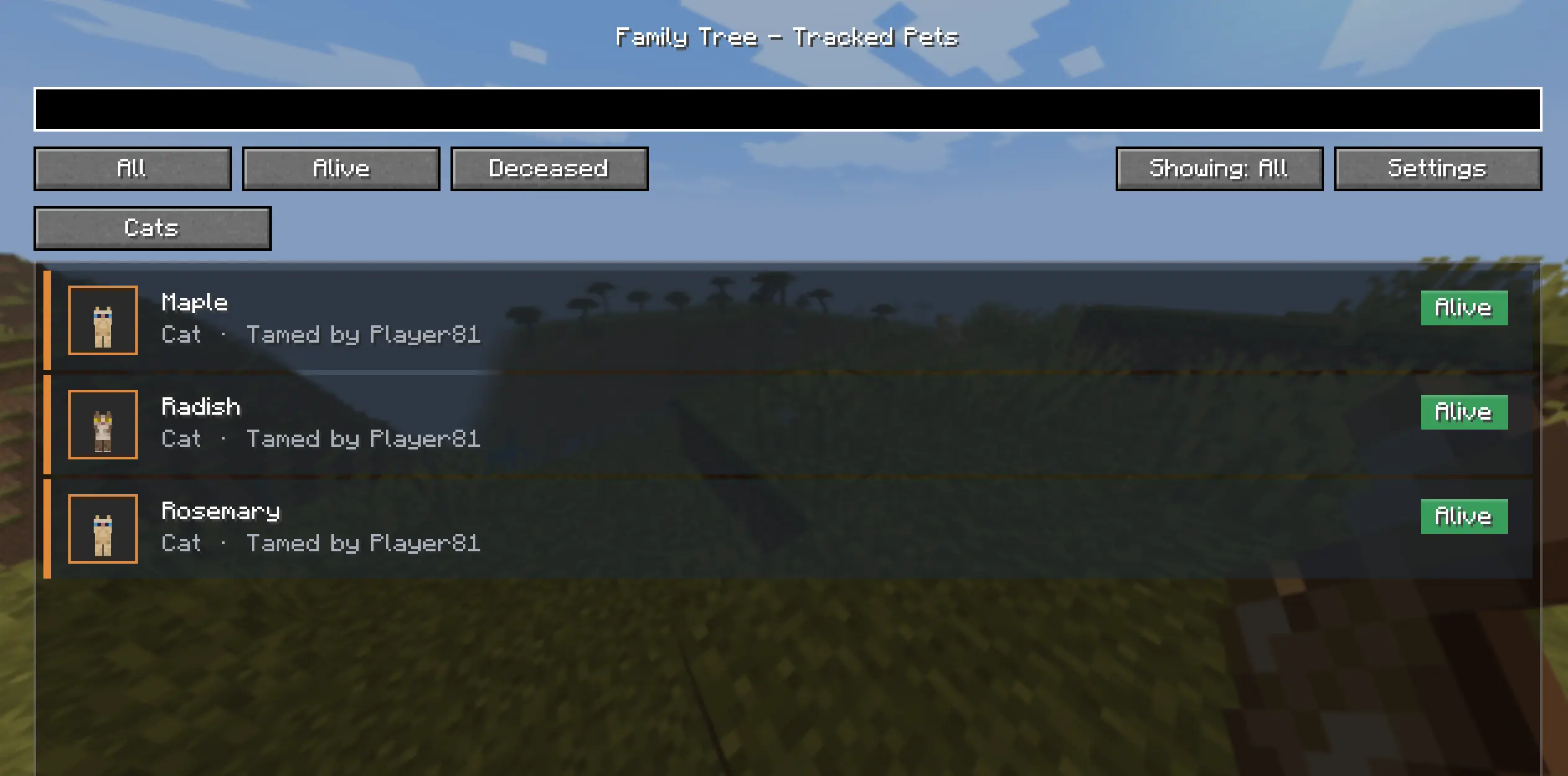
familytreein an anvil and right-click pets to record parentage in existing worlds: click parent 1, parent 2, then the child, and confirm with clickable chat buttons. Sneak-click a pet to clear its recorded parents. The clicked pet briefly glows, so you can tell which cat in a pile you actually selected. Each click also shows the pet's known parents and children, and creates a record on the spot for pets tamed before the mod was installed. - 🖼️ Tracked Pets browser: a searchable, filterable list of every pet with live 3D model heads (showing each pet's real coat variant) for cats and dogs, species-colored cards, and an Alive / Deceased status pill.
- 🔎 Filter & search: show All / Alive / Deceased, search by name or species, and open a species' combined tree.
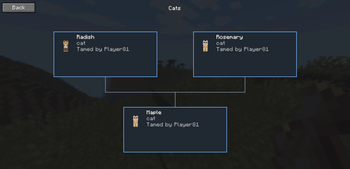
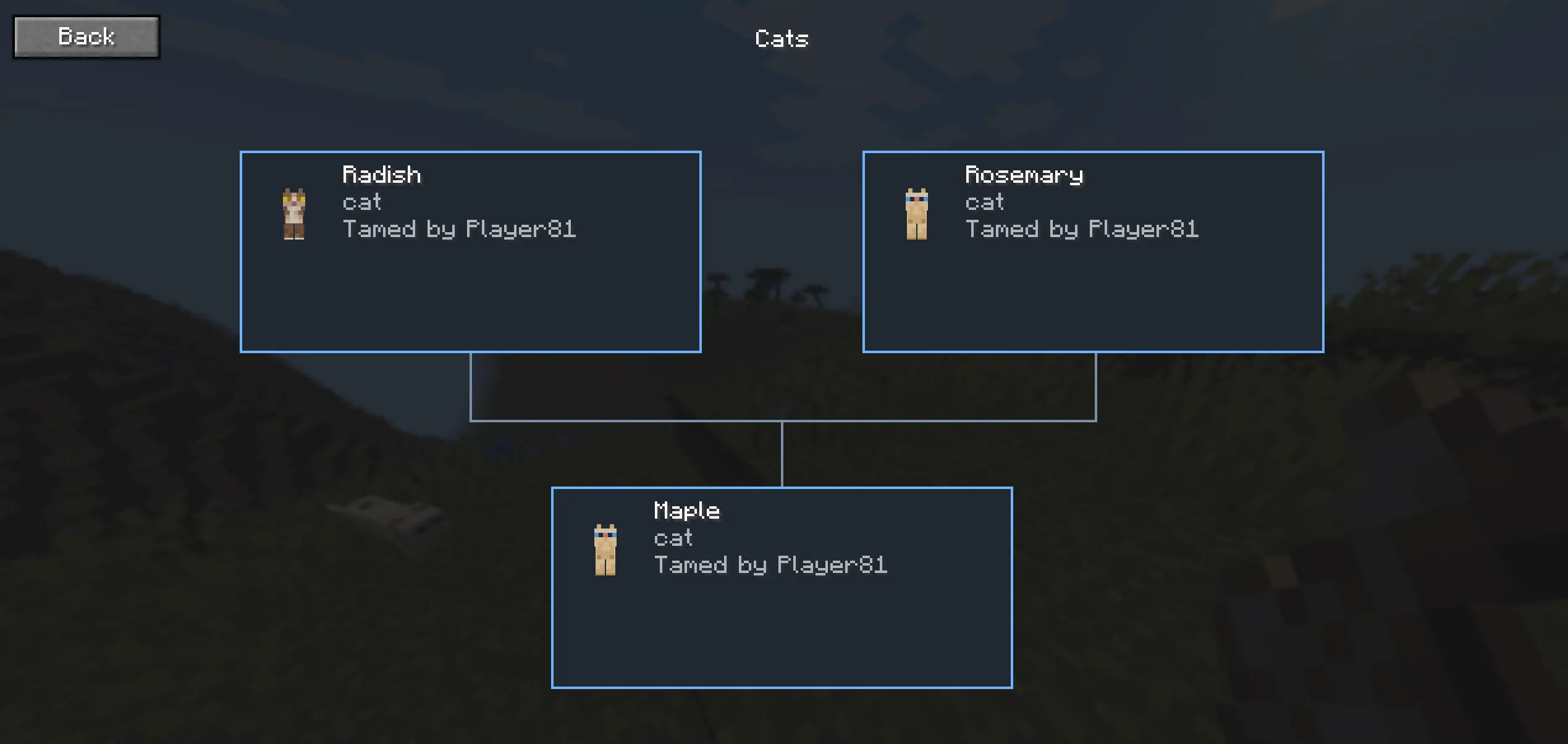
- 🌳 Family tree view: pan and zoom an ancestry graph for any pet. Nodes show the 3D head, name, species, owner, age, and death state. Mates are placed side by side with their children below them.
- ⚙️ Display settings: toggle showing age and/or birth day, right from the screen (both off by default).
- 🛠️ Management commands: manually pair/unpair parents, fix ages, import existing pets, and prune records.
- 🎮 Server-friendly: operators can view every player's pets; vanilla clients can still join a server running the mod.
How to open the screen
The mod adds an "Open Family Tree" keybind. It is bound to H by default (rebindable under Options > Controls > Family Tree); press it in-game.
Linking pets with the stick
For worlds where your pets already exist and were never bred with the mod installed:
- Rename a regular stick to
familytreein an anvil (case doesn't matter). - Right-click the first parent, then the second parent, then the child. Chat confirms each selection and the pet glows for a few seconds.
- Click [Confirm] in chat to save the link (or [Cancel] to discard it).
- Sneak + right-click a pet to clear its recorded parents (with the same confirmation).
Only tamed pets of the same species can be linked, and every pet you click is added to the tracker automatically.
Commands
All commands are under /familytree:
| Command | What it does |
|---|---|
/familytree list |
List all tracked pets in chat. |
/familytree scan |
Import already-tamed pets currently loaded in the world, and refresh coat variants on existing records. |
/familytree locate <name> |
Show a pet's coordinates, dimension, and distance. Falls back to the last known position if the pet is not loaded. Lists every pet with that name. |
/familytree info [name] |
Show details for a pet, or command help if no name is given. |
/familytree pair <parentA> <parentB> <child> |
Manually link two parents to a child (same species, all distinct). |
/familytree unpair <child> |
Clear a child's parent links. |
/familytree setage <name> <days> |
Set a pet's age to a relative number of world days. |
/familytree setbirth <name> <day> |
Set a pet's birth day directly. |
/familytree prune deceased |
Remove all deceased records. (operators only) |
/familytree prune species <id> |
Remove all records of a species, e.g. minecraft:wolf. (operators only) |
💡 After installing on an existing world, run
/familytree scannear your pets to back-fill ones you tamed earlier and to populate the coat variants used for the 3D portraits. Then use the linking stick to record who is whose parent.
Requirements
- Minecraft 26.1.1
- Fabric Loader and Fabric API
- Java 25
Install on the server (or singleplayer world) for tracking; install on the client too to use the in-game screen. Works in singleplayer and on dedicated servers.
License
MIT.
- Edition: Minecraft Java
- File type: .jar
- Minecraft versions listed: 26.1.1, 26.2
- How to install: Install the matching mod loader (Forge, Fabric or NeoForge) for your Minecraft version. → Download the .jar. → Put it in the .minecraft/mods folder and launch that loader profile.
- Where to get it: Opens on Modrinth — not every file is mirrored on our own servers.
Install steps are the general flow for this file type — How to install Minecraft Java mods & modpacks walks through it step by step.
- Ships as familytree-0.3.2.jar — drop this file into the mods folder
- Download size: 113 KB
- Download link checked 21 Aug 2026 — working
These come from our own check of the pack file, not from the source page.