Buildable Textures
Design your own Minecraft blocks using concrete pixel-art structures or any of 4,294,967,296 colors via direct ARGB input — no external tools, no resource pack editors. A quick Minecraft restart is required for the new blocks to be fully loaded, as dynamically registered blocks are initialized at startup.
How it works
Place colored concrete blocks or any ARGB block (see below) in a 16×16 grid and interact with the Scanner Block. The mod reads the pattern and generates a fully textured block, saved to
config/buildabletextures/<blockname>/. After restarting Minecraft, the block appears
in the Building Blocks creative tab and behaves like any standard block.
For 2D textures, the grid extends along Y (up) and Z (south) — the same texture is applied to all six faces of the resulting block.
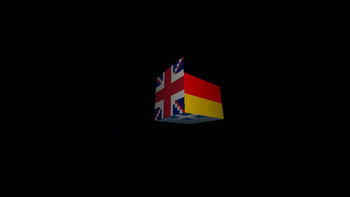
For 3D textures, the Scanner Block generates an 18×18×18 hollow cube frame extending toward south, up, and east. Each face of the frame is an independent 16×16 canvas: whatever you build on a given face will become the texture of the corresponding face on the resulting block, giving full control over all six sides independently.
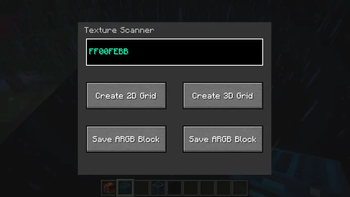
Need more than the 16 concrete colors? The mod includes ARGB blocks: place any 8-character ARGB hex code as their name, and they will be generated as solid-color blocks available to build with, giving access to all 4,294,967,296 possible colors directly on your canvas.
Features
- 2D and 3D scanning modes
- Optional frame generation, always oriented toward south, up, and east
- 4,294,967,296 colors available via ARGB hex input
- No external tools, no resource pack management — the mod handles everything
- Duplicate name detection with in-GUI feedback
- Localized block names in 10 languages, like English, Italian, and French
The Scanner Block
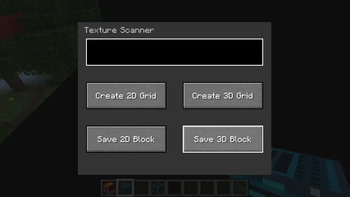
When interacted with, the Scanner Block opens a dedicated interface where the player can name the texture, optionally generate a frame as a placement guide, and confirm the scan in either 2D or 3D mode. Only alphanumeric characters, spaces, underscores, and hyphens are accepted as names.
Note
Although an anti-crash cleanup and validation system is implemented at startup, it is still recommended not to manually edit the JSON files in config/buildabletextures/ for the best experience.
The License is ARR, but if you have an improvement idea, tell me it on github/comments
Fabric Loader and Fabric API Required
- Edition: Minecraft Java
- File type: .jar
- Minecraft version listed: 26.2
- How to install: Install the matching mod loader (Forge, Fabric or NeoForge) for your Minecraft version. → Download the .jar. → Put it in the .minecraft/mods folder and launch that loader profile.
- Where to get it: Opens on Modrinth — not every file is mirrored on our own servers.
Install steps are the general flow for this file type — How to install Minecraft Java mods & modpacks walks through it step by step.
- Ships as buildabletextures-1.0.0.jar — drop this file into the mods folder
- Download size: 55 KB
- Download link checked 23 Aug 2026 — working
These come from our own check of the pack file, not from the source page.