Trace Bullet
Java mod listed for Minecraft 26.x. Downloads from the MC Java Mods app on Android.
Export Minecraft server metrics — TPS, player count, chunk count, and entity count — to any OTLP-compatible observability backend via OpenTelemetry.
⬇ Download on Modrinth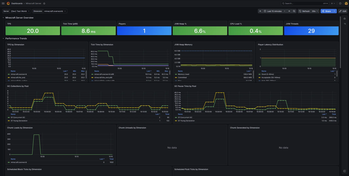
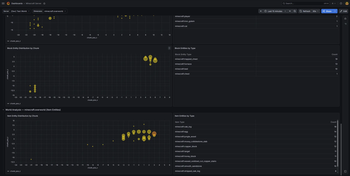

Instrument your Minecraft server with OpenTelemetry and export real-time metrics to any OTLP-compatible observability platform.
What It Does
TraceBullet runs alongside your server and continuously collects performance and gameplay metrics, exporting them via OTLP so you can visualize trends, set up alerts, and catch problems before your players notice.
Metrics Collected
| Metric | Description |
|---|---|
| TPS | Tick time histogram — see how your server performs across the full distribution, not just the average |
| Player Count | Online player count over time |
| Chunk Count | Loaded chunk count per dimension |
| Entity Count | Entity count per dimension |
| World Save Duration | Histogram of how long each world save takes per dimension |
| Scheduled Tick Queue | Pending block and fluid tick queue size per dimension — a leading indicator of lag |
| Chunk Generation | Count of newly generated chunks per dimension, distinguishing expensive generation from cheap disk loads |
Setup
- Drop the mod JAR into your
mods/folder (no other mods required — OpenTelemetry is bundled) - Start the server once to generate the config file
- Set your OTLP endpoint URL and service name in the config
- Point your observability stack at the endpoint and start collecting
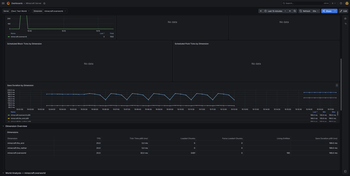
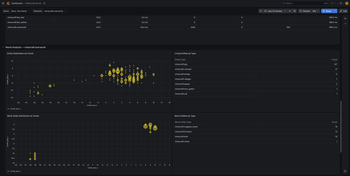
A **Grafana dashboard** is included in each release for a ready-to-use starting point.
Configuration
All options are available in the NeoForge mod config (tracebullet-common.toml):
- OTLP endpoint URL
- Service name
- Custom resource attributes
- Per-metric enable/disable toggles
- Thread pool sizing
Wiki
Find a getting start guide, a list of all metrics and configuration on the wiki:
https://github.com/korti11/tracebullet/wiki
- Edition: Minecraft Java
- File type: .jar
- Minecraft version listed: 26.1.2
- How to install: Install the matching mod loader (Forge, Fabric or NeoForge) for your Minecraft version. → Download the .jar. → Put it in the .minecraft/mods folder and launch that loader profile.
- Where to get it: Opens on Modrinth — not every file is mirrored on our own servers.
Install steps are the general flow for this file type — How to install Minecraft Java mods & modpacks walks through it step by step.
- Ships as tracebullet-0.1.2.jar — drop this file into the mods folder
- Download size: 3.9 MB
- Download link checked 4 Oct 2026 — working
These come from our own check of the pack file, not from the source page.