
CombatDistanceHUD
Java mod listed for Minecraft 1.21. Downloads from the MC Java Mods app on Android.
A lightweight, fully customizable Fabric client-side HUD mod that displays real-time combat distance information directly on your screen.
⬇ Download on Modrinth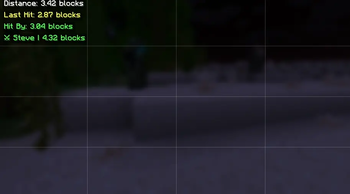
⚔️ Combat Distance HUD
A lightweight, fully customizable Fabric client-side HUD mod for Minecraft 1.21.9 – 1.21.11 that displays real-time combat distance information directly on your screen.
Track enemy distance, hit reach, incoming hits, and combat opponents with fully customizable text, colors, positions, and styling.
✨ Features
🎯 Target Distance HUD
Displays the distance to the player you're currently looking at.
Examples:
Distance: 3.42 blocks
🎯 3.42
Target → 3.42 Blocks Away
⚔ Steve | 3.42
⚔ Last Hit Distance HUD
Shows the exact distance when you successfully hit another player.
Examples:
Last Hit: 3.12 blocks
⚔ Reach: 3.12
Hit Steve: 3.12b
☠ Hit-By Distance HUD
Shows the distance at which another player hit you.
Examples:
Hit By: 2.98 blocks
☠ Enemy Reach: 2.98
Steve hit you: 2.98b
👤 Opponent Tracker HUD
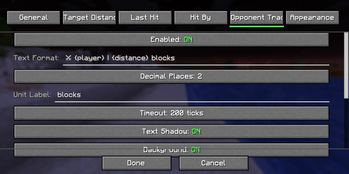
Tracks the most recent player you entered combat with and updates their distance in real time.
Examples:
⚔ Steve | 4.32 blocks
Tracking: Steve - 4.32
🎯 Steve: 4.32 blocks
🔥 Main Features
- 4 independent HUD modules
- Real-time distance updates
- Fully customizable text formatting
- Drag-and-drop HUD editor
- Per-module settings
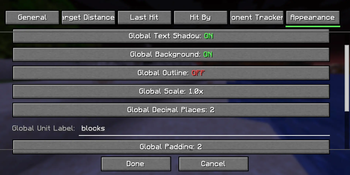
- Global appearance settings
- Unicode symbol support
- Emoji support
- Mod Menu integration
- Multi-language support
- Zero server installation required
- Client-side only
- Extremely lightweight
📝 Placeholder Support
Use placeholders anywhere in your HUD text.
| Placeholder | Description |
|---|---|
{distance} |
Distance value |
{player} |
Player name |
{unit} |
Unit label |
Example:
⚔ {player}: {distance} {unit}
Output:
⚔ Steve: 3.42 blocks
🎨 Customization
Every module supports:
Position
- X Offset
- Y Offset
- Anchor Selection
- Drag & Drop Placement
Appearance
- Text Color
- Background Color
- Outline Color
- Shadow Color
- Opacity
- Padding
- Scale
- Font Scale
Formatting
- Custom Text Templates
- Decimal Precision
- Unit Labels
- Visibility Options
⚙️ Commands
| Command | Description |
|---|---|
/combatdistance |
Mod information |
/combatdistance config |
Open config screen |
/combatdistance reload |
Reload config |
/combatdistance toggle |
Enable / disable mod |
/combatdistance reset |
Reset HUD positions |
/combatdistance resetall |
Reset all settings |
📥 Installation
Requirements
- Minecraft 1.21.9–1.21.11
- Fabric Loader 0.17.2+
- Fabric API
- Java 21+
Optional
- Mod Menu
Installation Steps
- Install Fabric Loader.
- Install Fabric API.
- Download Combat Distance HUD.
- Place the mod inside your
modsfolder. - Launch Minecraft.
📌 Supported Versions
| Version | Status |
|---|---|
| 1.21.9 | ✅ |
| 1.21.10 | ✅ |
| 1.21.11 | ✅ |
⚡ Performance
Designed to have virtually no FPS impact.
- CPU Usage: Negligible
- Memory Usage: < 2 MB
- Render Time: < 0.01ms/frame
- Safe for 500+ FPS clients
🔧 Compatibility
Works on:
- Vanilla Servers
- Fabric Servers
- Paper Servers
- Spigot Servers
- PvP Servers
- Minigame Servers
No server-side installation required.
❓ FAQ
- Does this work on servers?
Yes. The mod is entirely client-side and works on virtually any server.
- Is this allowed?
The mod only displays information already available to your client. Always follow individual server rules regarding client modifications.
- Can I move HUD elements?
Yes. Use the built-in HUD editor or configure positions manually.
- Can I use custom symbols?
Yes. Unicode symbols and emojis are supported.
- Does it affect performance?
No measurable impact during normal gameplay.
❤️ Credits
- Fabric Team
- Mojang
- TerraformersMC (Mod Menu)
📄 License
All Rights Reserved.
Combat Distance HUD — Know your reach, track your combat, dominate every fight. ⚔️
- Edition: Minecraft Java
- File type: .jar
- Minecraft versions listed: 1.21.9, 1.21.10, 1.21.11
- How to install: Install the matching mod loader (Forge, Fabric or NeoForge) for your Minecraft version. → Download the .jar. → Put it in the .minecraft/mods folder and launch that loader profile.
- Where to get it: Opens on Modrinth — not every file is mirrored on our own servers.
Install steps are the general flow for this file type — How to install Minecraft Java mods & modpacks walks through it step by step.
- Ships as combat-distance-hud-1.21.9-1.21.11-1.0.0.jar — drop this file into the mods folder
- Download size: 136 KB
- Download link checked 4 Oct 2026 — working
These come from our own check of the pack file, not from the source page.