
About the mod
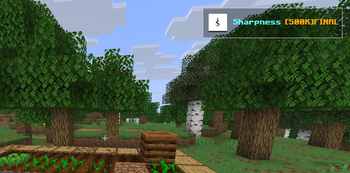
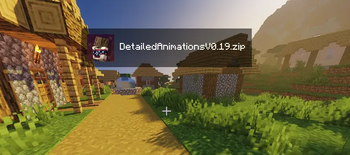
Pack Displayer is a lightweight, client-side utility designed for streamers, content creators, or anyone who loves showcasing their favorite resource packs. No more answering "What pack is that?" in your chat—let the HUD do the talking!
Features
Clean Screen Real Estate: A minimalist text overlay showing your active texture pack.
Zero Performance Impact: Lightweight code that won't dip your FPS.
Total Control: Toggle the display whenever you want using simple in-game commands.
Pack Displayer has been completely overhauled for v2.0.0!
Update v2.0.0 changes:
- Fixed a few minor and major bugs.
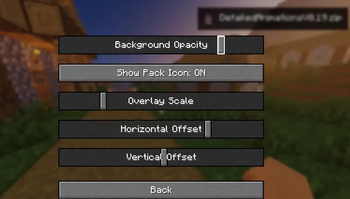
- Brand new config options.
- Cleaned up the UI/display text.
🛠 Commands
/packdisplay on — Enables the HUD overlay.
/packdisplay off — Hides the HUD overlay.
Smart-Unload System (Important Note)
To guarantee absolute stability and eliminate any potential visual glitches or lag spikes during heavy resource loading, DisplayPack HUD automatically unloads whenever you switch packs. Once your new resource pack has finished loading, simply type /displaypack on to safely re-initialize the HUD and show off your new look!
- Edition: Minecraft Java
- File type: .jar
- Minecraft version listed: 1.21.11
- How to install: Install the matching mod loader (Forge, Fabric or NeoForge) for your Minecraft version. → Download the .jar. → Put it in the .minecraft/mods folder and launch that loader profile.
- Where to get it: Opens on Modrinth — not every file is mirrored on our own servers.
Install steps are the general flow for this file type — How to install Minecraft Java mods & modpacks walks through it step by step.
- Ships as packdisplayer-2.0.0.jar — drop this file into the mods folder
- Download size: 1.1 MB
- Download link checked 22 Aug 2026 — working
These come from our own check of the pack file, not from the source page.