
Singleplayer Library
Java mod listed for Minecraft 1.17–1.20. Downloads from the MC Java Mods app on Android.
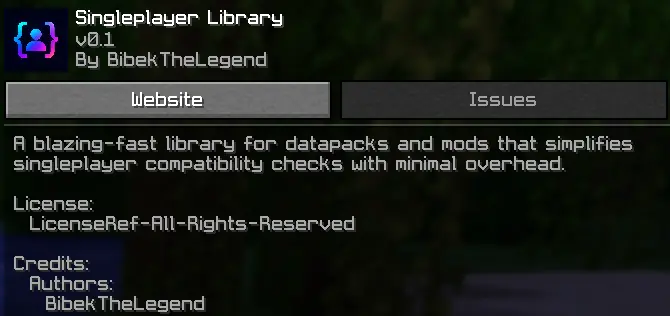
A blazing-fast library for datapacks and mods that simplifies singleplayer compatibility checks with minimal overhead.
I don't know my version or loader



SinglePlayer Library is a lightweight utility library for datapacks and mods that helps developers support singleplayer environments without creating separate versions of their projects. It provides a simple way to detect and enable singleplayer-specific features or settings, allowing projects that normally require manual setup or commands to work smoothly for singleplayer users.

- Ultra Lightweight : Minimal overhead designed for maximum performance.
- Easy Integration : Add singleplayer support to datapacks and mods without complex setup.
- Blazing Fast : Optimized to run efficiently with minimal impact.
- Developer Friendly : Built as a reusable foundation for other projects.
- Singleplayer Ready : Provides singleplayer support without requiring manual permission setup.
- Multi Version Support : Supports multiple Minecraft versions while keeping the same simple integration.

SinglePlayer Library uses tags to provide a simple way for projects to detect and handle singleplayer environments. The library checks players at a 1-second interval to keep performance impact as low as possible. Unlike normal Minecraft tick functions that run 20 times per second, SinglePlayer Library only performs its check once per second, providing a lightweight and stable system.
splib_active
Indicates that the player has been detected by SinglePlayer Library and is running in a supported singleplayer environment. Projects can use this tag to enable singleplayer-specific features or settings.splib_ignore
This tag is intended for developers and server owners. Players with this tag will be excluded from SinglePlayer Library handling, preventingsplib_activefrom being automatically added.

Use splib_active to run features or settings that should only apply in singleplayer worlds.
Keep in mind that the code below does not run until the function is executed. The namespace my_pack is not automatically created by a datapack or mod you must implement and structure it yourself.
check.mcfunction
execute unless entity @s[tag=splib_active] run function my_pack:tellraw_missing_library
execute if entity @s[tag=splib_active] run function my_pack:singleplayer_settings
use_feature.mcfunction
execute if entity @s[tag=splib_active] run function my_pack:feature/run
execute unless entity @s[tag=splib_active] run function my_pack:feature/blocked
other.mcfunction
execute unless entity @s[tag=splib_active] run function my_pack:performance/low_mode


Datapack (Singleplayer / Server)
- Download the datapack.
- Place it in your world's datapacks folder.
- Exit and rejoin the world. Search on youtube how to install datapack ↗
- Tip: Use
/datapack listandtag <targets> listto verify that it is installed correctly.

Mod Version (Client / Server)
- Install the mod file into your
modsfolder. - Launch the game or server with a compatible mod loader.
- No additional setup required. Search on youtube how to install mod ↗
- Tip: It will appear in the mod menu if installed correctly.
- Edition: Minecraft Java
- File type: .jar
- Minecraft versions listed: 1.17, 1.17.1, 1.18
- How to install: Install the matching mod loader (Forge, Fabric or NeoForge) for your Minecraft version. → Download the .jar. → Put it in the .minecraft/mods folder and launch that loader profile.
- Where to get it: Opens on Modrinth — not every file is mirrored on our own servers.
Install steps are the general flow for this file type — How to install Minecraft Java mods & modpacks walks through it step by step.
- Ships as singleplayer-lib-0.1.jar — drop this file into the mods folder
- Download size: 21 KB
- Download link checked 22 Oct 2026 — working
These come from our own check of the pack file, not from the source page.