
VisualSky
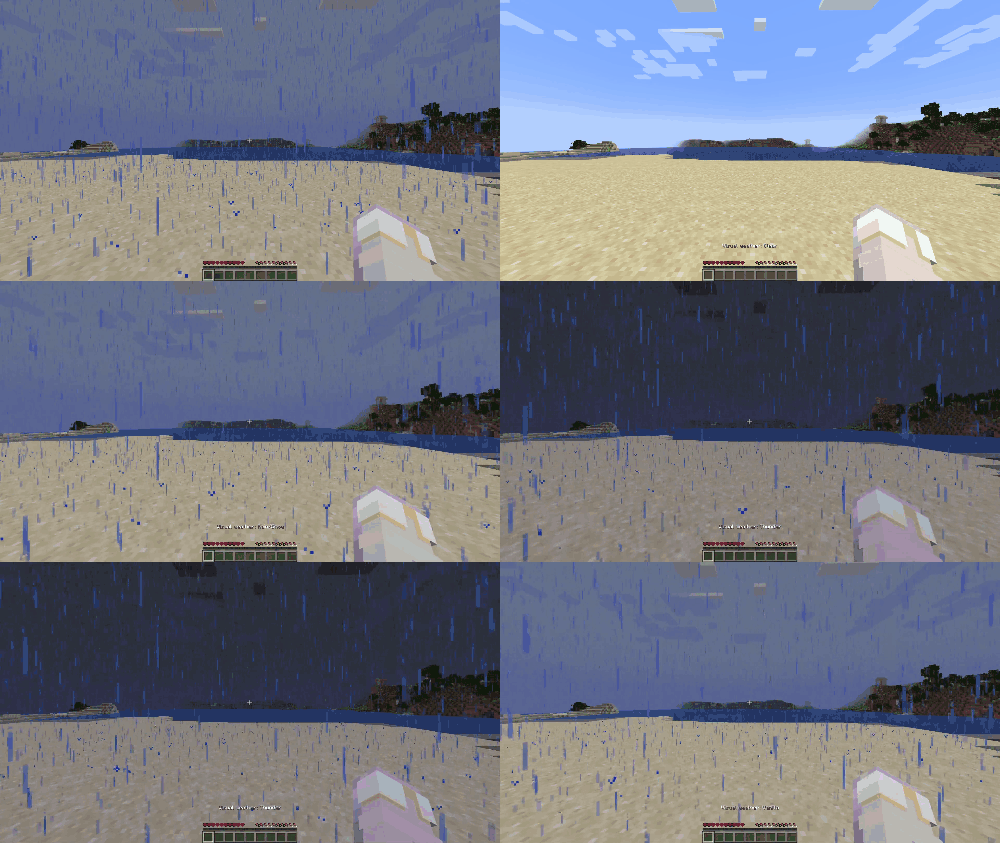
VisualSky lets you customize your client-side sky, time, and weather without changing the actual server world. Switch between visual day/night and…
⬇ Download on Modrinth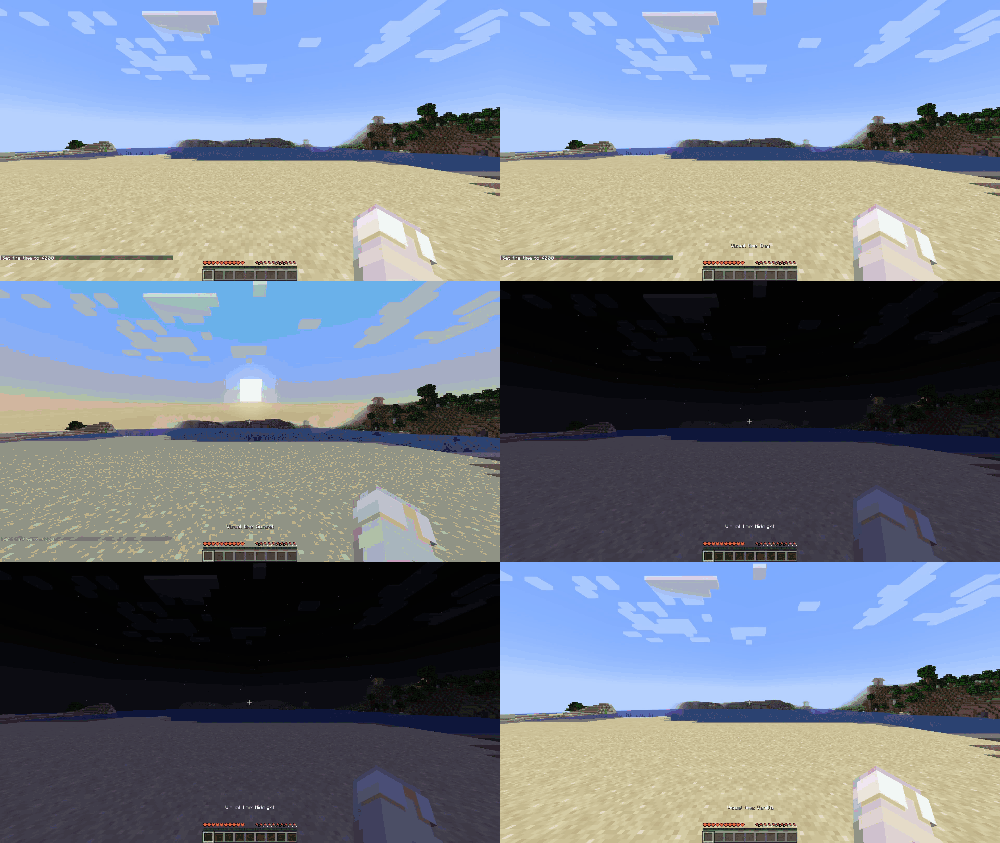
Requirements:
-Fabric API: https://modrinth.com/mod/fabric-api
-YetAnotherConfigLib (YACL): https://modrinth.com/mod/yacl
Optional:
-Mod Menu: https://modrinth.com/mod/modmenu
Known Issues
Some versions of Controlify may crash when opening YACL config screens on certain Minecraft versions. If /visualsky crashes while Controlify is installed, try updating or disabling Controlify.
Known Incompatibilities
- BadOptimizations: may break VisualSky’s visual sky/time rendering. Remove or disable BadOptimizations if VisualSky does not render correctly.
VisualSky
VisualSky is a client-side Fabric mod that lets you customize how the sky, time, and weather look on your own Minecraft client.
It does not change the real server time, server weather, or world logic. Everything is visual and local to you.
Features
- Client-side visual time changer
- Client-side visual weather changer
- Works on vanilla servers
- Toggle between visual day/night modes
- Toggle between clear, rain/snow, and thunder visuals
- Keybind support
/visualskyconfig command- Optional Mod Menu integration
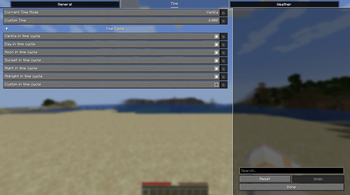
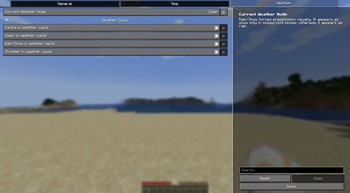
- YACL config screen
- Config saving
Default Keybinds
Y— Cycle visual time modeU— Cycle visual weather mode
You can change these in Minecraft’s Controls menu.
Weather Notes
The Rain/Snow mode forces precipitation visually.
Minecraft decides whether precipitation appears as rain or snow based on the biome. In snowy/cold biomes it appears as snow, and in normal or warm biomes it appears as rain.
Client-side Only
VisualSky is fully client-side.
This means:
- It does not change server time
- It does not change server weather
- It does not affect mobs, sleeping, redstone, or daylight sensors
- Other players will not see your selected visual sky/weather
- It works on vanilla servers
Config
You can open the config screen with:
/visualsky
- Edition: Minecraft Java
- File type: .jar
- Minecraft version listed: 1.21.11
- How to install: Install the matching mod loader (Forge, Fabric or NeoForge) for your Minecraft version. → Download the .jar. → Put it in the .minecraft/mods folder and launch that loader profile.
- Where to get it: Opens on Modrinth — not every file is mirrored on our own servers.
Install steps are the general flow for this file type — How to install Minecraft Java mods & modpacks walks through it step by step.
- Ships as visualsky-1.0.3+1.21.11.jar — drop this file into the mods folder
- Download size: 342 KB
- Download link checked 12 Sept 2026 — working
These come from our own check of the pack file, not from the source page.