
IkkatsuResourcePackKun
Java mod listed for Minecraft 26.x. Downloads from the MC Java Mods app on Android.
⬇ Download on Modrinth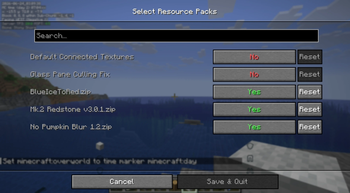
Ikkatsu Resource Pack Kun
Ikkatsu Resource Pack Kun is a lightweight Fabric client-side mod that lets you assign multiple resource packs to a single keybind and toggle them all on or off at once — no more diving into the settings menu every time.
✨ Features
One-key toggle
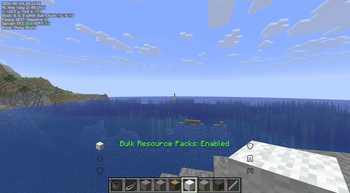
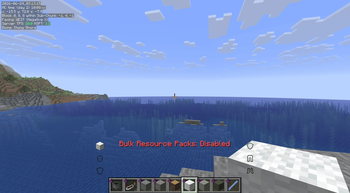
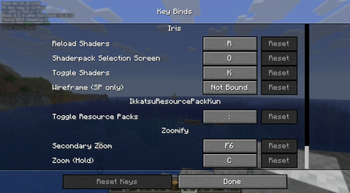
Press Ctrl + ` (apostrophe) (※日本語キーボードの場合は「:」キー)in-game to enable or disable all your selected resource packs simultaneously. An on-screen message confirms the current state at a glance.
Persistent state across sessions
Your selected packs and their enabled/disabled state are saved to a config file (bulk_toggle_config.json). The mod automatically restores the correct state every time you launch the game.
Intuitive config screen (via Mod Menu)
Open the mod's settings through Mod Menu to see a list of all available resource packs, each with a simple toggle switch. Internal packs (Vanilla, High Contrast, Programmer Art) and Fabric mod-embedded resource packs are automatically hidden to keep the list clean.
Automatic resource pack reload
Whenever you toggle packs, the game's resource pack manager is updated and a reload is triggered automatically — no manual steps required.
📦 Requirements
・Fabric Loader
・Fabric API
・Cloth Config
・Mod Menu (for config screen)
🎮 How to Use
Open Mod Menu and navigate to this mod's config screen. Toggle on the resource packs you want to group together. Save and close the screen. In-game, press Ctrl + ` to enable/disable all selected packs at once.
- Edition: Minecraft Java
- File type: .jar
- Minecraft version listed: 26.1.2
- How to install: Install the matching mod loader (Forge, Fabric or NeoForge) for your Minecraft version. → Download the .jar. → Put it in the .minecraft/mods folder and launch that loader profile.
- Where to get it: Opens on Modrinth — not every file is mirrored on our own servers.
Install steps are the general flow for this file type — How to install Minecraft Java mods & modpacks walks through it step by step.
- Ships as test-1.0-SNAPSHOT.jar — drop this file into the mods folder
- Download size: 1.0 MB
- Download link checked 4 Oct 2026 — working
These come from our own check of the pack file, not from the source page.