
Short Sword
A lightweight resource pack that shortens all swords to give you better visibility and maximum screen space during PvP. Works perfectly on almost all versions and can be used as an overlay!
What this project does
- Shortens Sword Models: It shrinks the default size of all swords in Minecraft to prevent them from blocking your view.
- Enhances PvP Sight: Gives you a much clearer view of your opponents during intense combat
Why you should download it
- Vanilla-Friendly: It retains the classic, familiar texture style of standard Minecraft swords just shorter!
- Performance Friendly: Extremely lightweight, meaning it has absolutely zero impact on your FPS.
- Overlay Support: You don't need to change your main resource pack; just place this on top of any pack.
⚠️ Critical Information & How to Use
- How to Install: Download the pack, place it in your
.minecraft/resourcepacksfolder, and activate it in-game. - Overlay Setup: For the best experience, make sure to move this pack to the very top of your selected resource packs list so it overrides other sword textures properly.
Available Editions
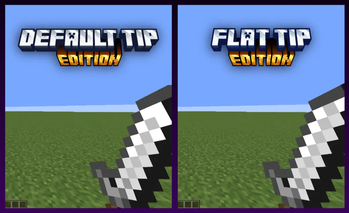
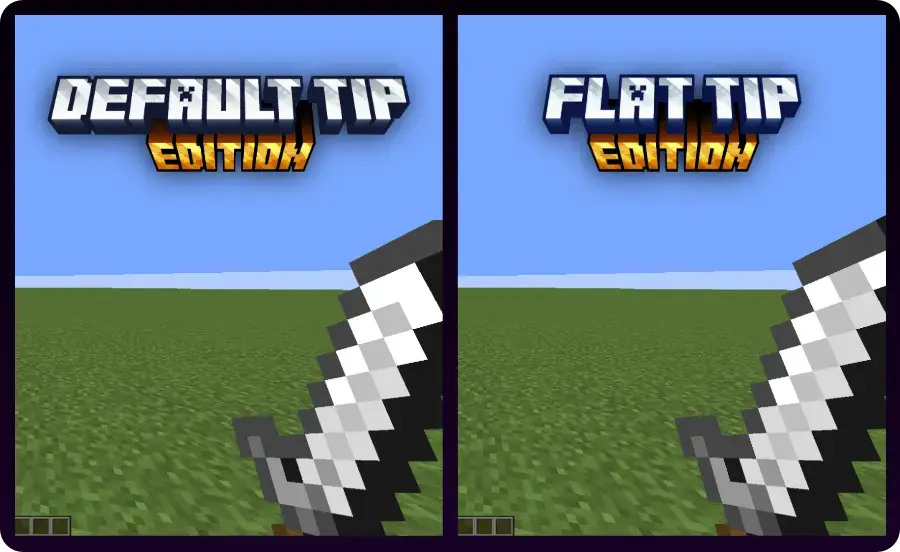
There are two versions included in this short sword resource pack:
- Default Tip Edition – Keeps the original sharp point but shrinks the blade.
- Flat Tip Edition – Cuts off the top for a clean, flat look.
Gallery
Quick facts
- Edition: Minecraft Java
- File type: .zip (resource pack)
- Minecraft version listed: 1.21.11
- How to install: Download the .zip resource pack — do not unzip it. → Put it in .minecraft/resourcepacks. → Enable it in Options → Resource Packs.
- Where to get it: Opens on Modrinth — not every file is mirrored on our own servers.
Install steps are the general flow for this file type — How to install Minecraft Java resource packs walks through it step by step.
Verified by MCModsHub
- Downloads as Short Swords - Flat Tip Edition.zip
- Download size: 1.7 MB
- Download link checked 21 Aug 2026 — working
These come from our own check of the pack file, not from the source page.