
Slick Lights - Dynamic Lighting (Custom Torch Glow)
Java data pack listed for Minecraft 26.x. Downloads from the MC Java Mods app on Android.
Torch glow, item illumination, and realistic flame flicker with zero server lag. Fully customize your glowing items and mobs using a simple in-game menu!
⬇ Download on Modrinth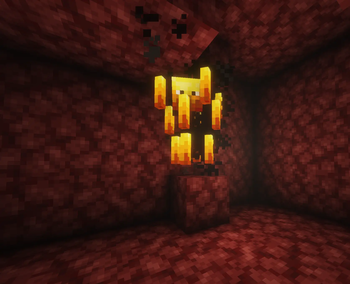
Slick Lights — High-Performance Dynamic Lighting
Slick Lights adds smooth, real-time dynamic lighting to your world without the lag. While older packs constantly scan hundreds of blocks and tank your server's TPS, this pack uses a highly optimized engine that tracks coordinates directly, placing and removing light blocks only when and where they are needed.
Features
- Handheld Items: Torches, lanterns, campfires, and candles dynamically light your path. It also tracks steady light blocks like glowstone, sea lanterns, and froglights.
- Luminous Mobs and Projectiles: Blazes, Magma Cubes, flying Fireballs, Allays, and Glow Squids naturally illuminate their surroundings within a 32-block radius of players.
- Glowing Status Effects: Any player or mob hit with a spectral arrow instantly becomes a moving light source via the glowing effect.
- Full Dimension Support: Garbage collection routines ensure dynamic lighting works cleanly across the Overworld, the Nether, and the End.
In-Game Actionbar Menu
Slick Lights features a completely seamless settings menu right on your actionbar—no clunky chest interfaces or chat spam required.
Run /function slick_lights:settings to toggle the menu:
- Navigate: Tap your Sneak/Crouch key to cycle through the different settings (Mob Tracking, Item Tracking, Tick Rate, Flicker, and Base Light).
- Adjust: Press Hotbar keys 1–9 to instantly change the values or toggle states of the highlighted setting.
- Edition: Minecraft Java
- File type: .jar
- Minecraft versions listed: 26.1, 26.1.1, 26.1.2
- How to install: Install the matching mod loader (Forge, Fabric or NeoForge) for your Minecraft version. → Download the .jar. → Put it in the .minecraft/mods folder and launch that loader profile.
- Where to get it: Opens on Modrinth — not every file is mirrored on our own servers.
Install steps are the general flow for this file type — see the MC Java Mods guides for the full walkthrough.
- Downloads as slick-lights.zip
- Download size: 73 KB
- Download link checked 24 Oct 2026 — working
These come from our own check of the pack file, not from the source page.