
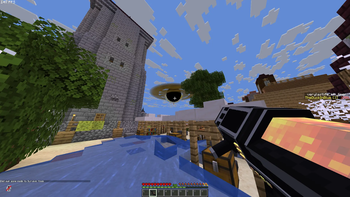
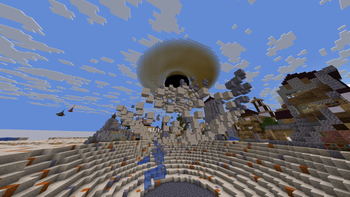
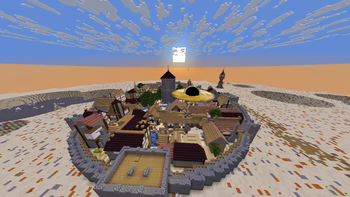

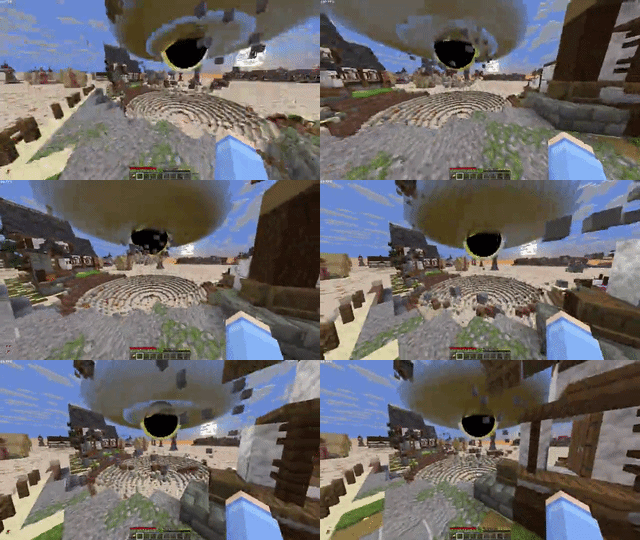
This Datapack adds a destructive Blackhole Launcher that fires a blackhole that will pull in any blocks or entities that come anywhere near it. The Blackhole will continue to grow the more it destroys.
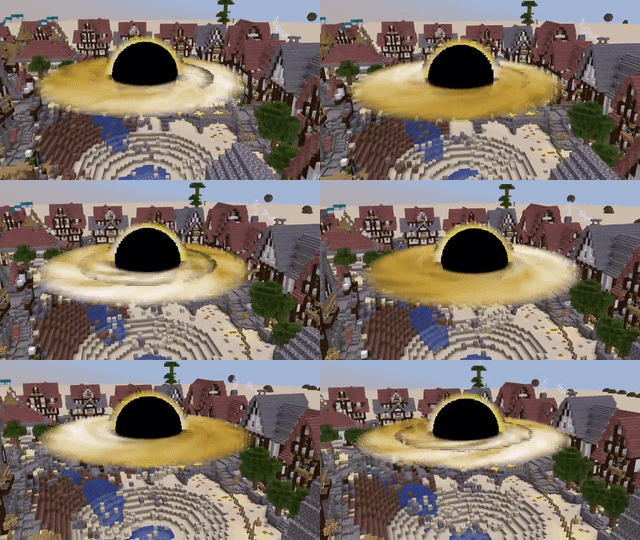
How To Use
Hold right click to charge the blackhold launcher, after it's done charging it will fire a small blackhole forward and will quickly expand after 2 seconds or once it hits something
How To Get The Item
There is currently no recipe but you can run /loot give @s loot bhl:blackhole_launcher
to spawn one in
Installation
Resource Pack
- Go to the versions tab and click the version you want to download and click Download Required Resourcepack.
- Open Minecraft and navigate to your Resorcepacks Menu.
- Drag & drop the resorcepack or click open Resorcepack Folder and drag & drop it there.
Singleplayer (Existing World)
Datapack
- Download the datapack .zip folder.
- Open Minecraft and navigate to your Singleplayer world list.
- Select the world you want to add it to, click Edit, and then click Open World Folder.
- Find and open the datapacks folder.
- Move or paste the downloaded .zip file into this folder (you do not need to unzip it).
Singleplayer (New World)
Datapack
- Download the datapack .zip folder.
- In Minecraft, go to Singleplayer and click Create New World.
- Navigate to the More tab at the top of the screen and click Data Packs.
- Drag and drop the downloaded .zip file directly into the Minecraft window, then click Yes to confirm.
- Hover over the datapack in the "Available" column and click the arrow to move it to the "Selected" column.
- Click Done and finish creating your world.
Multiplayer (Server)
Datapack
- Download the datapack .zip file.
- Access your server files through your server host's web panel.
- Open your main world folder (usually named world, depending on your server settings).
- Open the datapacks folder.
- Upload the .zip file into the datapacks folder.
- Restart your server, or type /reload to load the datapack.
Quick facts
- Edition: Minecraft Java
- File type: .jar
- Minecraft versions listed: 1.21.8, 1.21.9, 1.21.10
- How to install: Install the matching mod loader (Forge, Fabric or NeoForge) for your Minecraft version. → Download the .jar. → Put it in the .minecraft/mods folder and launch that loader profile.
- Where to get it: Opens on Modrinth — not every file is mirrored on our own servers.
Install steps are the general flow for this file type — see the MC Java Mods guides for the full walkthrough.
Verified by MCModsHub
- Downloads as Blackhole Launcher Datapack 1.21.11.zip
- Download size: 1.1 MB
- Download link checked 23 Aug 2026 — working
These come from our own check of the pack file, not from the source page.