
SnapShop
Java mod listed for Minecraft 26.x. Downloads from the MC Java Mods app on Android.
⚡ SnapShop — Quick & Secure P2P Barter Market SnapShop is a lightweight, high-performance, and completely GUI-based player-to-player (P2P) barter…
⬇ Download on Modrinth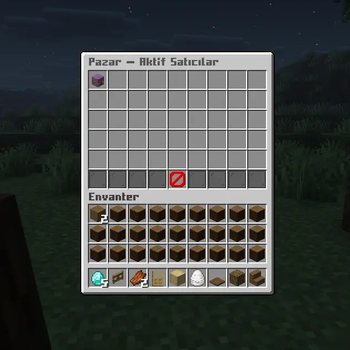
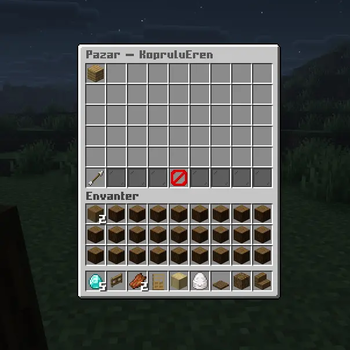
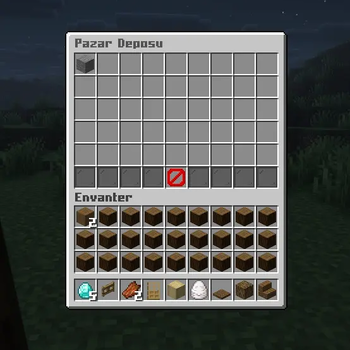
⚡ SnapShop — Quick & Secure P2P Barter Market
SnapShop is a lightweight, high-performance, and completely GUI-based player-to-player (P2P) barter marketplace plugin designed for modern Minecraft servers. Allow your players to trade items safely without the need for complex economy or vault systems—just pure, vanilla-friendly item-for-item trading!
✨ Key Features
- 100% GUI-Driven: Browse shops, list items, and claim rewards entirely inside clean chest menus.
- Player Head Icons: The main market displays custom heads of players who currently have active listings.
- Advanced Anti-Dupe Security: Hardened against shift-clicking exploits, hotbar swapping, and inventory race conditions.
- Offline Support: Items can be bought even if the seller is offline. Earnings are safely stored in their virtual deposit box.
- Smart Chat Parsing: List items easily by typing what you want in return (e.g., typing
grass 64 ve stone 32).
🛠️ Commands & Permissions (Komutlar)
| Command | Description | Türkçe Açıklaması |
|---|---|---|
/snapshop language |
The language can be changed with this command. | Dil değiştirme komutu. |
/shop |
Opens the main global market GUI. | Ana menüyü açar. |
/shop sell |
Starts the process to list an item for sale. | Eşya satmanızı sağlar. |
/shop claim |
Opens the storage GUI to claim your earnings. | Kazandığınız eşyaları alır. |
💡 Not: Türkçe Komutlar
/pazar,/pazar sat, ve/shop claimŞeklindedir.
🛡️ Compatibility
- Supported Platforms: Paper and Purpur.
- Supported Versions: Minecraft 26.1.2
- Requires: Java 21 or higher.
- Edition: Minecraft Java
- File type: .jar
- Minecraft version listed: 26.1.2
- How to install: Install the matching mod loader (Forge, Fabric or NeoForge) for your Minecraft version. → Download the .jar. → Put it in the .minecraft/mods folder and launch that loader profile.
- Where to get it: Opens on Modrinth — not every file is mirrored on our own servers.
Install steps are the general flow for this file type — How to install Minecraft Java mods & modpacks walks through it step by step.
- Ships as SnapShop-1.0.0.jar — drop this file into the mods folder
- Download size: 58 KB
- Download link checked 4 Oct 2026 — working
These come from our own check of the pack file, not from the source page.