
PMC Waypoints TP UI - Achievement Friendly
Bedrock add-on listed for Minecraft 1.21–26.x (behavior pack only). File opened and checked on 16 Oct 2026; installs from the MC Bedrock Mods app on Android.
A powerful, achievement-friendly teleportation system for Minecraft Bedrock survival and hardcore worlds. Save custom locations, teleport instantly, and…
⬇ Download on CurseForge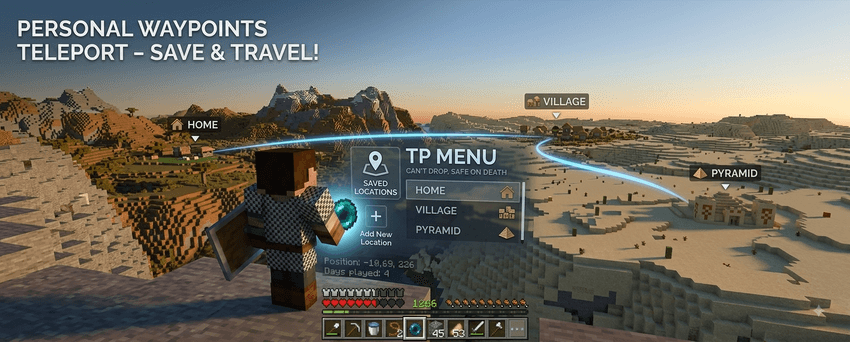
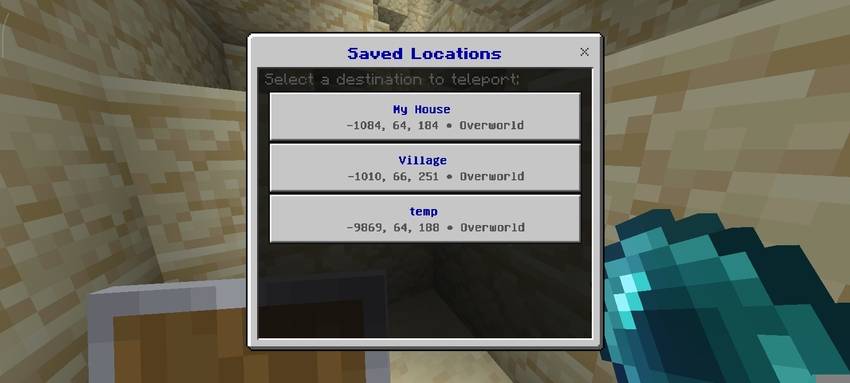
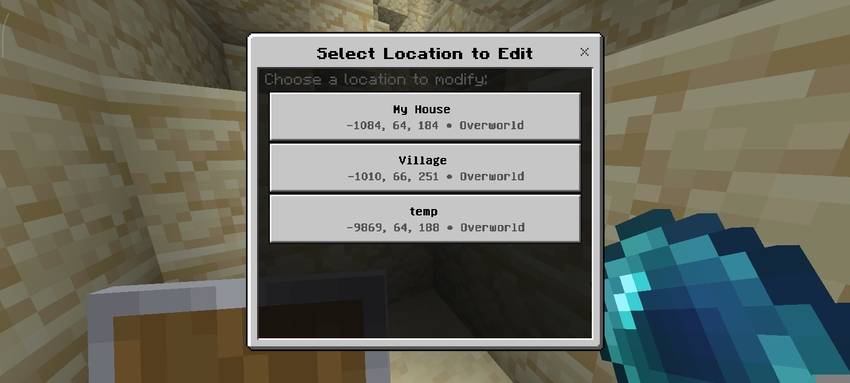
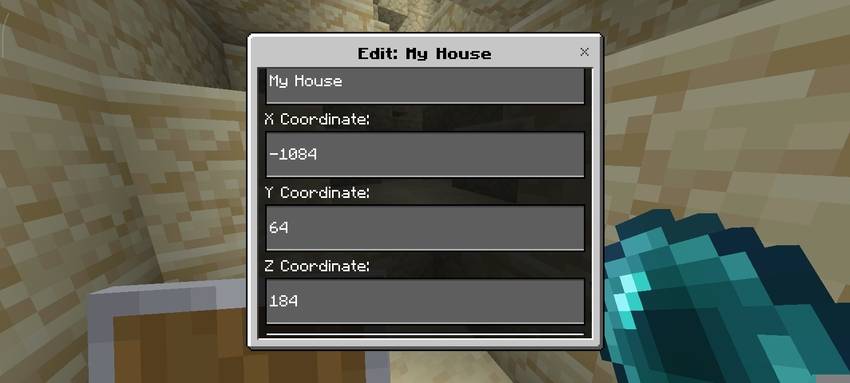
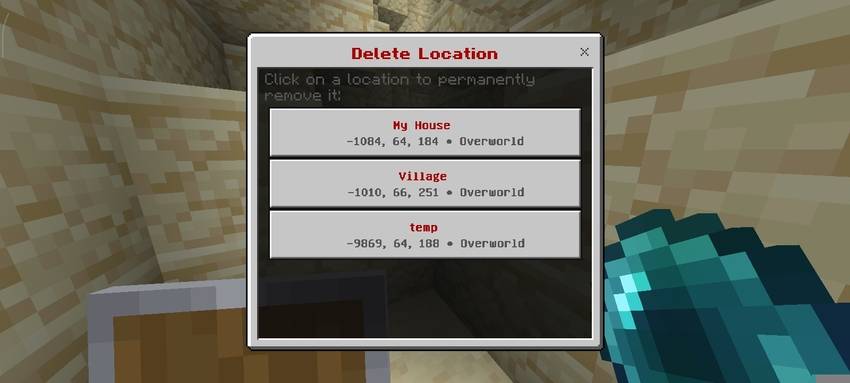
🌌 PlayZer's Waypoints TP UI – Fast Travel & Survival Teleportation Addon
Are you exploring a massive survival world, building across distant biomes, and tired of endless walking? PlayZer's Waypoints TP UI is the ultimate lightweight utility addon and fast-travel system designed to make teleportation effortless in Minecraft Bedrock Edition (MCPE / Windows / Console).
Save your favorite locations, teleport instantly across your world, and navigate like a pro—all without disabling Xbox achievements or needing cheats enabled! Perfect for pure Survival, Hardcore, Multiplayer SMPs, and Realms.
✨ Key Features
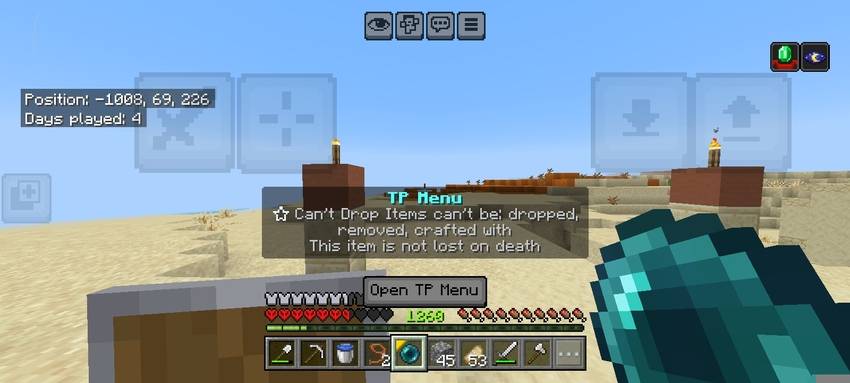
- 🏆 100% Achievement Friendly (No Cheats Required): Progress through your survival world without limitations. All Xbox achievements and trophies stay permanently enabled.
- 🧭 Intuitive Custom TP Menu UI: Receive an enchanted "TP Menu" item upon joining. Simply use/right-click to open a clean, modern, and lag-free navigation interface.
- 🔒 Private & Multiplayer Ready: Every player has their own secure, personal waypoint list. Other players on the server cannot see or overwrite your saved locations.
- 📍 Smart Waypoint Management:
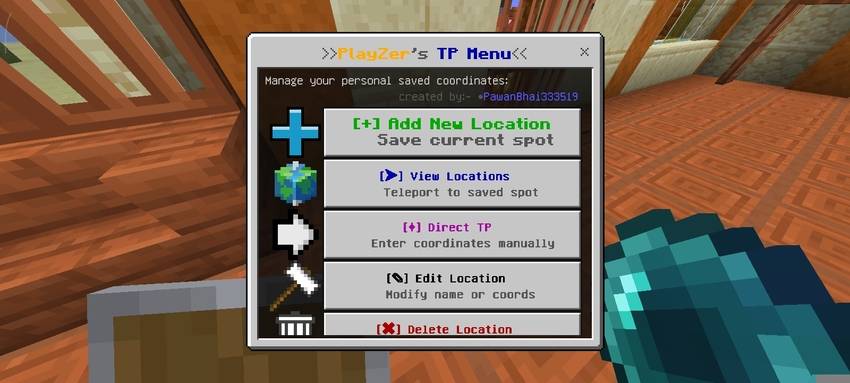
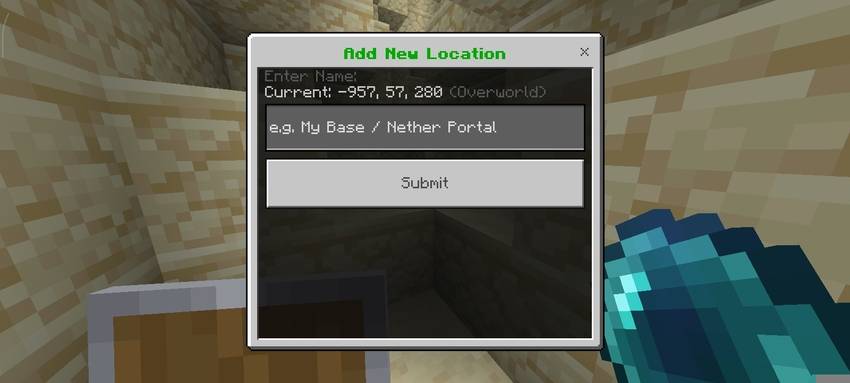
- Save New Location: Easily name and bookmark your exact XYZ coordinates (Bases, Mineshafts, Farms, Portals).
- Instant Teleport: Jump directly to any saved spot in seconds with a single tap.
- Delete Waypoints: Clean up old locations with clear coordinate displays for maximum accuracy.
- ⚡ Ultra-Optimized & Lag-Free: Built with lightweight scripts to ensure smooth 60+ FPS performance on mobile devices (Android / iOS), low-end PCs, and servers.
🎮 How to Use
- Get the Item: Upon spawning or joining the world, you will automatically receive an enchanted Ender Pearl named "TP Menu".
- Open the UI: Hold the item and Right-Click (PC) or tap "Use" / Long-Press (Mobile) to launch the menu.
- Save Waypoint: Select "Save New Location", enter a custom name, and save your current coordinates.
- Fast Travel: Click "Go to Saved Location" to view your waypoint list and teleport instantly.
- Manage: Use "Delete Location" to remove any waypoint you no longer need.
📥 Installation Guide
- Download the
.mcaddonor.mcpackfile. - Tap/Open the file to automatically import it into Minecraft Bedrock.
- Apply the addon in your World Settings under both Behavior Packs and Resource Packs.
- Load into your world and enjoy hassle-free teleportation!
📌 Compatibility
- Minecraft Bedrock Edition: Fully compatible with Mobile (Android / iOS), Windows 10/11, Xbox, PlayStation, and Nintendo Switch.
- Game Modes: Works seamlessly on Singleplayer Worlds, LAN, Dedicated Bedrock Servers, and Realms.
🔍 Related Searches
Minecraft Bedrock Waypoints Addon MCPE Teleport UI Mod Fast Travel Addon Bedrock Achievement Friendly Teleport Mod Personal Waypoint System MCPE Coordinates Saver Minecraft Teleportation Menu Bedrock No Cheats Teleport Addon Survival GPS Mod Minecraft PE Multiplayer Waypoint Script Minecraft Bedrock Utility Pack Custom Coordinates TP
- Edition: Minecraft Bedrock
- File type: .mcpack or .mcaddon
- Minecraft versions listed: 1.21.132, 26.0.02, 26.0
- How to install: Download the .mcpack or .mcaddon file. → Open it — Minecraft imports it. → In your world: Behavior Packs → Available → Activate, then the same under Resource Packs.
- Where to get it: Opens on CurseForge — not every file is mirrored on our own servers.
Install steps are the general flow for this file type — How to install Minecraft Bedrock addons & mods walks through it step by step.
- Pack type: .mcaddon — behaviour and resource pack in one file
- Manifest requires Minecraft 1.21.0 or newer
- Complete pack — everything it depends on is inside the file
- Download size: 180 KB
- Download link checked 19 Oct 2026 — working
These come from our own check of the pack file, not from the source page.