
MC Paint
Java mod listed for Minecraft 1.16–1.20. File opened and checked on 23 Oct 2026; downloads from the MC Java Mods app on Android.
⬇ Download on CurseForgePaint your blocks the way you want them to be!
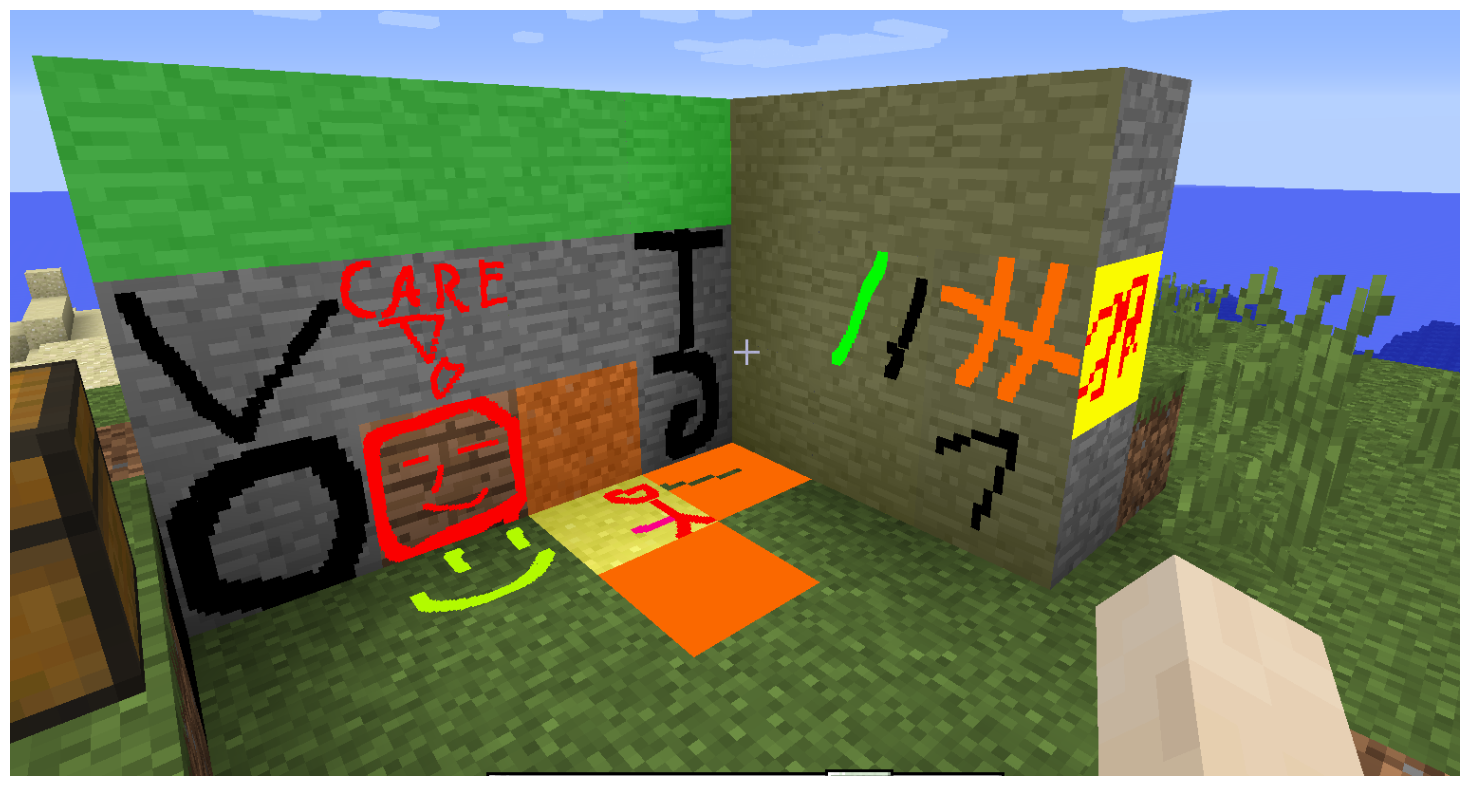
Experience the MSPaint feeling in minecraft. With MCPaint, you can paint most blocks and draw cool art on them.
The mod adds two items, a brush and a stamp. The brush can be crafted like a pickaxe but with wool instead of your pickaxe material at the top. Right-click any block with the brush and a editor will pop up where you can paint it!
The resolution can be changed from 8x8 up to 128x128 for a single block.
The stamp can be used to copy the paint of blocks.
Shift-Right click a block with it to set it's picture, and right click another one to set the image to that block.
- Edition: Minecraft Java
- File type: .jar
- Minecraft versions listed: 1.20.1, 1.19.4, 1.19.3
- How to install: Install the matching mod loader (Forge, Fabric or NeoForge) for your Minecraft version. → Download the .jar. → Put it in the .minecraft/mods folder and launch that loader profile.
- Where to get it: Opens on CurseForge — not every file is mirrored on our own servers.
Install steps are the general flow for this file type — How to install Minecraft Java mods & modpacks walks through it step by step.
MC Paint is a free Minecraft Java mod. Compatible with Minecraft 1.20.1, 1.19.4, 1.19.3, 1.19.2 and newer. Downloaded 2,061,492 times (via CurseForge). Download it and open it directly in the game.