
Sword Blocking Mechanics
Java mod listed for Minecraft 1.18–1.21. Downloads from the MC Java Mods app on Android.
⬇ Download on CurseForge








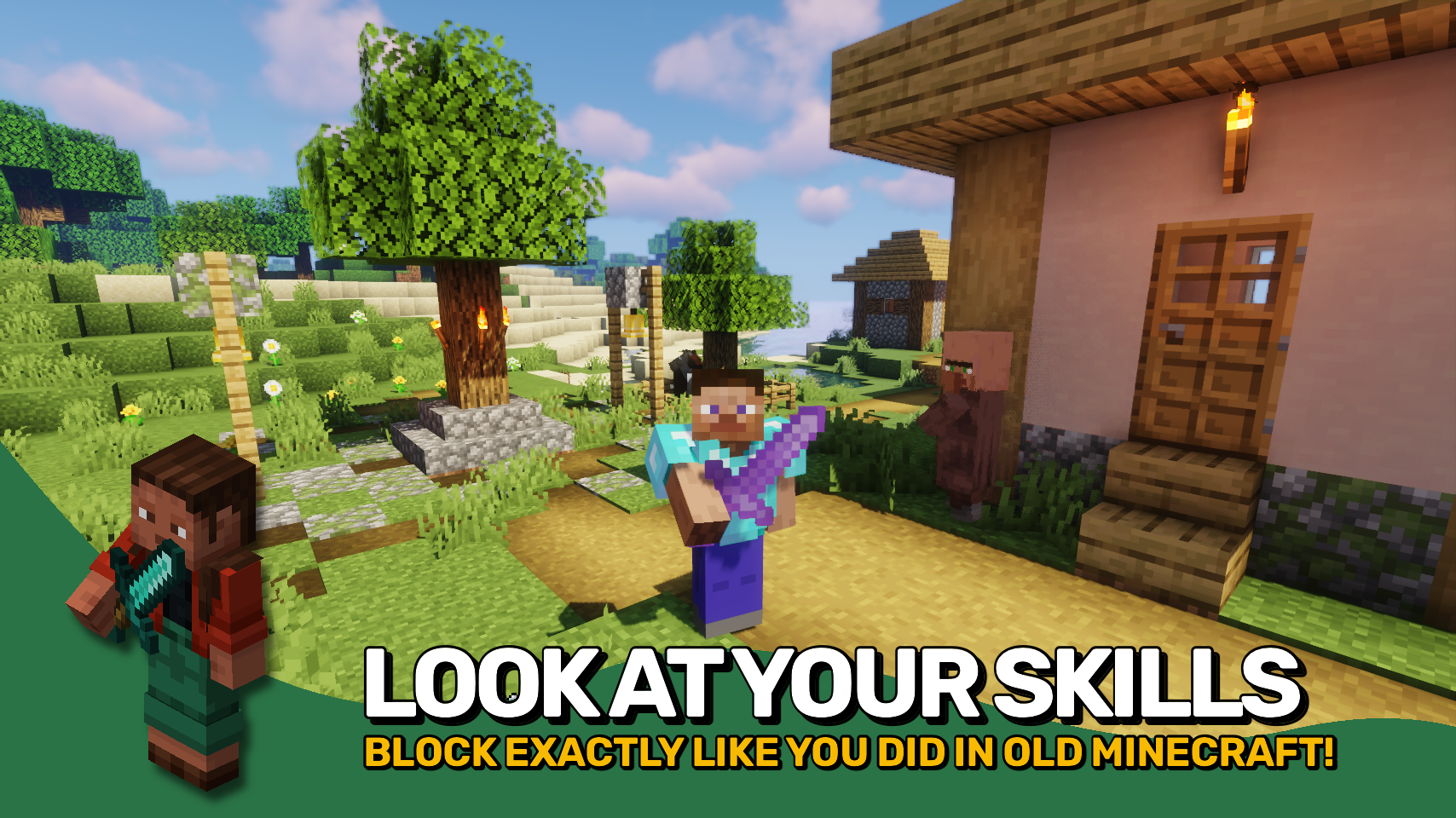
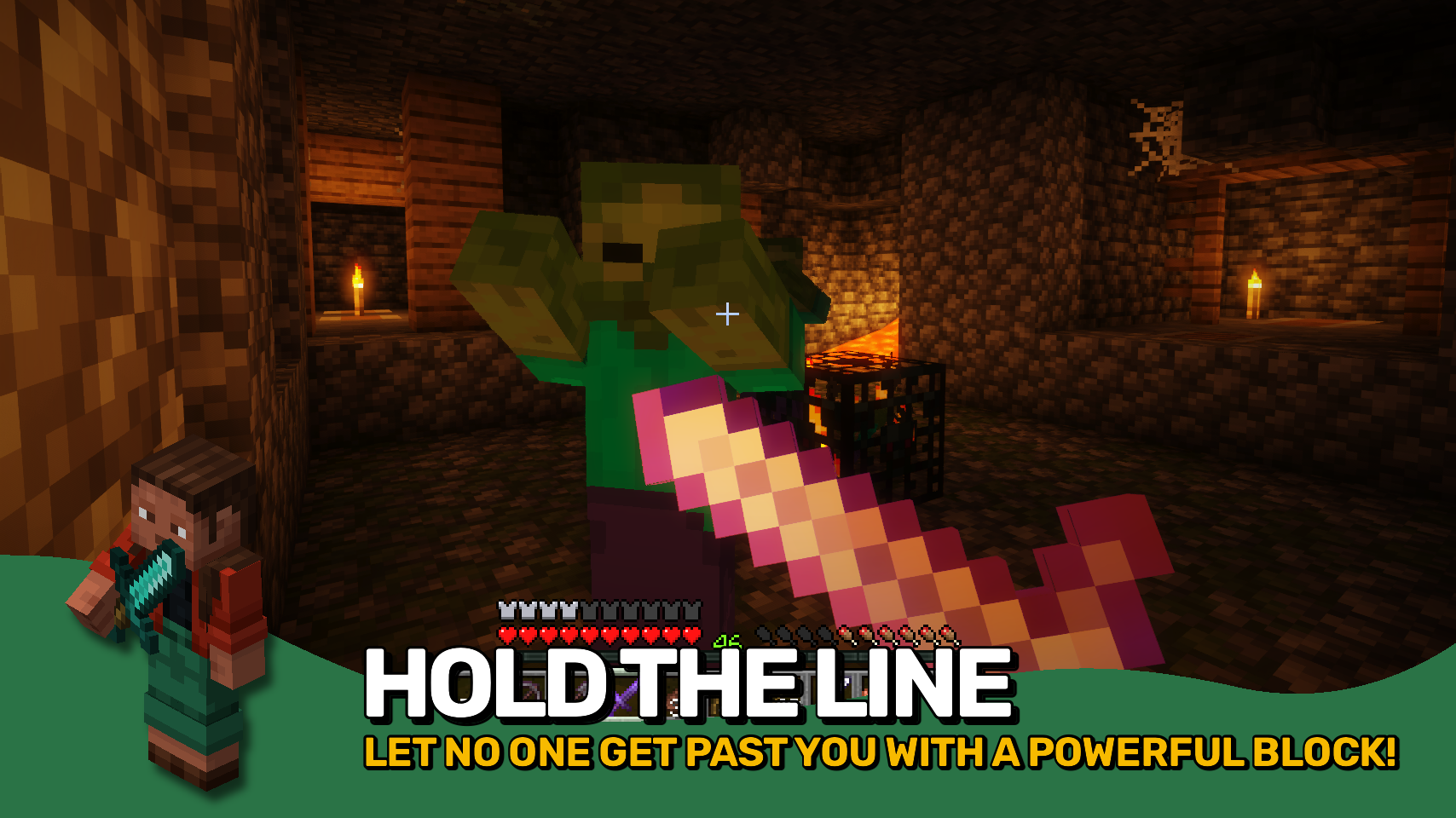
Sword Blocking Mechanics restores the very useful blocking ability to all swords straight from the Minecraft 1.7 / 1.8 combat era. What more is there to say really? It's just as equally awesome as it was back in the day. Simply right-click your held sword and 50% of all incoming damage will be blocked. Really easy to use and much more convenient than bulky shields. You still want to ocasionally use a shield though? No problem! When held in the offhand it will be prioritized over sword blocking.
Everything about sword blocking is fully customizable, and there even is a new parry mechanic. It is active in the first 0.5 seconds after initiating a sword block, where the block is more similar to a shield and prevents all incoming damage.
Any item that is to support the sword blocking mechanic must be added to the swordblockingmechanics:can_perform_sword_blocking item tag. Items you want to use from your offhand while holding a sword in the mainhand should be added to the swordblockingmechanics:overrides_sword_blocking_in_offhand item tag.
For bringing back not the old sword blocking mechanic, but also just fast paced combat, make sure to check out Golden Age Combat.


⏩ INSTALLATION REQUIRED ON CLIENT & REQUIRED ON SERVER
⏩ REQUIRES PUZZLES LIB TO BE INSTALLED (FABRIC & NEOFORGE)
⏩ REQUIRES FABRIC API TO BE INSTALLED (FABRIC)
⏩ REQUIRES FORGE CONFIG API PORT TO BE INSTALLED (FABRIC)

If available for a mod, configuration is possible directly from in-game using the mod menu (requires Mod Menu by Prospector to be installed on Fabric). Please note that on older Minecraft versions installing Forge Config Screens is also a requirement.
For manual configuration using an external text editor all files are found at .minecraft/config, named as MOD_ID-client.toml, MOD_ID-common.toml, or MOD_ID-server.toml, depending on the type of config. Not all types might exist for a mod, if any at all.
 |
 |
|
 |
 |
|
 |
 |
|
 |
 |
|
 |
 |
|

- Edition: Minecraft Java
- File type: .jar
- Minecraft versions listed: 1.21.11, 1.21.10, 1.21.9
- How to install: Install the matching mod loader (Forge, Fabric or NeoForge) for your Minecraft version. → Download the .jar. → Put it in the .minecraft/mods folder and launch that loader profile.
- Where to get it: Opens on CurseForge — not every file is mirrored on our own servers.
Install steps are the general flow for this file type — How to install Minecraft Java mods & modpacks walks through it step by step.
Sword Blocking Mechanics is a free Minecraft Java mod. Compatible with Minecraft 1.21.11, 1.21.10, 1.21.9, 1.21.8 and newer. Downloaded 663,508 times (via CurseForge). Download it and open it directly in the game.