XNet Mod (1.21.1, 1.20.1) – Build a Smart Factory That Thinks for Itself
Java mod listed for Minecraft 1.20–1.21. Downloads from the MC Java Mods app on Android.
⬇ DownloadXNet Mod adds a single type of networking cable that lets you instantly transport items, fluids, energy, and information. The system is designed for efficiency, so you can build huge networks that cover thousands of blocks without causing any lag. The controller block gives you flexible options for setting up how everything is distributed across your network.
Features:
Core Components
- Networks: A network consists of a controller, cables, and connectors that link all your machines together. The controller is the brain of the operation.
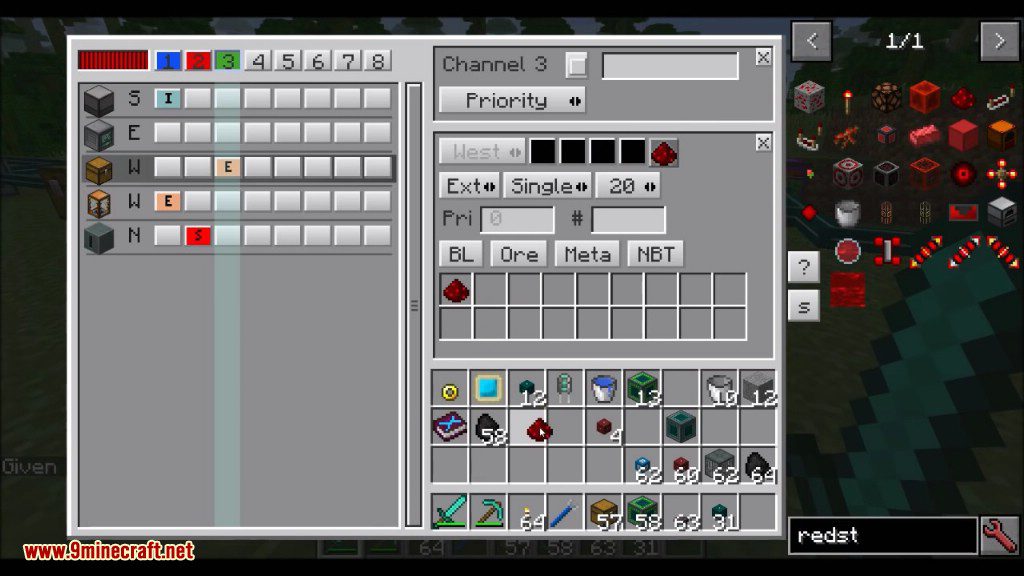
- Channels: Each network supports up to eight channels. You can set each channel’s type in the controller, such as item, fluid, energy, or logic.
- Connectors: Use connectors to attach machines like chests and furnaces to your network. Advanced connectors offer higher transfer speeds and can access machines from different sides.
- Colored Cables: Cables and connectors come in four colors. This allows you to run different networks right next to each other without them connecting by mistake.
Advanced Automation
- Logic Channel: This special channel uses sensors to check for specific conditions, like a machine’s power level or the number of items in a chest.
- Conditional Actions: You can set up connectors to only work when certain conditions are met. For example, you can transport coal to a generator only when power is low and you have enough coal.
- Routing Network: If you need more than eight channels or want to link separate networks, you can use routers. This allows you to create much larger and more complex systems.
How to Use:
This mod allows you to create complex automated systems. Here is a simple example of how to automate crafting a furnace whenever you run out:
- Place a Controller block, which will manage the entire network.
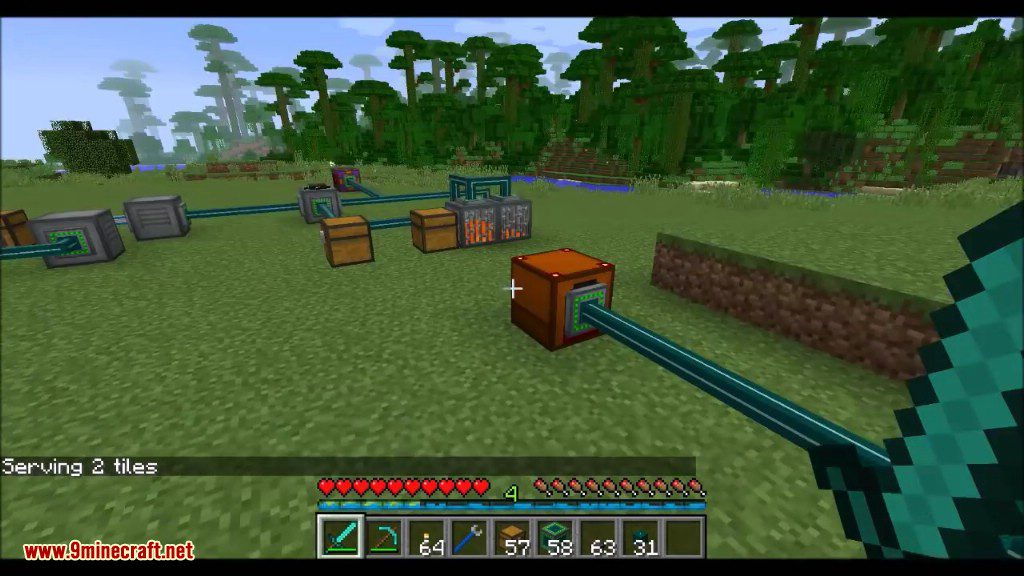
- Connect your machines using networking cables. For this setup, you’ll need a chest for cobblestone, a crafter, a coal generator, and another chest for coal.
- Use Connectors to link the cables to each machine.
- Open the Controller’s GUI to set up different channels for energy, items, and logic.
- Create an energy channel to move power from the coal generator to the controller and the crafter.
- Set up a logic channel with a sensor to check how many furnaces are in the main chest.
- Configure an item channel to move cobblestone to the crafter. Make this channel active only when the logic sensor detects you have no furnaces.
- Create another item channel to move the newly crafted furnace from the crafter back into the chest.
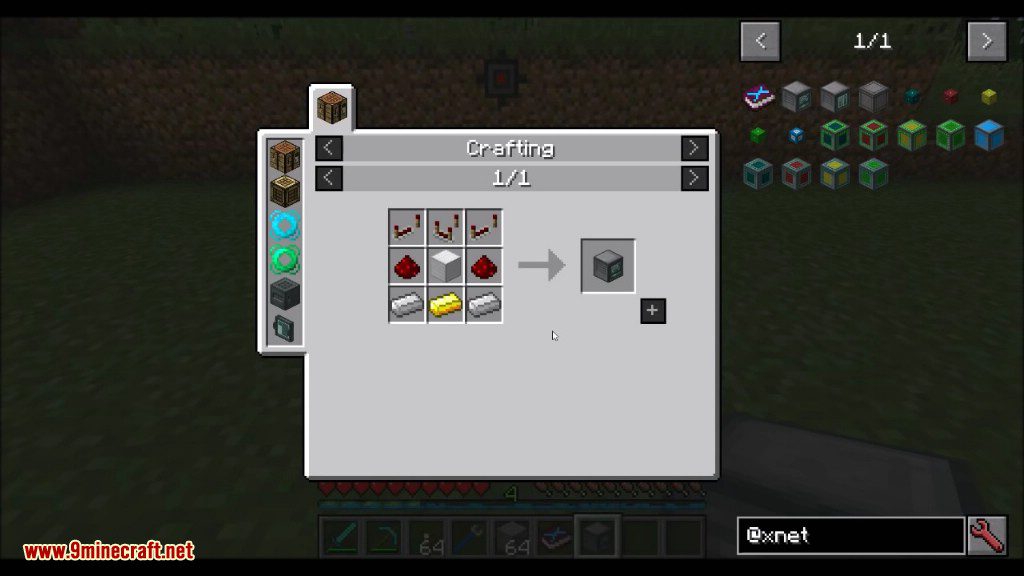
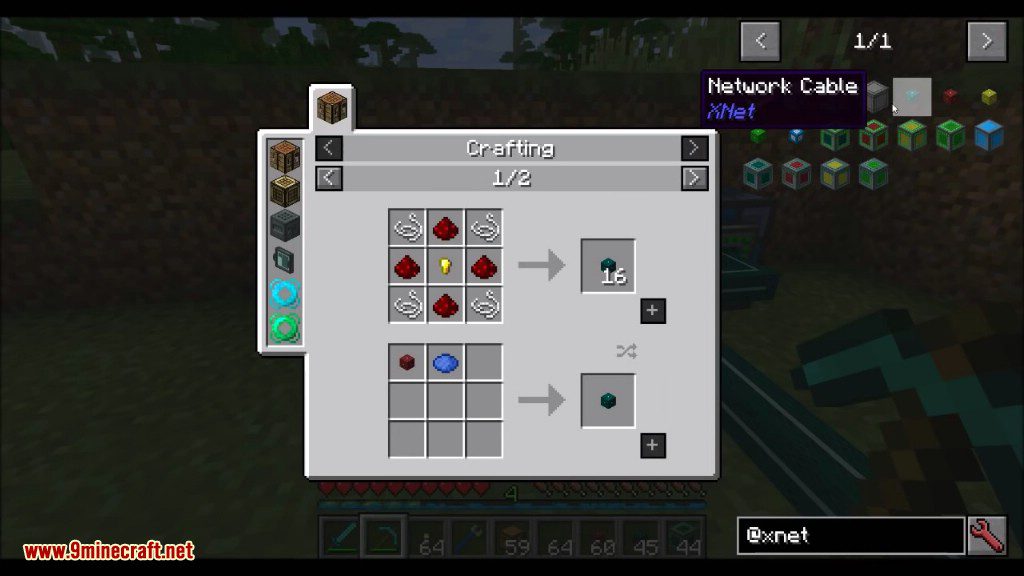
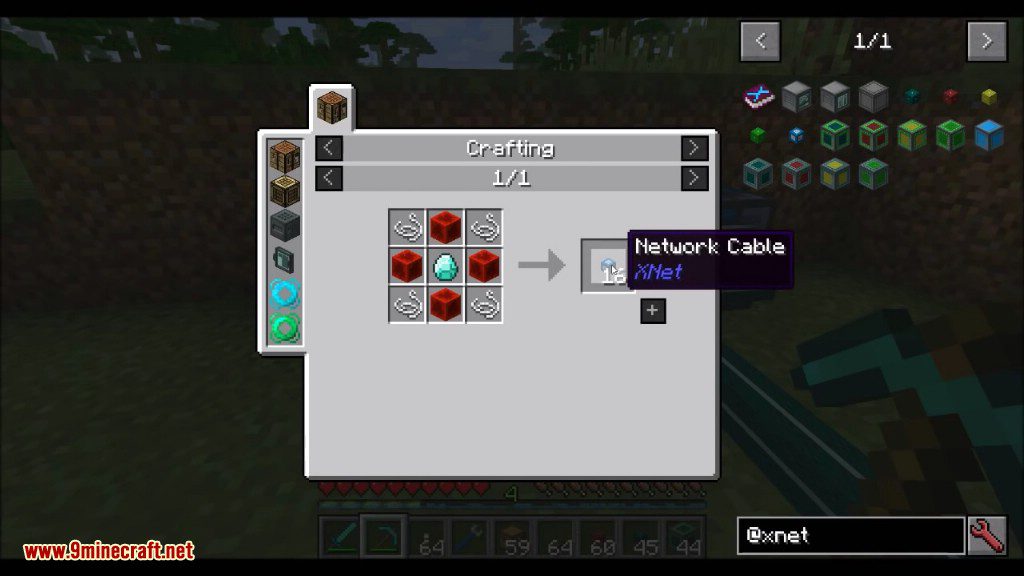
Crafting Recipes:
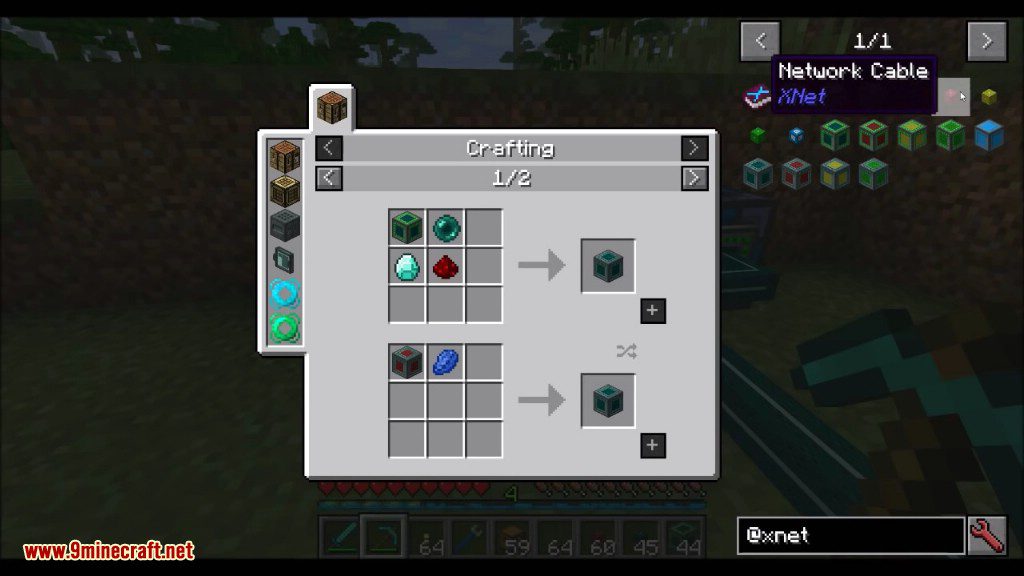
Screenshots:
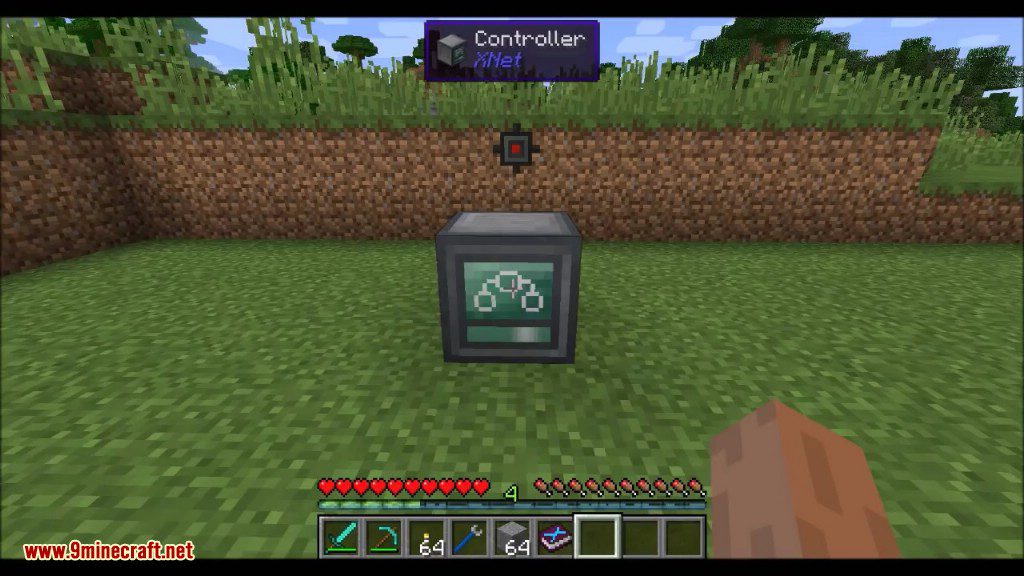
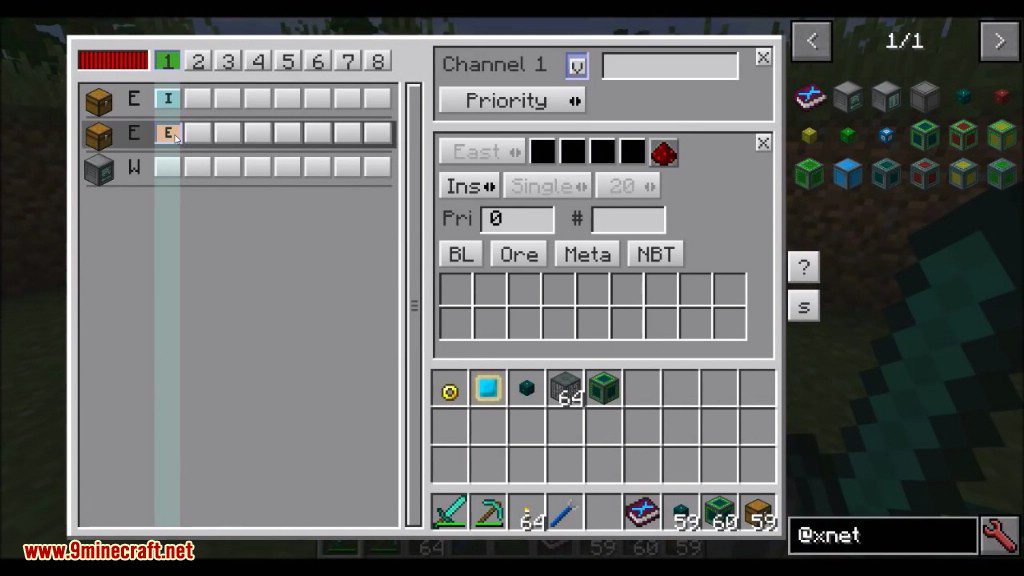
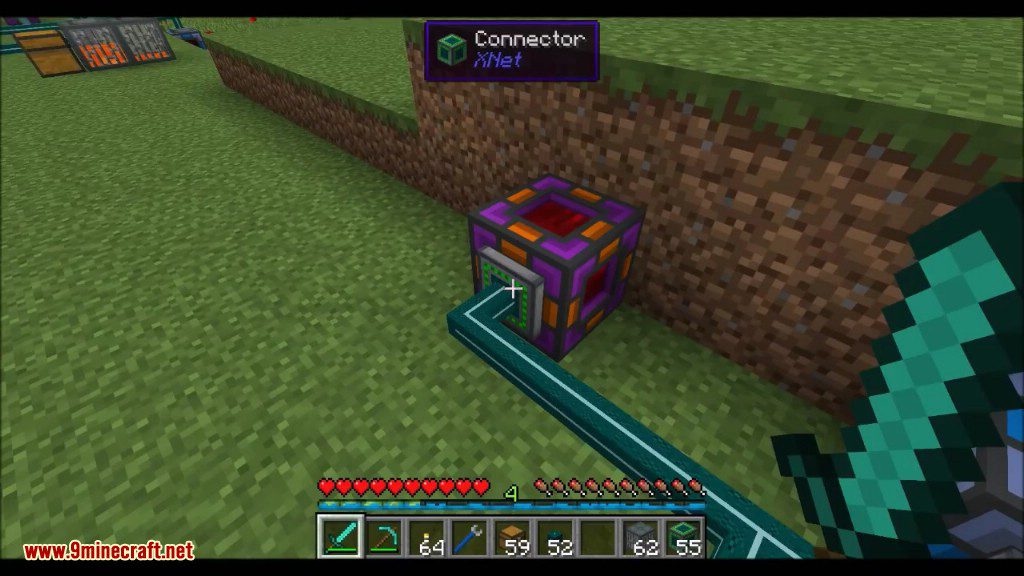
XNet Mod Download Links
For Minecraft 1.12.2
Forge version: Download from Server 1
For Minecraft 1.15.2
Forge version: Download from Server 1
For Minecraft 1.16.5
Forge version: Download from Server 1
For Minecraft 1.18.1
Forge version: Download from Server 1
For Minecraft 1.18.2
Forge version: Download from Server 1 – Download from Server 2
For Minecraft 1.19.1, 1.19
Forge version: Download from Server 1
For Minecraft 1.19.2
Forge version: Download from Server 1
For Minecraft 1.19.3
Forge version: Download from Server 1 – Download from Server 2
For Minecraft 1.19.4
Forge version: Download from Server 1 – Download from Server 2
For Minecraft 1.20.1, 1.20
Forge version: Download from Server 1 – Download from Server 2
For Minecraft 1.21.1, 1.21
NeoForge version: Download from Server 1 – Download from Server 2
- Edition: Minecraft Java
- File type: .jar
- Minecraft versions listed: 1.21.1, 1.20.1
- How to install: Install the matching mod loader (Forge, Fabric or NeoForge) for your Minecraft version. → Download the .jar. → Put it in the .minecraft/mods folder and launch that loader profile.
- Where to get it: In MC Java Mods, or directly above on this page.
Install steps are the general flow for this file type — How to install Minecraft Java mods & modpacks walks through it step by step.
- Downloads as 196805.mcaddon
- Download size: 485 KB
- Download link checked 26 Jul 2026 — working
- Mirrored on our own servers — the download does not depend on the original host
These come from our own check of the pack file, not from the source page.