
Toast Control Mod (1.21.1, 1.20.1) – An Uninterrupted Adventure
Java mod listed for Minecraft 1.20–1.21. Downloads from the MC Java Mods app on Android.
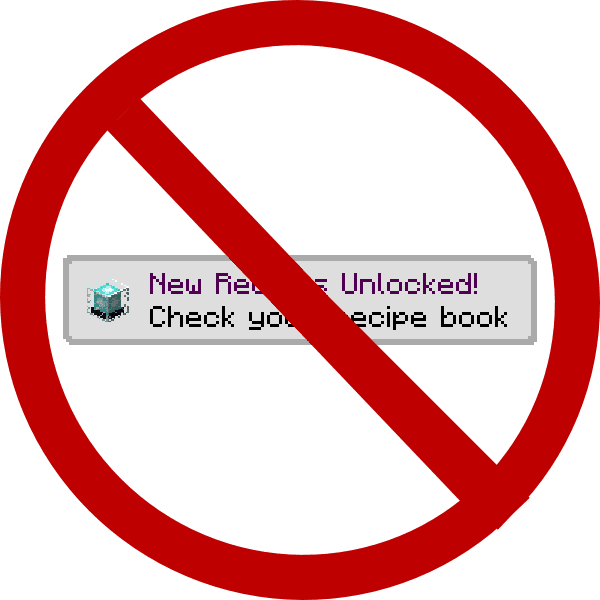
⬇ DownloadToast Control Mod gives you power over the pop-up messages, or ‘toasts,’ that appear in the corner of your screen. In a normal game, you get pop-ups for new recipes, advancements, and tutorials. This mod automatically hides the recipe and tutorial toasts, and lets you disable others through its settings.
Features:
- Choose which pop-up notifications (toasts) you want to see.
- Automatically disables recipe and tutorial toasts by default.
- Turn off toasts for advancements and the narrator through the configuration file.
- Change the background of toasts to be see-through (translucent) or completely invisible (transparent).
Configuration:
You can change how the mod works in its configuration file. Here are the default settings:
# If advancement toasts are blocked. Enabling will block ALL advancements. [default: false]
B:"Disable Advancements"=false

# If recipe unlock toasts are blocked. Blocks "you have unlocked a new recipe" toasts. [default: true]
B:"Disable Recipes"=true

# If system toasts are blocked. This is used only for the narrator toggle notification right now. [default: false]
B:"Disable System Toasts"=false

# If tutorial toasts are blocked. Blocks useless things like use WASD to move. [default: true]
B:"Disable Tutorials"=true
Screenshots:
Toast Control Mod Download Links
For Minecraft 1.21.1, 1.21
NeoForge version: Download from Server 1 – Download from Server 2
For Minecraft 1.20.1, 1.20
Forge version: Download from Server 1 – Download from Server 2
For Minecraft 1.19.2
Forge version: Download from Server 1 – Download from Server 2
For Minecraft 1.18.2
Forge version: Download from Server 1
For Minecraft 1.18.1
Forge version: Download from Server 1
For Minecraft 1.17.1
Forge version: Download from Server 1
For Minecraft 1.16.5
Forge version: Download from Server 1
For Minecraft 1.15.2
Forge version: Download from Server 1
For Minecraft 1.12.2
Forge version: Download from Server 1
- Edition: Minecraft Java
- File type: .jar
- Minecraft versions listed: 1.21.1, 1.20.1
- How to install: Install the matching mod loader (Forge, Fabric or NeoForge) for your Minecraft version. → Download the .jar. → Put it in the .minecraft/mods folder and launch that loader profile.
- Where to get it: In MC Java Mods, or directly above on this page.
Install steps are the general flow for this file type — How to install Minecraft Java mods & modpacks walks through it step by step.
- Downloads as 196810.mcaddon
- Download size: 20 KB
- Download link checked 26 Jul 2026 — working
- Mirrored on our own servers — the download does not depend on the original host
These come from our own check of the pack file, not from the source page.