What's That Slot? Mod (1.21.5, 1.20.1) – Master Any Modded Machine
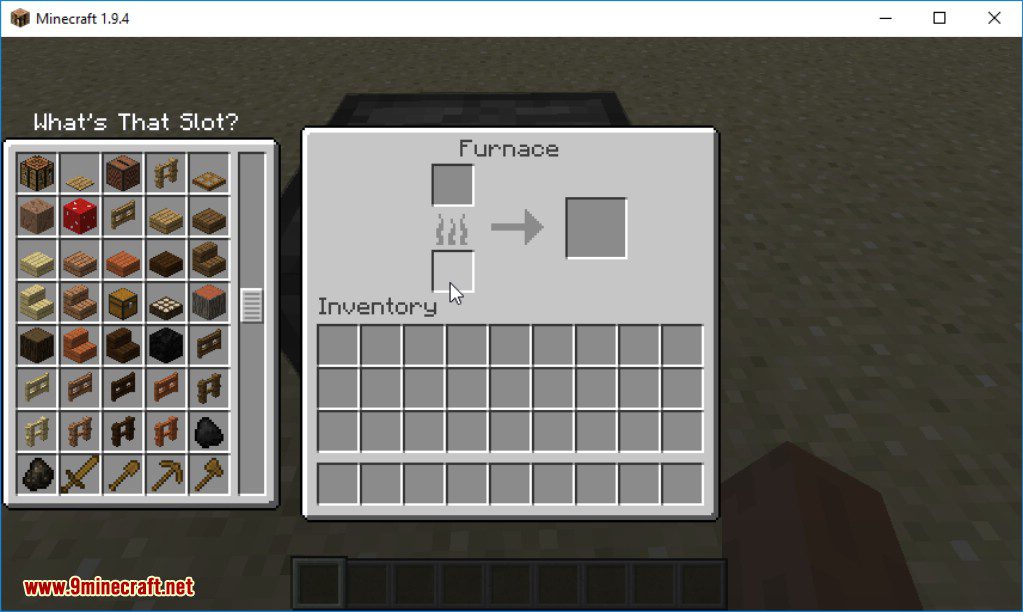
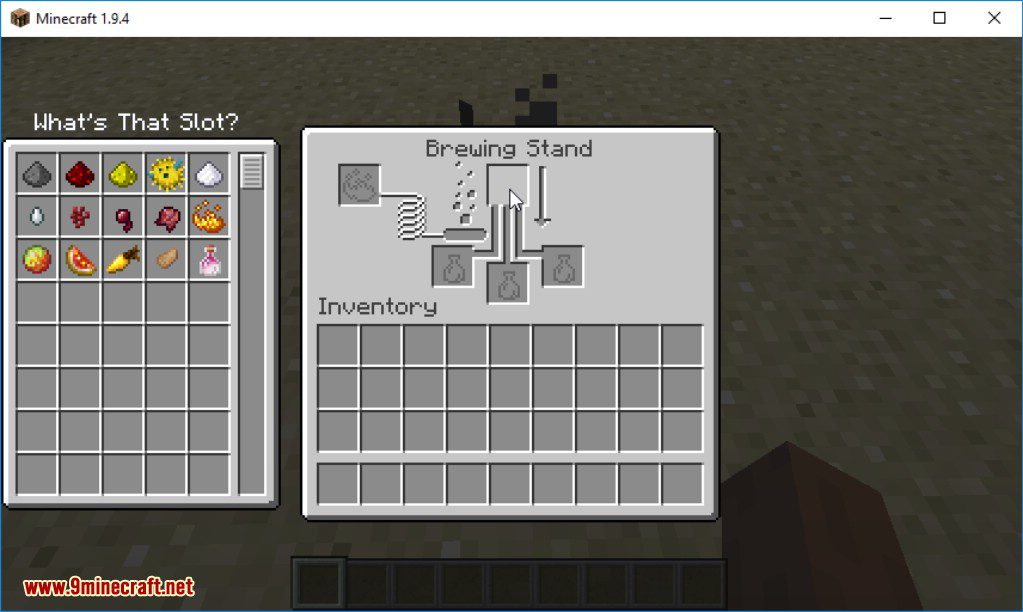
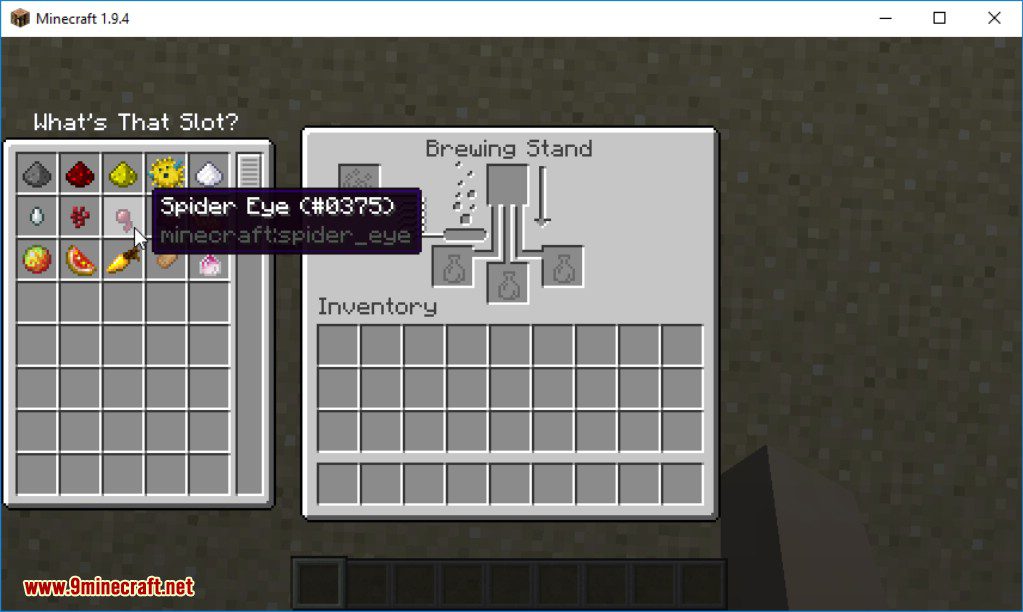
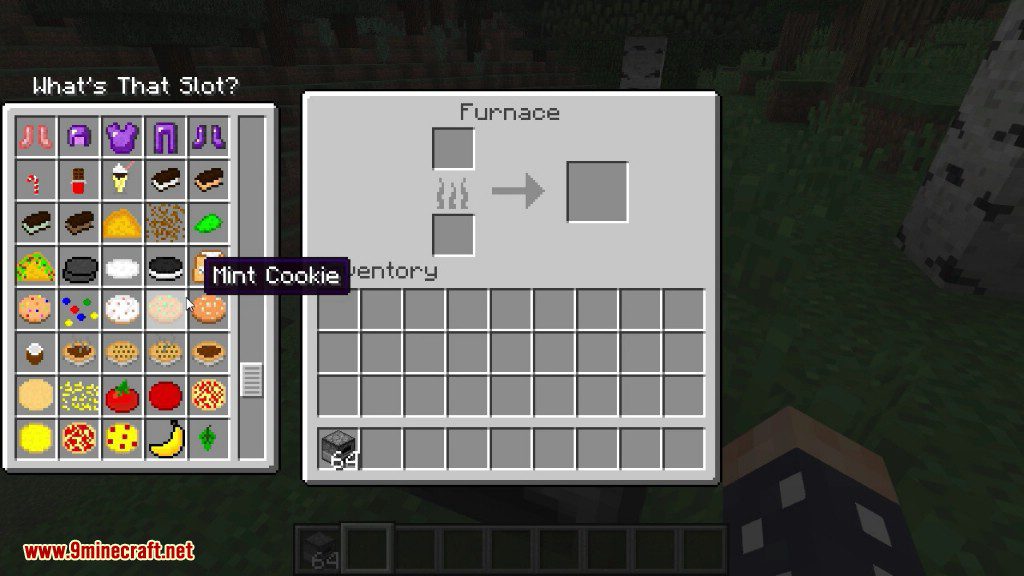
What's That Slot? Mod helps you figure out which items can be placed into any inventory slot. When playing with lots of mods, it can be hard to know what…
⬇ DownloadWhat’s That Slot? Mod helps you figure out which items can be placed into any inventory slot. When playing with lots of mods, it can be hard to know what goes into a special machine. This mod solves that by showing you a list of all valid items when you press a key.
Features:
- See a full list of items that can fit into any slot in a GUI.
- Works well in modded Minecraft with custom machines and interfaces.
- Quickly move a compatible item from your inventory by clicking it in the pop-up window.
- You can use this mod on servers even if it’s only installed on your game client.
How to Use:
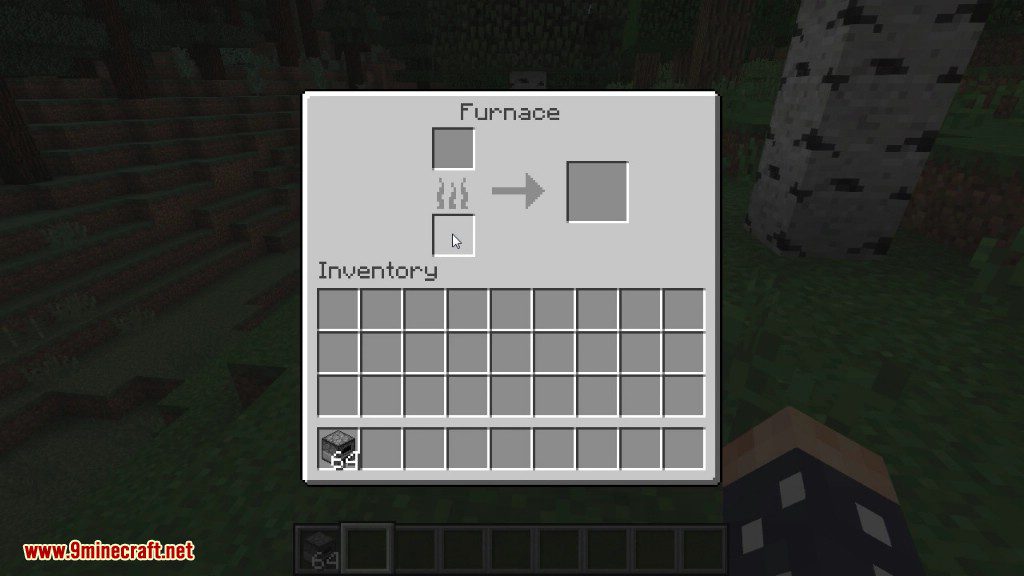
- Hover your mouse over any item slot in an inventory or machine.
- Press and hold the Left-Alt key. A window will appear showing all compatible items.
- To move an item into the slot, just click on it in the new window.
Screenshots:
What's That Slot? Mod Download Links
For Minecraft 1.12.2, 1.12.1, 1.12
Forge version: Download from Server 1
For Minecraft 1.18.1
Forge version: Download from Server 1
Fabric version: Download from Server 1
For Minecraft 1.18.2
Forge version: Download from Server 1 –
Fabric version: Download from Server 1
For Minecraft 1.19
Forge version: Download from Server 1
Fabric version: Download from Server 1
For Minecraft 1.19.2
Forge version: Download from Server 2
Fabric version: Download from Server 2
For Minecraft 1.19.3
Forge version: Download from Server 1 – Download from Server 2
Fabric version: Download from Server 1 – Download from Server 2
For Minecraft 1.19.4
Forge version: Download from Server 1 – Download from Server 2
Fabric version: Download from Server 1 – Download from Server 2
For Minecraft 1.20.1
Forge version: Download from Server 1 – Download from Server 2
Fabric version: Download from Server 1 – Download from Server 2
For Minecraft 1.20.4
Forge version: Download from Server 1 – Download from Server 2
NeoForge version: Download from Server 1 – Download from Server 2
Fabric version: Download from Server 1 – Download from Server 2
For Minecraft 1.21.1, 1.21
Forge version: Download from Server 1 – Download from Server 2
NeoForge version: Download from Server 1 – Download from Server 2
Fabric version: Download from Server 1 – Download from Server 2
For Minecraft 1.21.4
NeoForge version: Download from Server 1 – Download from Server 2
Fabric version: Download from Server 1 – Download from Server 2
For Minecraft 1.21.5
NeoForge version: Download from Server 1 – Download from Server 2
Fabric version: Download from Server 1 – Download from Server 2
- Edition: Minecraft Java
- File type: .jar
- Minecraft versions listed: 1.21.5, 1.20.1
- How to install: Install the matching mod loader (Forge, Fabric or NeoForge) for your Minecraft version. → Download the .jar. → Put it in the .minecraft/mods folder and launch that loader profile.
- Where to get it: In MC Java Mods, or directly above on this page.
Install steps are the general flow for this file type — How to install Minecraft Java mods & modpacks walks through it step by step.
- Downloads as 196881.mcaddon
- Download size: 15 KB
- Download link checked 26 Jul 2026 — working
- Mirrored on our own servers — the download does not depend on the original host
These come from our own check of the pack file, not from the source page.