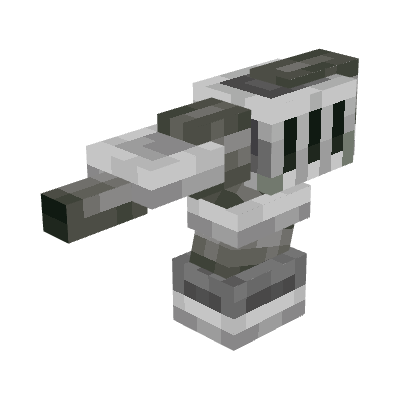
K-Turrets
Java mod listed for Minecraft 1.16–1.21. File opened and checked on 9 Oct 2026; downloads from the MC Java Mods app on Android.
I don't know my version or loader
This mod adds 6 turrets and combat drones to eliminate your enemies and protect areas from them. All turrets and drones have targeting configurable per mob type; default targets include all potentially aggressive mobs.
To get started, you will need to obtain raw titanium from titanium ore, then smelt it in the blast furnace to get titanium ingots.
FAQ
Q. Can you improve turret/drone textures?
A. The textures and models have been improved.
Q. Something is not working as expected or is missing
A. You are not using the latest mod version.
Q. Where does titanium ore generate?
A. It generates everywhere in the overworld. If it doesn't, ask the modpack author whether he has disabled it.
Q. How to remove turrets/drones?
A. Open their UI by Shift + right clicking and press 'Dismantle'.
There are following types of turrets:
1. Bullet turret.
This turret usesbullets as ammo and shoots bullets.

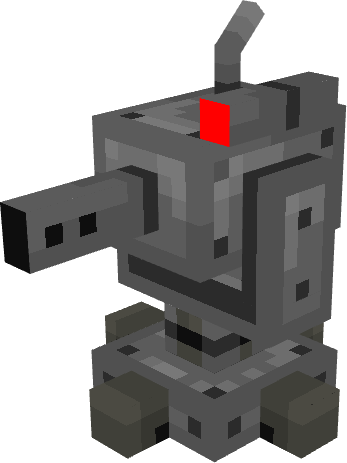
2. Arrow turret.
This turret can use all vanilla arrows as ammo. Punch, power and flame enchantments on the bow are usable by the turret.

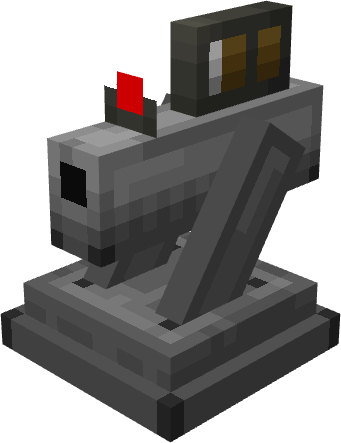
3. Brick turret.
This one uses bricks and netherbricks as ammo.

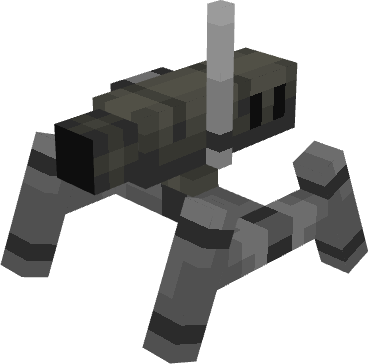
4. Fire charge turret.
This turret uses explosive powder as ammo and shoots fireballs. Explosive powder is crafted from gunpowder and blaze powder.

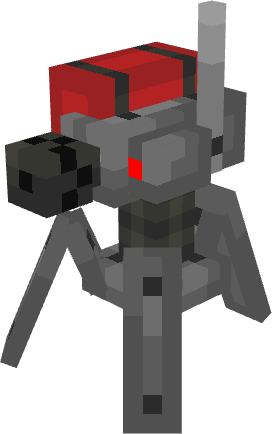
5. Gauss turret.
Gauss turret uses special bullets - gauss bullets.

6. Cobble turret.
This turret uses cobblestone and blackstone as ammo, and has lowest damage of all.
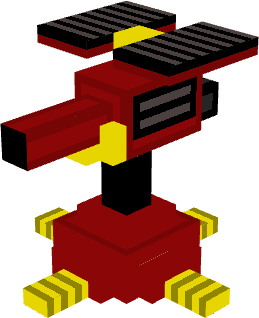
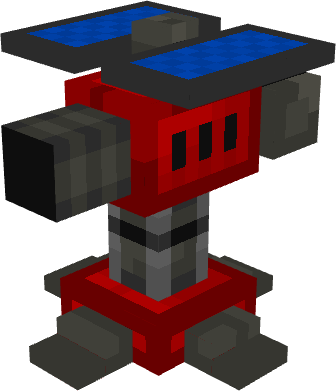
And there are 6 corresponding drone types. Unlike turrets, drones are flying and can follow their owner. Their stats are derived from corresponding turret stats.
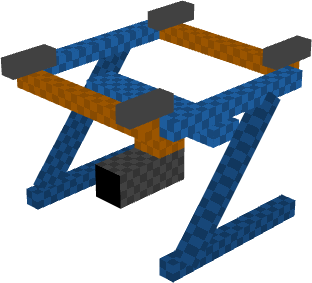
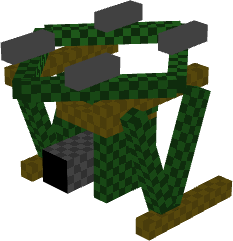
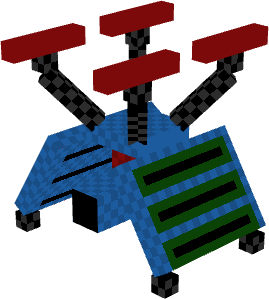
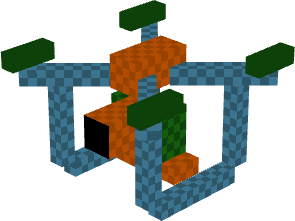
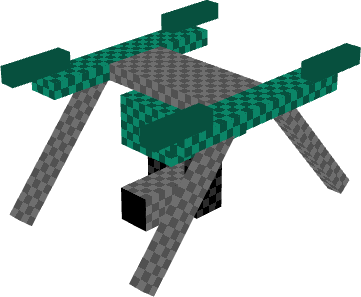
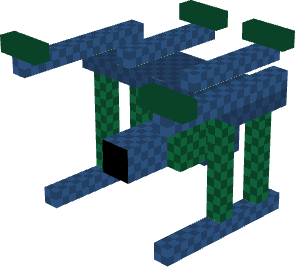

Storage drone
There is a special drone - storage drone, which acts as a flying inventory.
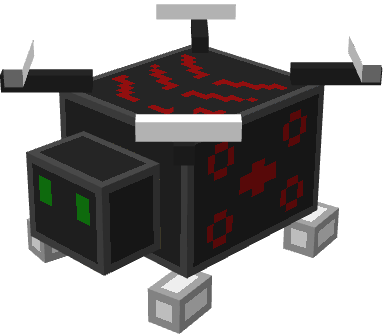
Custom ammo (1.20.1+)
You can define custom ammo for units using a datapack. The layout of the datapack must be following:
-data
--k_turrets
---tags
----items
arrow_unit_ammo.json
brick_unit_ammo.json
bullet_unit_ammo.json
cobble_unit_ammo.json
fireball_unit_ammo.json
gauss_unit_ammo.json
These Json files are item tags.
Configuration
Health, range, armor, fire rate and damage can be changed for each turret type.
Drone health is 83% of the turret health, and armor is 34% of turret armor.
You can set turret and drone limit per player and per dimension on the server in the config, which is located in "world/serverconfig" directory.
You can define mobs that will be excluded from default targets.
You can set at what distance drones will stay from the owner when attacking mobs.
Old turret models can be enabled.
In-game configuration
A turret/drone can be toggled to be mobile/immobile - basically determines whether you can push it around.
To access its inventory, right click on it.
To access its configuration screen, Shift + right click on it.
If you use this mod on a server and you want your turrets/drones to shoot at other players that aren't your teammates, you can set it in the UI.
You can exclude players from turret/drone targets by typing player name prefixed by an exclamation sign like '!Krosenut".
Need cloud services? Get 200$ credit for 60 days to try in Digital Ocean: https://m.do.co/c/301d907b1db6
Other features
To repair a unit, Shift + right click it with an item that is in "k_turrets:unit_repair" tag. It has titanium ingot by default.
Turret can have following upgrades:
- Experience link - mobs killed by the unit will drop experience
- Fire shield - gives immunity to fire damage
- Looting link - mobs killed by the unit will drop items that require the mob to be killed by a player
Drone can have all turret upgrades, and the following:
- Lantern - will be accompanied by a light block
- Recall upgrade - will teleport to the owner if farther than 128 blocks
Storage drone can have lantern, recall upgrade and item magnet (attracts items to the drone and places them inside).
Claimed turrets/drones also don't damage their owner and other turrets/drones with the same owner.
You can use hoppers to insert ammo into turrets/drones. Or you can enable ammo refill from adjacent inventory.
You can hold key 'K' to highlight locations of your drones around 128 block radius:

To copy target filters and exceptions from one turret/drone to others, use Target Copier.
To automate drone ammo reloading, use Ammo Reloader. It reloads drones around 6 block range.
Credits
Theguy27 - 5 new turret models
Arquiteto - new item icons
If you want turret and drone projectiles to ignore damage cooldown, use this datapack (for versions 1.20.1 and later).
Notes:
drones can get stuck on small blocks, this is a vanilla bug.
For mod developers (for Neoforge 1.21.1):
You can send message via intermodcomms with following methods:
- "addTargetException" with entity identifier to add the entity to target exceptions
- "addDefaultTarget" with entity identifier to add entity to default target list
- Edition: Minecraft Java
- File type: .jar
- Minecraft versions listed: 1.21.1, 1.20.1, 1.19.2
- How to install: Install the matching mod loader (Forge, Fabric or NeoForge) for your Minecraft version. → Download the .jar. → Put it in the .minecraft/mods folder and launch that loader profile.
- Where to get it: Opens on CurseForge — not every file is mirrored on our own servers.
Install steps are the general flow for this file type — How to install Minecraft Java mods & modpacks walks through it step by step.
- Ships as K-Turrets-0.1.9-1.16.5.jar — drop this file into the mods folder
- Download size: 1.0 MB
- Download link checked 7 Oct 2026 — working
These come from our own check of the pack file, not from the source page.