
Pillar Mod (1.12.2, 1.10.2) – Worldgen Structure Customization
Pillar Mod is a Minecraft mod designed to enhance world generation. It allows players, pack developers, and server owners to create custom structures…
⬇ DownloadOpen in MCModsHubGet it on Google Play →Pillar Mod is a Minecraft mod designed to enhance world generation. It allows players, pack developers, and server owners to create custom structures using Minecraft’s Structure Blocks. This mod is server-sided, meaning it doesn’t need to be installed on client systems if used on a server. It’s a fantastic tool for those who want to add unique, personalized elements to their Minecraft worlds.
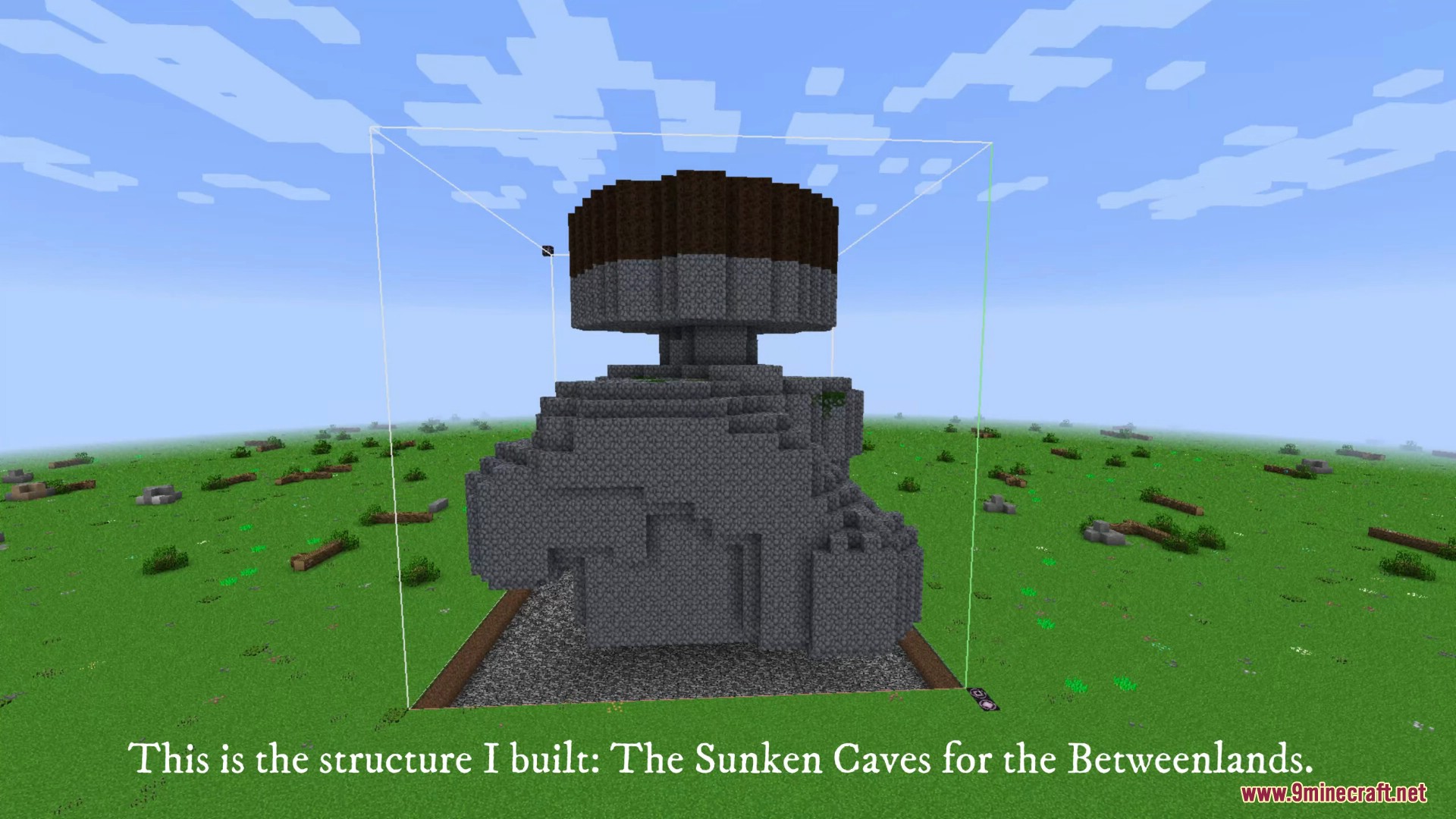
Screenshots:
How to use:
Setting up a Structure
- Install Pillar (pillar is a server mod, it does not need to be installed in clients)
- Make sure you have the latest version of Pillar installed, or parts of this guide may not be accurate.
- Create the structure you want to spawn and save it using Structure Blocks.
- Run the /pillar-copy command with the name of your structure. (e.g /pillar-copy House)
- Go to your pillar directory. (<instance path>/pillar)
- Open the .json file that matches your structure name (e.g. House.json) with your text editor of choice and edit it. (The settings are shown in the next page)
- Use the /pillar-reload command.
- Test the structure, to do so you can:
- Create a new World and try to find it. Note: If you have Dev Mode enabled in the Pillar config, any structures that are generated will show up in your log.
- Use /pillar-spawn <structure name> <x> <y> <z> [<rotation>]
Structure Options
- generatorType: Where this structure should spawn. The following values are accepted for this option:
- SURFACE
- UNDERGROUND
- UNDERWATER
- ABOVE_WATER
- SKY
- ANYWHERE
- NONE
- minY and maxY: The minimum and maximum Y levels this structure is allowed to spawn at. Use -1 in either to disable that boundary. Given generator types such as SKY or UNDERGROUND, defaults will be set if -1 is used.
- offsetX, offsetY and offsetZ: Offsets for this structure when generated. For example, offsetY set to 4 will spawn the structure 4 blocks higher than usually.
- mirrorType: How should this structure be mirrored when spawning. The following values are accepted for this option:
- mirror_left_right or LEFT_RIGHT
- mirror_front_back or FRONT_BACK
- Anything else defaults to no mirror (default value is NONE)
- rotation: How should this structure be rotated when spawning. Values accepted are 90, 180, 270, -90, -180, -270 or NONE. This uses a string, not a number. The value of “rotation” can be null, if it is, a random rotation will be picked when spawning the structure.
- ignoreEntities: Defines if the structure should ignore entity data written in the .nbt file.
- dimensionSpawns, biomeNameSpawns, biomeTagSpawns, isDimensionSpawnsBlacklist, isBiomeNameSpawnsBlacklist, isBiomeTagSpawnsBlacklist, and generateEverywhere: These options control where the structure is allowed to spawn. Scroll down for a flowchart on how they work. dimensionSpawns is an array of integer numbers, whereas both biomeNameSpawns and biomeTagSpawns are arrays of strings.
- integrity: The integrity value of this structure. A number from 0 to 1.
- decay: The chance for Stone Brick blocks in this structure to be replaced with Mossy or Cracked variants. A number from 0 to 1.
- filling and fillingMetadata: What block to fill the empty space under this structure with. Works in a similar manner to how villages fill it with cobble.
- fillingType: What blocks to fill in. Values are AIR, WATER, and AIR_WATER.
- rarity: How rare this structure is. Given its value as X, it’ll spawn in 1 in X valid chunks.
Data Blocks
Adding Data type Structure Blocks to your structure allows for Pillar to run special commands when spawning the structure in the world. Data type structure blocks are removed when the structure spawns and the commands are ran. To use a command, simply add a Structure Block in Data type and type in the command you want (no /).
Commands
- run <command>: Runs a normal chat command with the privilege of a Command Block at the location of the Structure Block. / is optional.
-
- chest [<orientation>] <loot table>: Places a Chest at the position of the Structure Block in the given orientation (optional; will rotate if the structure is spawned rotated; defaults to north), with the given loot table for its contents.
- spawner <entity>: Places a spawner at the position of the Structure Block, spawning the given entity.
- load_loot_table <loot table>: Loads a loot table from Pillar’s list into the world for usage. The chest command has this built in. Look below on this guide for how Pillar handles loot tables.
- struct <structure> [<offset x> <offset x> <offset x> [<rotation>]]: Spawns a Pillar structure, from name, at the current position. Offsets are optional, so is rotation, but if you want to include rotation, you must also include offsets. The rotation passed in is added to the current structure’s rotation.
Note that, to prevent stack overflow crashes, there is a limit on how many structures can be spawned by other structures in a single chain. This defaults to 50 and can be tweaked in the config.
Comments
Adding /** in a Data block means that anything after it is counted as a comment, and therefore ignored when spawning the structure.
Functions
Functions can be included in data blocks. These are bits of execution that happen before what’s written in the data block is worked with, which means you can change what the data block does based on what the result of the function is. To add a function, simply write it inline.
- $rand_i(<min>;<max>)$: Gets a random integer number between the min value (inclusive) and the max value (exclusive).
- E.g. $rand_i(1; 6)$ will be replaced with either 1, 2, 3, 4 or 5 before the data block’s command executes.
- A potential use would be to have a data block in the center of your structure with struct Centerpiece$rand_i(0; 4)$ and it’ll randomly spawn in one of the 4 centerpieces you have.
- $rand_s(string1;weight1;string2;weight2;string3;weight3…)$ – gets a random string from this list, given their weights.
- E.g. $rand_s(Zombie;3;Skeleton;7)$ will return Zombie 3/10 times and Skeleton 7/10 times. You could use this to create a spawner that has random outputs.
- $run_if(chance)$: Replaces itself with /** with a random chance, defined by the chance parameter. See Comments above. This can let you have a data block that runs based on chance. Chance value is between 0 and 1.
- E.g. $run_if$ right at the start of the block’s data will have the command after it only execute 50% of the time.
Loot Tables
Pillar allows for loading of custom loot tables to be used in your world. Your custom loot tables need to be placed in the <instance path>/pillar/loot_tables directory. They should be named (loot table name).json.
Pillar then copies the loot table files from here into your current savegame, as needed, so they can be used. This is what the load-loot-table command does. The chest command does this by itself, so you don’t need to, but if you want an entity with a custom loot table, your structure should have a data block with load-loot-table (loot table name) somewhere.
Running the /pillar-reload command will forcefully copy all loot tables, overriding old ones. Note that chest and load-loot-table do not copy if there’s already a table of that name there.
/pillar-reload is of command block level, but you should not put it in command or data blocks due to overhead. If you have a lot of structures and are running it a lot, it’s likely to lag your game a bunch. Use it only when needed. Since the command is of command block level, you can use anything that lets you run a command to run it at the start of a world, if you absolutely need to make sure all your custom loot tables are available early. A mod that can do this is Vocation.
All Pillar loot tables are stored in the pillar namespace, so awesome_table.json would be loaded ingame as pillar:awesome_table.
Pillar Mod Download Links
For Minecraft 1.10.2
Forge version: Download from Server 1
For Minecraft 1.11.2
Forge version: Download from Server 1
For Minecraft 1.12.2
Forge version: Download from Server 1 – Download from Server 2
Pillar Mod (1.12.2, 1.10.2) – Worldgen Structure Customization is a free Minecraft Java mod. Download it and open it directly in the game.