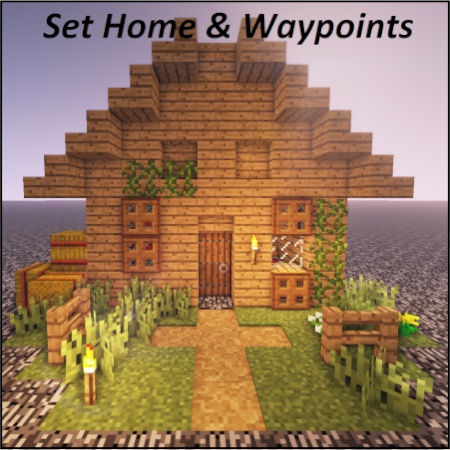
Set Home & Waypoints
Java mod listed for Minecraft 1.18–1.21. Downloads from the MC Java Mods app on Android.
Set Home & Waypoints Set Home & Waypoints allows players to set a home and waypoints. The development was focused on user experience (autocomplete, key…
I don't know my version or loader
Set Home & Waypoints
Set Home & Waypoints allows players to set a home and waypoints. The development was focused on user experience (autocomplete, key bind, command feedback, colors…). This mod is configurable on both client and server side.
For 1.12.2 version, check this documentation on GitHub
4 commands to master the mod
- /shw List all available commands,
- /sethome Create or update your home,
- /home Teleport to your home,
- /wp Set, use, update, remove your waypoints.

Supported languages
- 🇬🇧 English
- 🇫🇷 French
- 🇩🇪 German
- 🇹🇼 Republic of China (Taiwan)
If your language is missing, you can contribute to this mod on GitHub by submitting a pull request.
Follow project development
You can follow working issues/features on Trello.
Installation
First of all, download Set Home & Waypoints.
Then add downloaded .jar in mods/ folder on both client and server side.
That's it!
Configuration
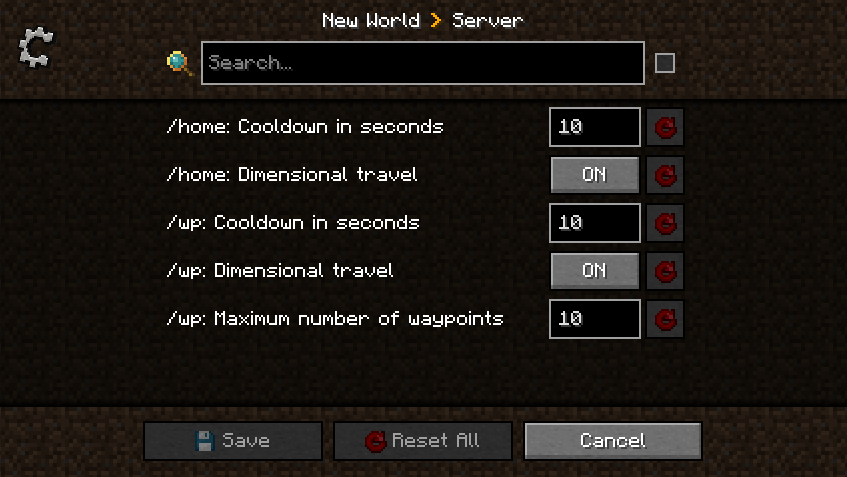
Set Home & Waypoints allows you to configure cooldown, dimensional travel and number of waypoints using commands (solo + multiplayer) or GUI (only solo) for client and config file for server.
All players can display current home and waypoints configuration by executing /home config for home configuration and /wp config for waypoints configuration.

A player with admin permission (3) can configure the server in game using /home config <…> and /wp config <…> commands without restarting the server ✅ Suggestions will guide players with sufficient permissions.
Client side using GUI
This menu was generated using Configured mod. Configured is a simple and lightweight mod that dynamically creates a configuration menu for every mod.
Client side using commands
Example of updating dimensionalTravel for Home using command:

Server side using config file
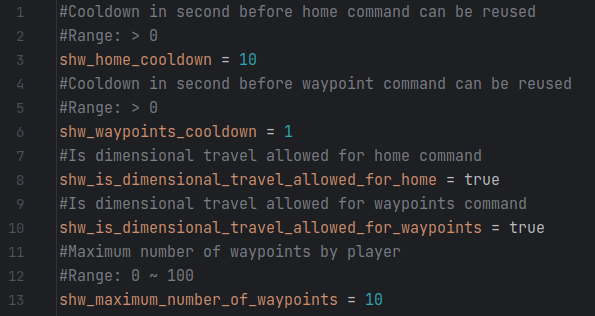
This configuration file is generated at server initialization in world/serverconfig/shw-server.toml.
Setting a new value will take instantly effect. Restarting the server is not necessary.
Updating configuration while the server is running will not notify players.
Commands usage
All commands have suggestions to guide players in game. /shw command will list all available commands.
/sethome and /home commands
Home is unique, set your home in any dimension by executing /sethome. Then, executing /home or pressing H key will teleport you on your home.
Yes, this mod come with a configurable shortcut (H key by default) to fast tp to your home. This will certainly save life.
Note that, re-executing /sethome will update home position with player location.

/wp command
Waypoints are used to save additional locations. By default, 10 waypoints are allowed.
Admins can configure this setting using /wp config maximumWaypointsNumber <count>.
Set, Use, List waypoints
Create waypoints with /wp set <waypoint name> and then teleport to them using /wp use <waypoint name>.

Executing /wp list will show all player waypoints and available space.
Update, Remove, Undo waypoints
Waypoints can be updated by executing /wp update <waypoint name> or removed by executing /wp remove <waypoint name>.
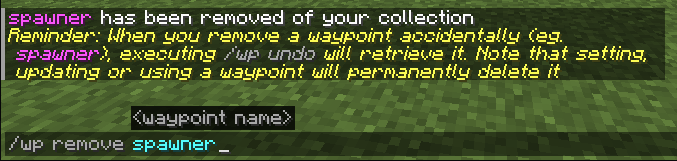
Last removed waypoint can be rollback by executing /wp undo. Note that this action will not be permitted after setting, updating or using another waypoint.

Waypoints can be cleared by executing /wp clear. Be careful, this action will remove all player waypoints and cannot be rollback.
- Edition: Minecraft Java
- File type: .jar
- Minecraft versions listed: 1.21.1, 1.20.1, 1.21.8
- How to install: Install the matching mod loader (Forge, Fabric or NeoForge) for your Minecraft version. → Download the .jar. → Put it in the .minecraft/mods folder and launch that loader profile.
- Where to get it: Opens on CurseForge — not every file is mirrored on our own servers.
Install steps are the general flow for this file type — How to install Minecraft Java mods & modpacks walks through it step by step.
- Ships as SHW 1.1.0 [FORGE] 1.20.1.jar — drop this file into the mods folder
- Download size: 58 KB
- Download link checked 7 Oct 2026 — working
These come from our own check of the pack file, not from the source page.