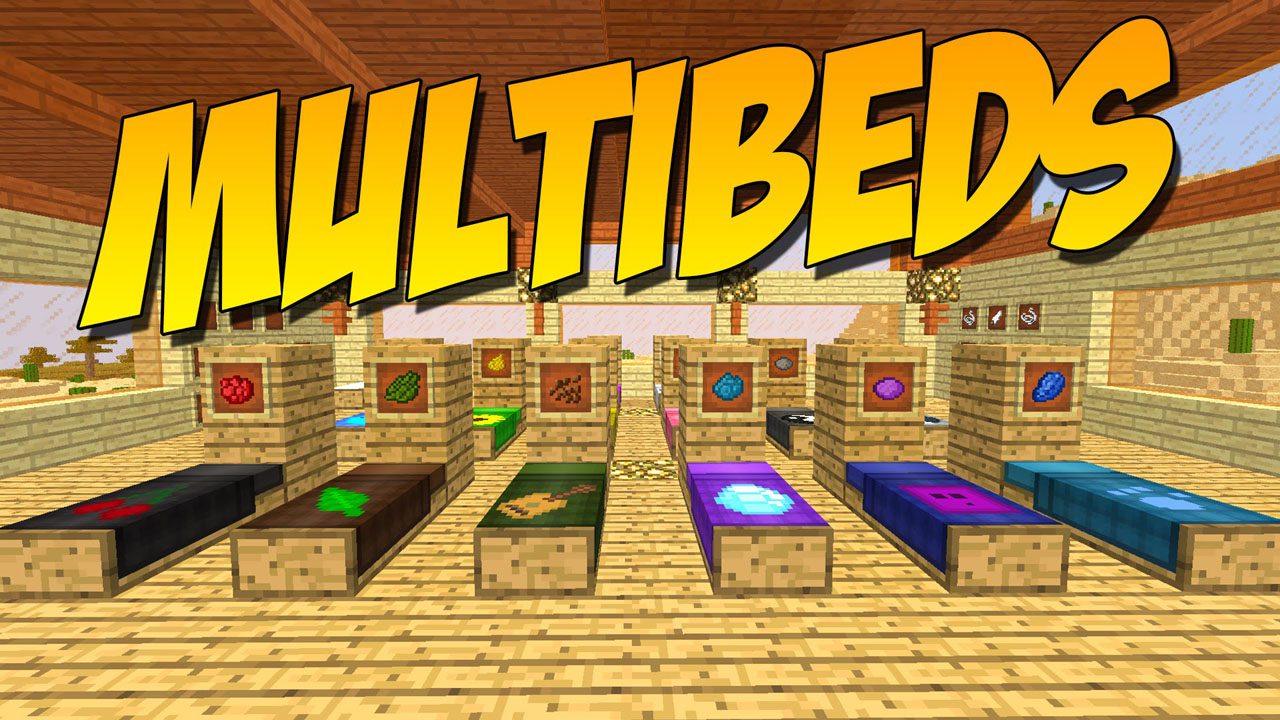
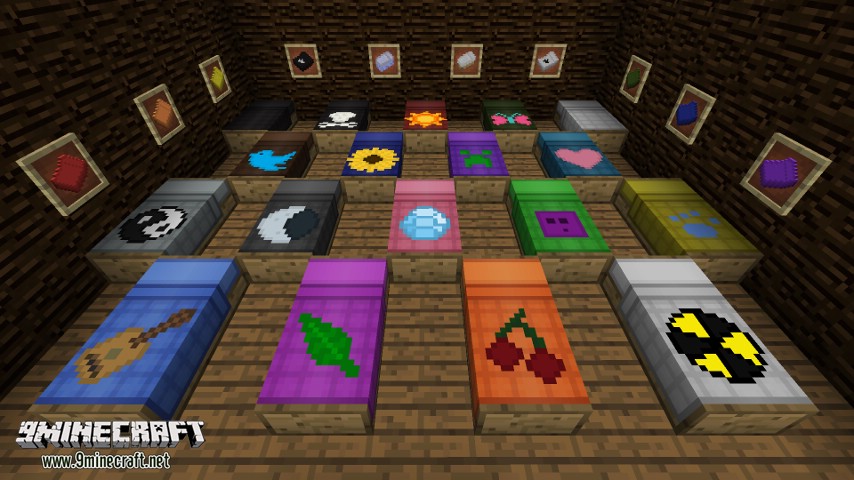
MultiBeds Mod lets you design the perfect bed for your room. You can choose from many different styles, textures, and patterns. This mod allows you to dye your sheets and pillowcases, and even draw your own pixel art to put on the blanket.
Features:
- Choose from multiple bed styles and use any block to change the bed frame’s look.
- Customize your sheets, pillowcases, and blankets with different colors and patterns.
- Draw your own pixel art in-game to decorate your bed.
- Use a loom to change the color and pattern of your blanket.
- Beds automatically join together to create wide beds or bunk beds when placed next to each other.
- Includes custom ladders designed to fit with bunk beds.
How to Use:
- To customize a blanket, use it on a loom to select a color and pattern.
- Apply your custom sheets, pillowcases, and blankets directly to the bed.
- Place multiple beds next to or on top of each other, and they will automatically connect into larger beds or bunk beds.
Crafting Recipes:
Beds: Craft 3 feather baffles, place them onto any wood to make a comfy bed.
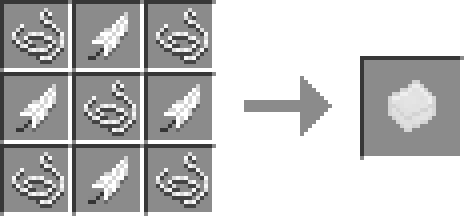
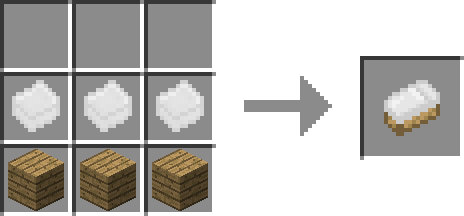
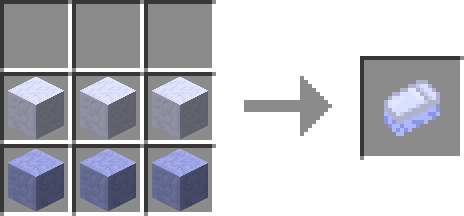
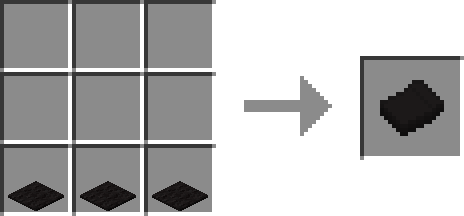
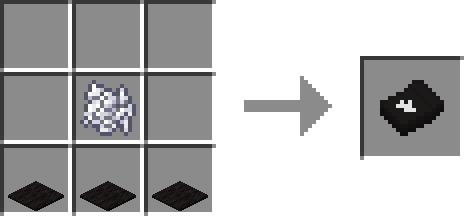
Spreads: Using 3 carpet of the same color will give a spread with no logo. A dye on top will give one with a logo.
- ‘Shift + Right-Click’ on a bed with a spread to place it or replace an existing.
- ‘Shift + Right-Click’ on a bed with an empty hand to pick up the spread.
Screenshots:
MultiBeds Mod Download Links
For Minecraft 1.8.9
For Minecraft 1.12.2, 1.12.1, 1.12
Forge version: Download from Server 2
For Minecraft 1.14.4
Forge version: Download from Server 2
For Minecraft 1.15.2
Forge version: Download from Server 2
For Minecraft 1.16.5
Forge version: Download from Server 2
Fabric version: Download from Server 2
For Minecraft 1.17.1
Forge version: Download from Server 2
Fabric version: Download from Server 2
For Minecraft 1.18.1
Forge version: Download from Server 2
Fabric version: Download from Server 2
For Minecraft 1.18.2
Forge version: Download from Server 1 – Download from Server 2
Fabric version: Download from Server 2
For Minecraft 1.19
Forge version: Download from Server 2
Fabric version: Download from Server 2
For Minecraft 1.19.2, 1.19.1
Forge version: Download from Server 1 – Download from Server 2
Fabric version: Download from Server 1
For Minecraft 1.19.3
Forge version: Download from Server 1 – Download from Server 2
Fabric version: Download from Server 1 – Download from Server 2
For Minecraft 1.19.4
Forge version: Download from Server 1 – Download from Server 2
Fabric version: Download from Server 1 – Download from Server 2
For Minecraft 1.20.1
Forge version: Download from Server 1 – Download from Server 2
Fabric version: Download from Server 1 – Download from Server 2
For Minecraft 1.20.2
Forge version: Download from Server 1 – Download from Server 2
Fabric version: Download from Server 1 – Download from Server 2
For Minecraft 1.20.4
Forge version: Download from Server 1 – Download from Server 2
NeoForge version: Download from Server 1 – Download from Server 2
Fabric version: Download from Server 1 – Download from Server 2
For Minecraft 1.21.1, 1.21
Forge version: Download from Server 1 – Download from Server 2
NeoForge version: Download from Server 1 – Download from Server 2
Fabric version: Download from Server 1 – Download from Server 2
- Edition: Minecraft Java
- File type: .jar
- Minecraft versions listed: 1.21.1, 1.20.1
- How to install: Install the matching mod loader (Forge, Fabric or NeoForge) for your Minecraft version. → Download the .jar. → Put it in the .minecraft/mods folder and launch that loader profile.
- Where to get it: In MC Java Mods, or directly above on this page.
Install steps are the general flow for this file type — How to install Minecraft Java mods & modpacks walks through it step by step.
- Downloads as 197974.mcaddon
- Download size: 116 KB
- Download link checked 26 Jul 2026 — working
- Mirrored on our own servers — the download does not depend on the original host
These come from our own check of the pack file, not from the source page.