
Easy Mob Spawn Control - spawn rate, mob cap, disable bad mobs
Java mod listed for Minecraft 1.19–1.21. Downloads from the MC Java Mods app on Android.
I don't know my version or loader
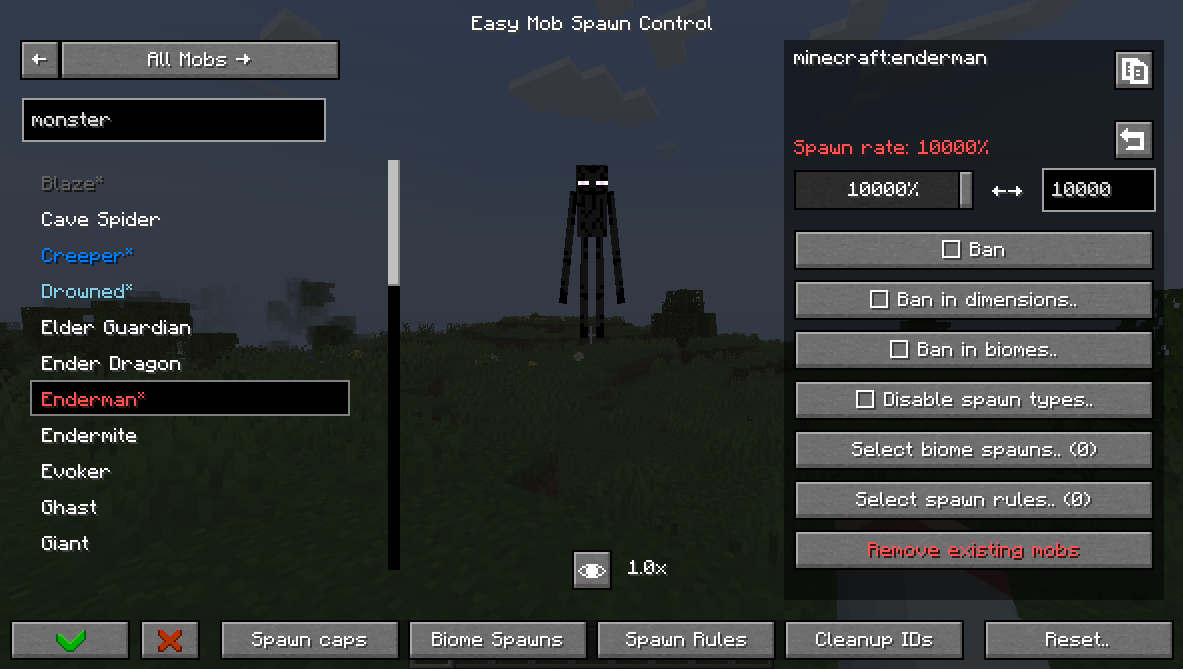
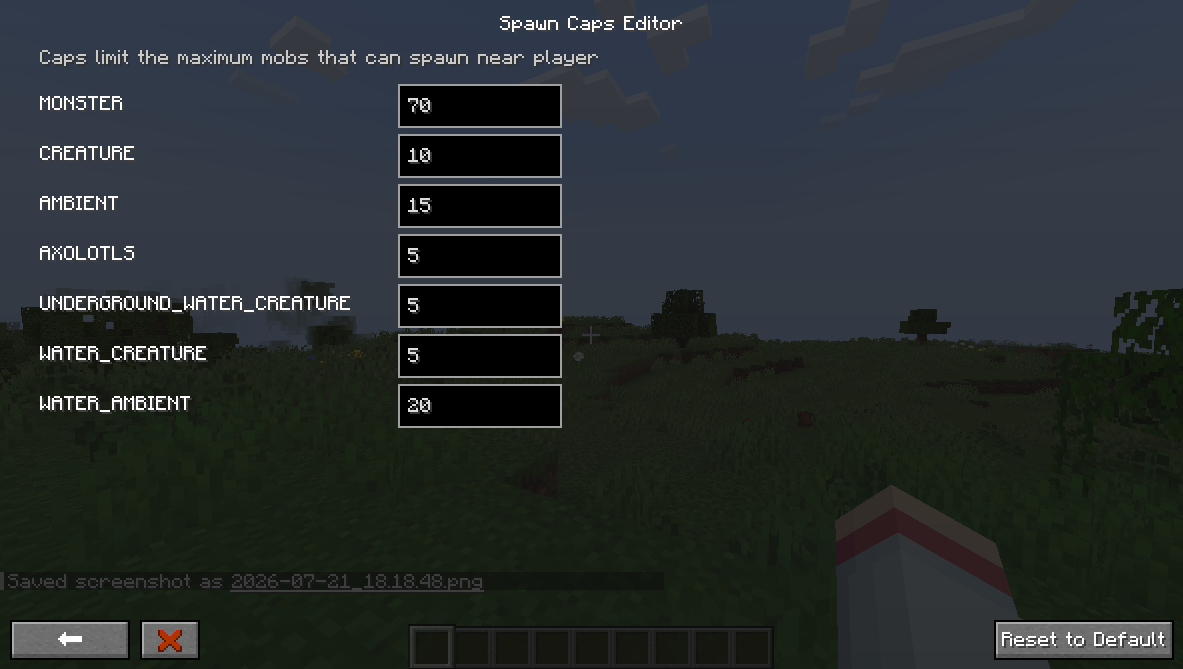
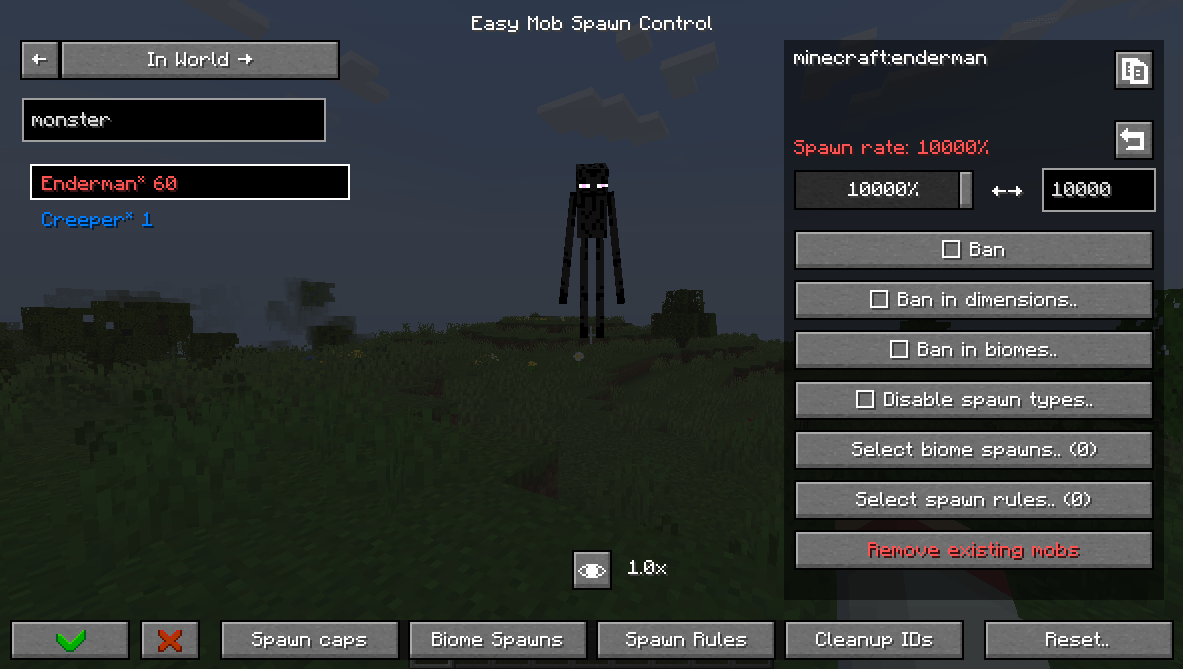
Easy Mob Spawn Control (EasyMSC) is a way to quickly disable mobs, adjust spawn rates, and modify mob caps without editing config files or looking up IDs.
This mod has an in-game menu accessible from:
- The Mods menu (via the config button)
- Pressing 'K'
- Typing in chat: /easymobspawncontrol or /easymsc
You can:
- Change spawn rate,
- Ban mobs globally, in dimesion or in biome,
- Edit mob caps,
- Disable mob spawn types,
- Add biome spawns,
- Add spawn rules,
- Edit equipment, drops, attributes,
- Override spawn data (weight, min/max count).
Versions other than 1.21.1 and 1.20.1 may lack features but will be updated eventually.
Guide:
Spawn Rate is the rate at which the game tries to spawn a mob.
Spawn Cap is the limit of mobs that can be spawned near a player; it scales slightly with the number of nearby players.
If you reduce or increase the spawn rate of a mob, you create or take an opportunity for other mobs to fill the spawn cap. To reduce/increase the overall number of mobs, you need to change the spawn cap.
The 'In World' tab lists current mobs and their counts, so you can spot frequent ones and adjust spawns or bans.
The game has different spawn types that this mod can disable. For example, you can disable the 'NATURAL' spawn type to stop a mob from spawning naturally without banning it.
You can create biome spawns that let assigned mobs appear in specified biomes. Changes take effect only after a world reload. If if didn't work try creating a spawn rule aswell.
You can also create spawn rules to control mob spawn conditions and bypass strict requirements some mobs have. Spawn rules do not require a reload.
Using this mod on a server requires either permission level of 2 (Game master) or "easy_mob_spawn_control.admin" persmission.
- Edition: Minecraft Java
- File type: .jar
- Minecraft versions listed: 1.20.1, 1.21.1, 1.19.2
- How to install: Install the matching mod loader (Forge, Fabric or NeoForge) for your Minecraft version. → Download the .jar. → Put it in the .minecraft/mods folder and launch that loader profile.
- Where to get it: Opens on CurseForge — not every file is mirrored on our own servers.
Install steps are the general flow for this file type — How to install Minecraft Java mods & modpacks walks through it step by step.
- Ships as easy_mob_spawn_control-1.3.2.jar — drop this file into the mods folder
- Download size: 203 KB
- Download link checked 8 Oct 2026 — working
These come from our own check of the pack file, not from the source page.