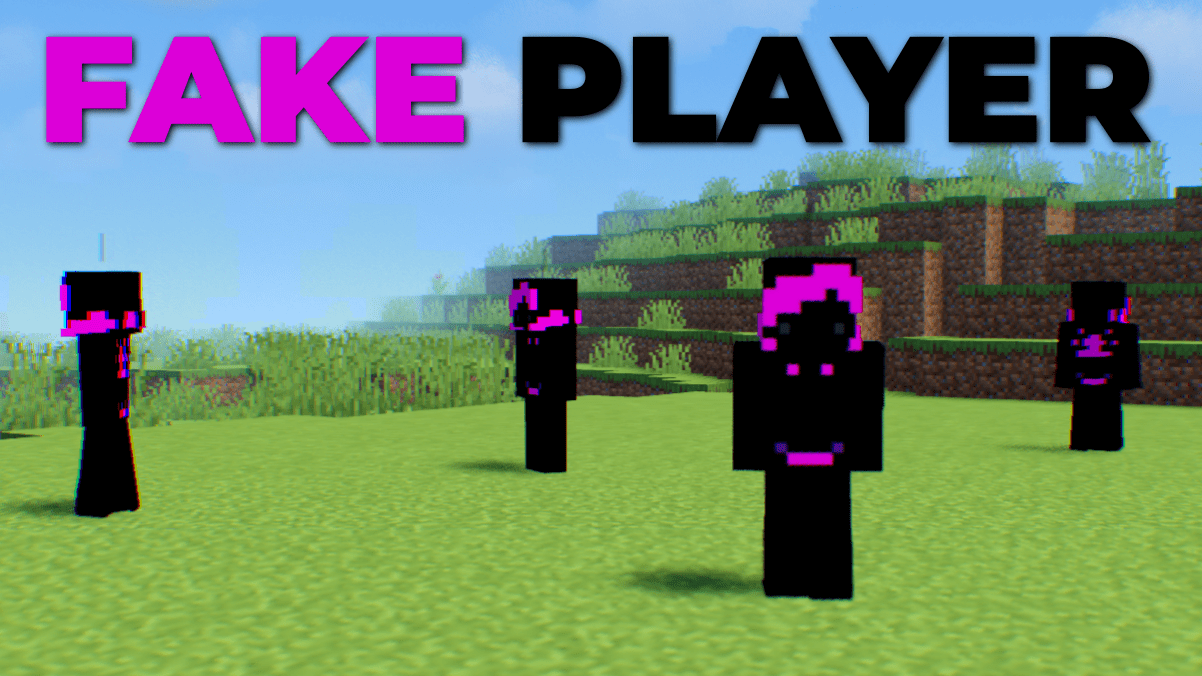
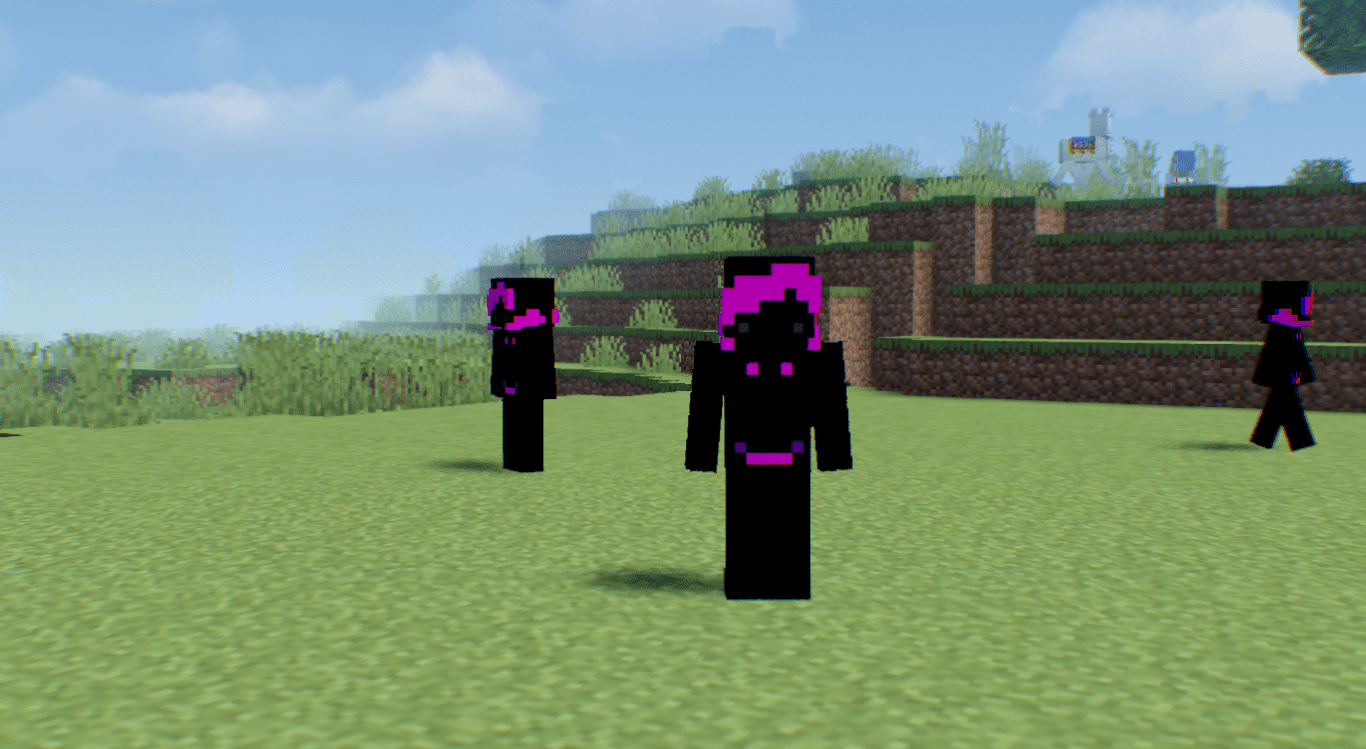
Fake Player Mod adds mobs that look exactly like regular Minecraft players. Their player names and skin can be changed in-game to your liking. Let’s take a look at how you can spawn them and how they will be useful to you.
Features:
The Fake Players can:
- Wander freely around the environment.
- Attack when injured or hurt.
- Change their displayed username using a name tag.
- Change their skin appearance using a name tag.
- Can wear armor for added protection.
- Hold items in their hands, similar to players.
- Possess an inventory for storing items.
- AI behavior can be toggled on/off with a shift + right-click.
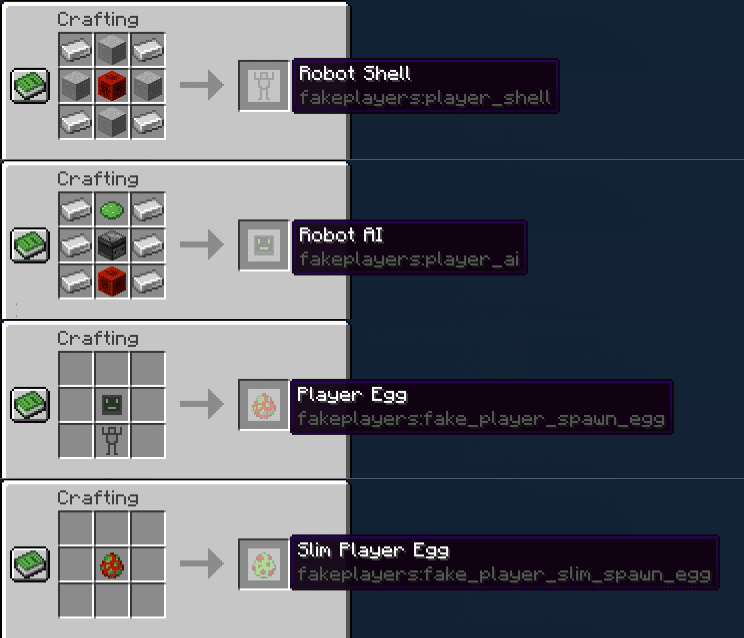
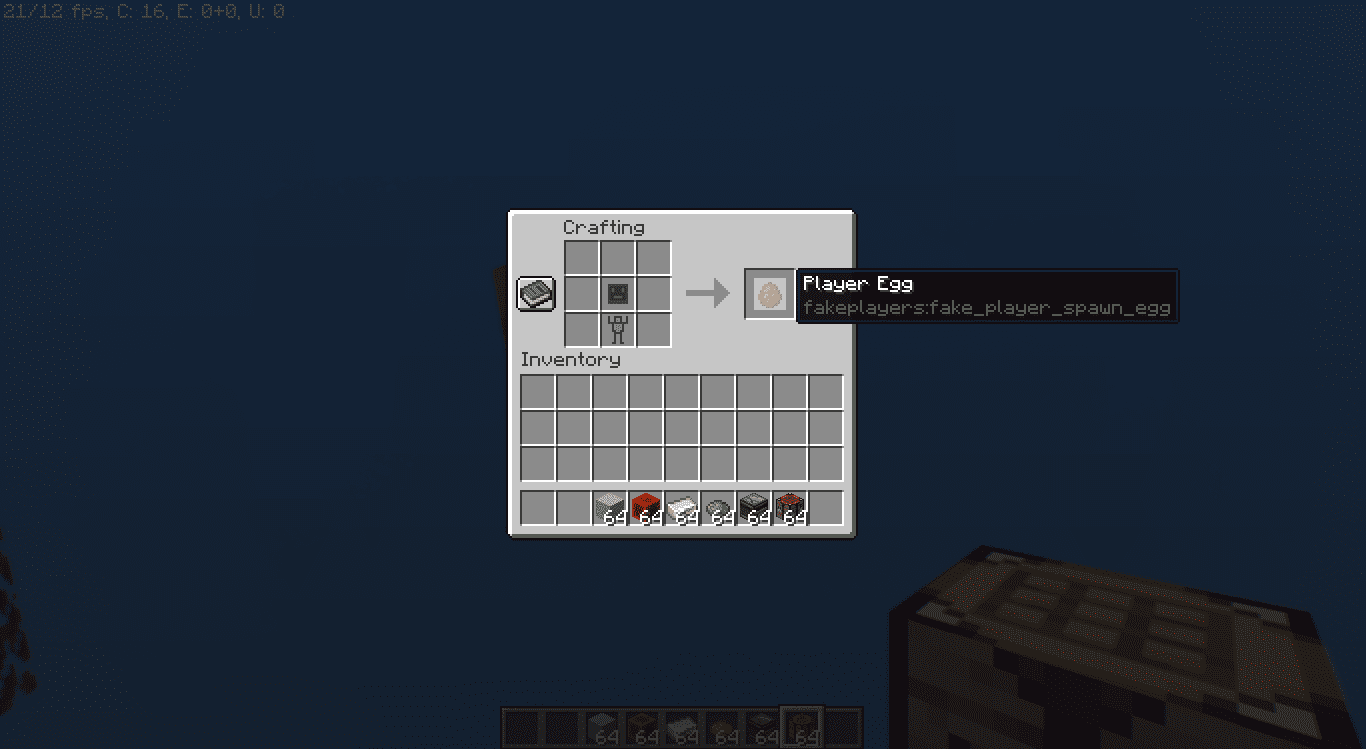
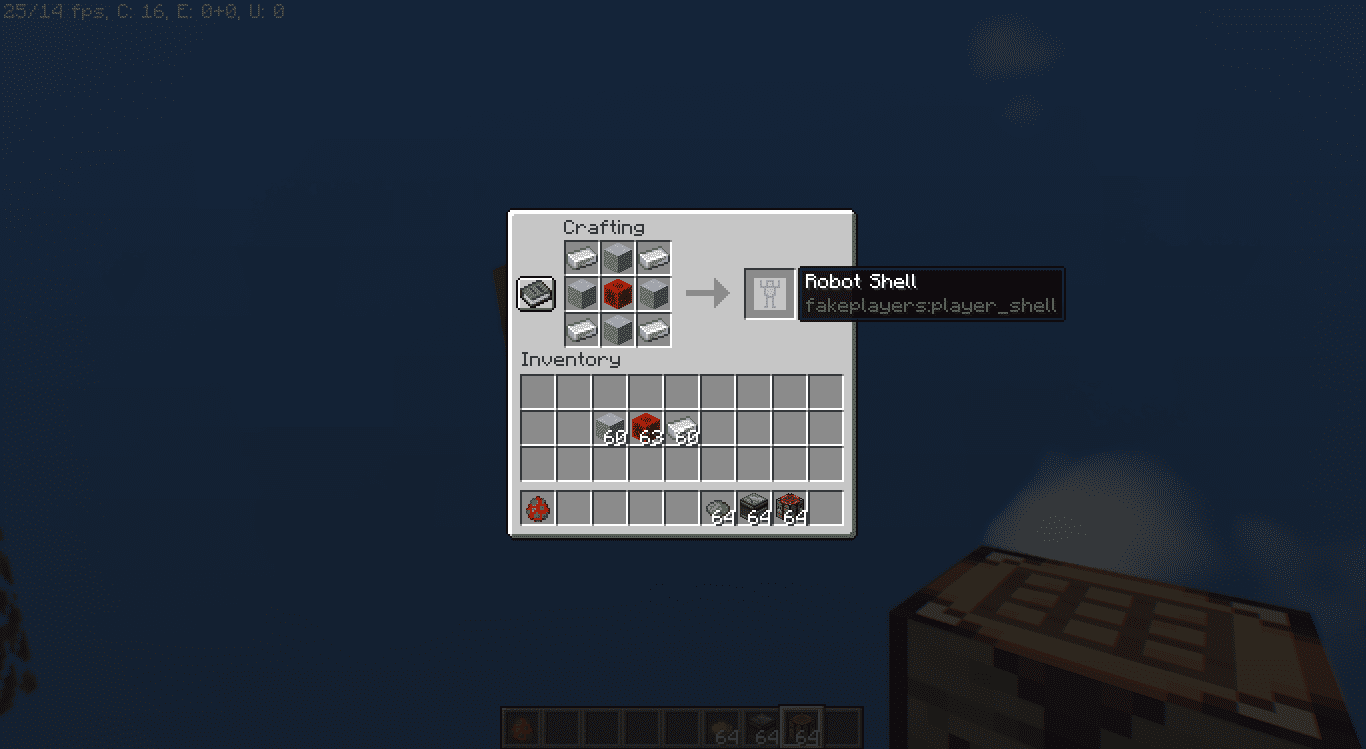
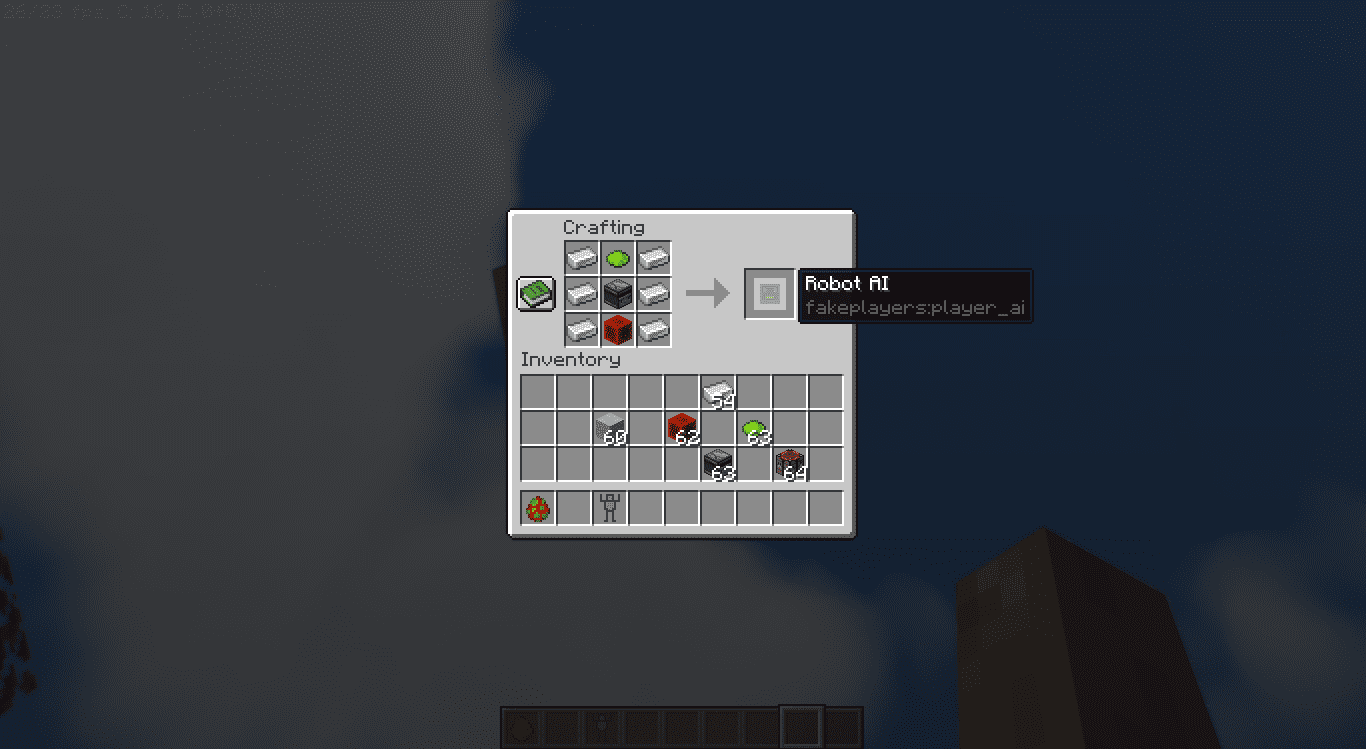
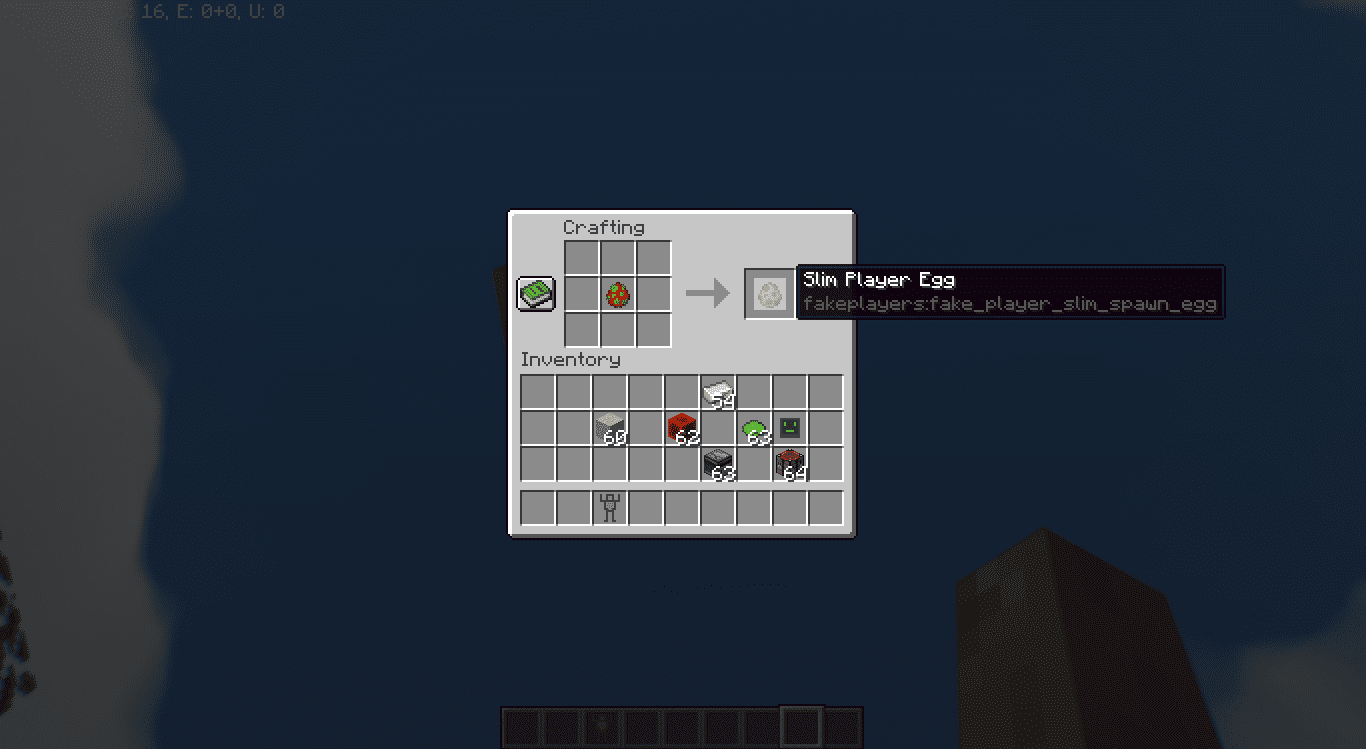
These abilities make the Fake Player mob highly versatile and capable of mimicking player behavior to create unique and dynamic scenarios in the game world. To spawn them, you first need to craft a Robot Shell and a Robot AI. Then you need to combine them both to craft a Player Egg, that you can use to spawn in the fake player. The crafting recipes are given below.
Crafting Recipes:
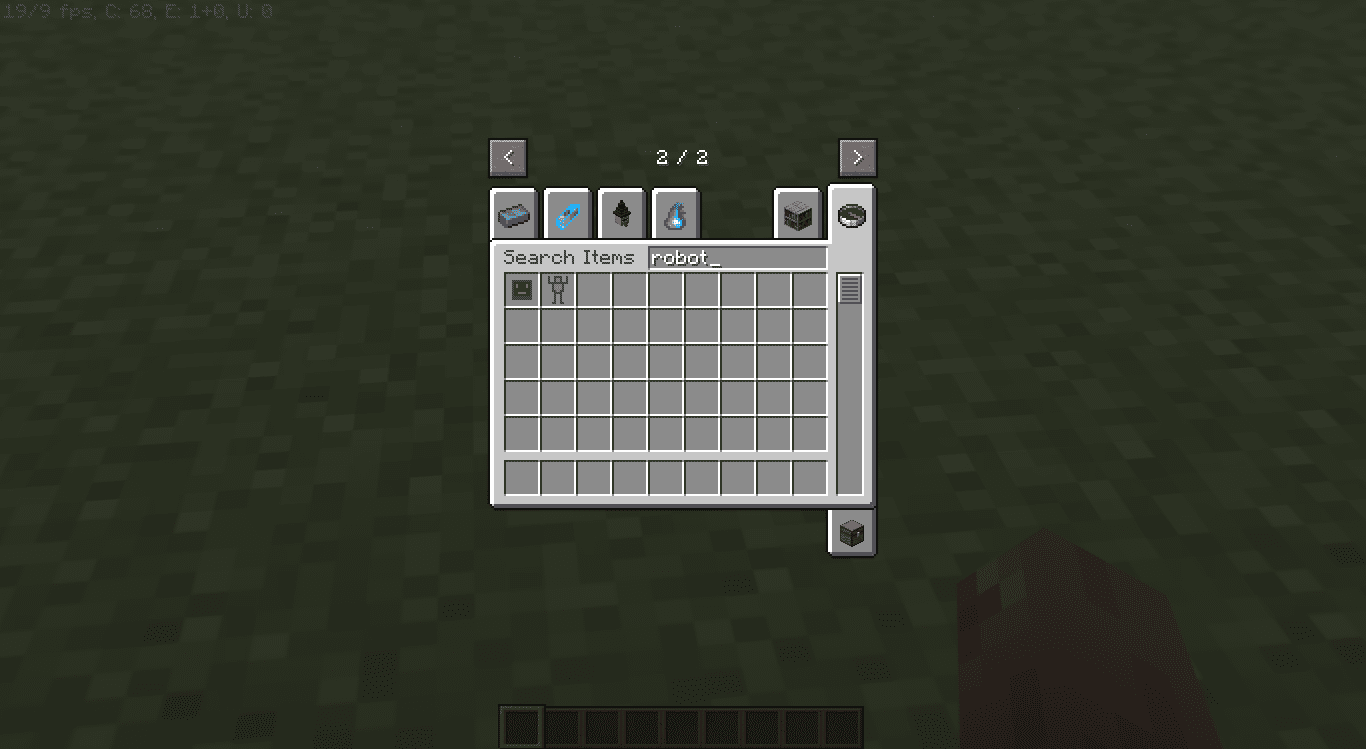
Screenshots:
Fake Player Mod Download Links
For Minecraft 1.20.6
Forge version: Download from Server 1
For Minecraft 1.20.4
Forge version: Download from Server 1
For Minecraft 1.20.2
Forge version: Download from Server 1 – Download from Server 2
Fabric version: Download from Server 1 – Download from Server 2
For Minecraft 1.20.1
Forge version: Download from Server 1 – Download from Server 2
Fabric version: Download from Server 1 – Download from Server 2
For Minecraft 1.19.4
Forge version: Download from Server 1 – Download from Server 2
For Minecraft 1.19.2
Forge version: Download from Server 1 – Download from Server 2
- Edition: Minecraft Java
- File type: .jar
- Minecraft versions listed: 1.20.6, 1.20.1
- How to install: Install the matching mod loader (Forge, Fabric or NeoForge) for your Minecraft version. → Download the .jar. → Put it in the .minecraft/mods folder and launch that loader profile.
- Where to get it: In MC Java Mods, or directly above on this page.
Install steps are the general flow for this file type — How to install Minecraft Java mods & modpacks walks through it step by step.
- Downloads as 199343.mcaddon
- Download size: 105 KB
- Download link checked 17 Jul 2026 — working
- Mirrored on our own servers — the download does not depend on the original host
These come from our own check of the pack file, not from the source page.