Create Aeronautics: Covers
Java mod listed for Minecraft 1.21. Downloads from the MC Java Mods app on Android.
⬇ Download on CurseForgeAeronautics Covers
Add covers to your Create contraptions and Aeronautics / Simulated physics ships.
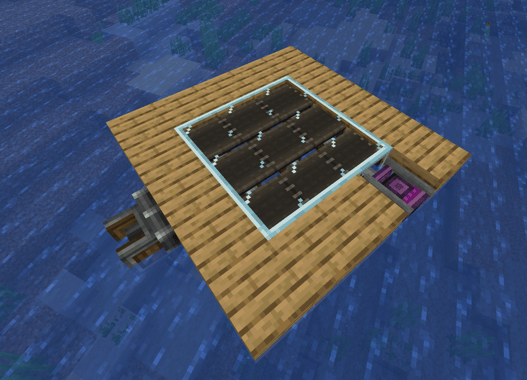
Regular Cable Facades only work on static blocks. If you facade a cable and then assemble your ship, the facade falls off. Aeronautics Covers adds a new item, the Cover, that behaves exactly like a facade but survives assembly. Your covers travel with the contraption, render in flight, collide correctly, and come back to normal blocks on disassembly.
How to use
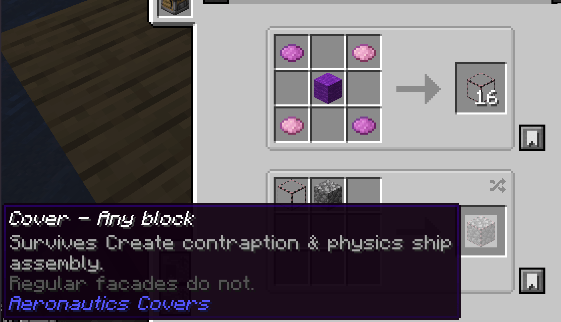
Craft a cover the same way you craft a facade: put a cover and a block in the crafting grid. Right click a cable or any block to apply. Pick it off with the Cable Facades wrench. That is it.
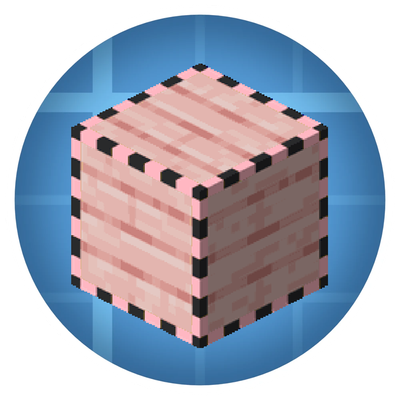
If you want the cover to ride with a contraption, just make sure you use a Cover and not a regular Facade. The creative tab and the pink outline on the item icon tell the two apart.
Requirements
- Cable Facades 2.0.1 or later
- Create: Aeronautics
Support on Discord
If you'd like to support me and the development of my mods, I recommend trying out BisectHosting. Use code "project8gbderam" to get 25% off your first month of a gaming server for new customers. They offer 24/7 support and lightning-fast response times, ensuring you're in great hands and providing exceptional assistance for all your gaming needs. https://www.bisecthosting.com/project8gbderam

- Edition: Minecraft Java
- File type: .jar
- Minecraft version listed: 1.21.1
- How to install: Install the matching mod loader (Forge, Fabric or NeoForge) for your Minecraft version. → Download the .jar. → Put it in the .minecraft/mods folder and launch that loader profile.
- Where to get it: Opens on CurseForge — not every file is mirrored on our own servers.
Install steps are the general flow for this file type — How to install Minecraft Java mods & modpacks walks through it step by step.
Create Aeronautics: Covers is a free Minecraft Java mod. Compatible with Minecraft 1.21.1. Downloaded 334,432 times (via CurseForge). Download it and open it directly in the game.