LLibrary (1.12.2, 1.7.10) – Powering Up Your Modpack
Minecraft Java mod. Downloads from the MC Java Mods app on Android.
⬇ DownloadLLibrary provides a set of modern and advanced tools for other mods to use. This helps different mods work together more smoothly, which means your game will have fewer crashes. It includes animation tools that allow for complex model movements you couldn’t do before. The library also adds support for multiple hitboxes on a single mob, making fights with large or detailed creatures more accurate. You won’t be able to hit the empty air around them anymore. Additionally, it has a built-in update checker to help keep mods current.
Features:
- Offers an advanced API for creating custom animations.
- Includes easy-to-use tools for building structures.
- Provides a system for other mods to add new commands.
- Allows for custom player animations through new rendering events.
- Adds powerful handlers for managing mob data.
- Comes with a framework for creating clean graphical user interfaces (GUIs).
- Shows which mod an item comes from directly in its tooltip.
- Displays small notifications, called snackbars, at the bottom of the screen.
How to Use:
You can go to the L-Library Wiki for guides on how to use most of its features.
Screenshots:
LLibrary comes with a few visual changes. First of all, it adds the mod name of the selected item to tooltips. It also adds the modid and registry name when advanced tooltips are enabled.
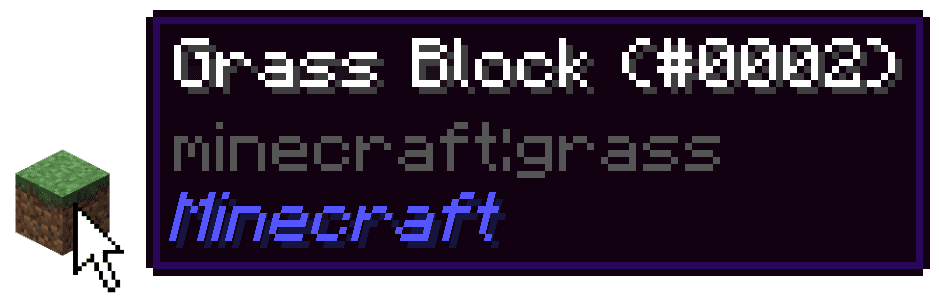
LLibrary also adds snackbars. This is a small notification on the bottom of your screen.

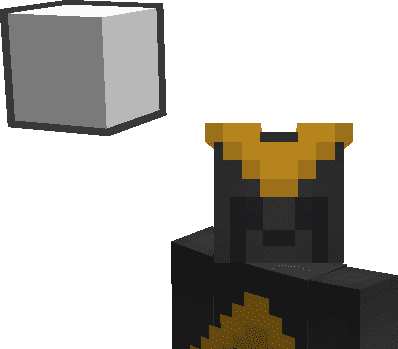
Patrons receive a player effect. Every user with LLibrary installed can see these.
LLibrary Download Links
For Minecraft 1.12.2
Forge version: Download from Server 1 – Download from Server 2
For Minecraft 1.11.2
Forge version: Download from Server 1
For Minecraft 1.10.2
Forge version: Download from Server 1
For Minecraft 1.9.4
Forge version: Download from Server 1
For Minecraft 1.8.9
Forge version: Download from Server 1 – Download from Server 2
For Minecraft 1.7.10
Forge version: Download from Server 1 – Download from Server 2
- Edition: Minecraft Java
- File type: .jar
- How to install: Install the matching mod loader (Forge, Fabric or NeoForge) for your Minecraft version. → Download the .jar. → Put it in the .minecraft/mods folder and launch that loader profile.
- Where to get it: In MC Java Mods, or directly above on this page.
Install steps are the general flow for this file type — How to install Minecraft Java mods & modpacks walks through it step by step.
- Downloads as 199470.mcaddon
- Download size: 864 KB
- Download link checked 29 Jul 2026 — working
- Mirrored on our own servers — the download does not depend on the original host
These come from our own check of the pack file, not from the source page.