Classic Combat Mod (1.21.1, 1.20.6) – Bring Back 1.8 Style PvP
Java mod listed for Minecraft 1.20–1.21. Downloads from the MC Java Mods app on Android.
⬇ DownloadClassic Combat Mod brings back the old fighting style from before the Combat Update. This mod gets rid of the attack cooldown for all weapons, so you can always hit for full damage. It works on servers without needing players to install it and won’t affect your game’s performance. You can also add or remove it from an existing world at any time without causing issues.
Features:
- Removes the attack cooldown from every weapon in the game.
- Lets you deal a weapon’s full damage with every hit, no matter how quickly you attack.
- The mod does not change the base damage values of any weapons.
- You can still use shields and hold items in your off-hand.
- The visual swing animation and heart particles from attacks remain the same.
- The cooldown indicator still appears, but it no longer has any effect on your attacks.
- Works perfectly on servers, and players can join even if they don’t have it installed.
- It is designed to be efficient and will not cause any lag.
What’s Changed:
Just so everyone’s clear:
- No more attack cooldowns. You will always hit for the attack value of the weapon you’re using, no matter how long ago you used it.
What’s Not Changed:
- The “swing” graphic is still shown when attacking something.
- Damaged “hearts” are still dropped when something is attacked.
- You can still dual wield.
- You can still use shields.
- Your cooldown indicator will still show and function, however, it no longer has an effect.
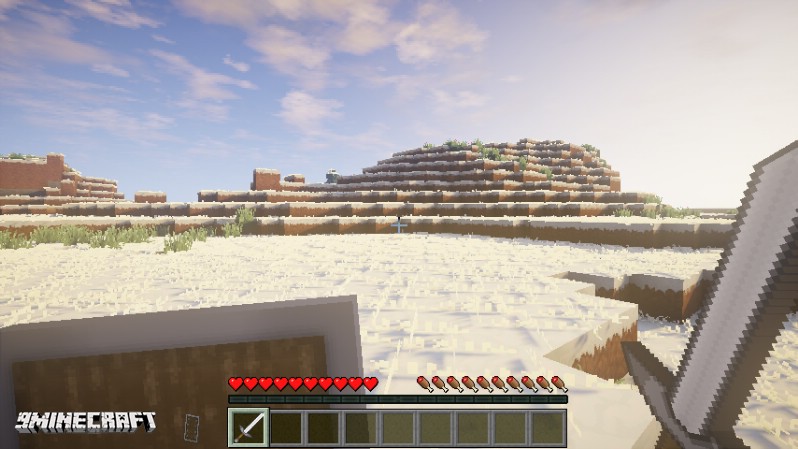
Screenshots:
Classic Combat Mod Download Links
For Minecraft 1.21.1, 1.21
Forge version: Download from Server 1 – Download from Server 2
For Minecraft 1.20.6
Forge version: Download from Server 1 – Download from Server 2
For Minecraft 1.16.5
For Minecraft 1.13.2
For Minecraft 1.12.2
For Minecraft 1.11.2, 1.11
For Minecraft 1.10.2, 1.9.4
- Edition: Minecraft Java
- File type: .jar
- Minecraft versions listed: 1.21.1, 1.20.6
- How to install: Install the matching mod loader (Forge, Fabric or NeoForge) for your Minecraft version. → Download the .jar. → Put it in the .minecraft/mods folder and launch that loader profile.
- Where to get it: In MC Java Mods, or directly above on this page.
Install steps are the general flow for this file type — How to install Minecraft Java mods & modpacks walks through it step by step.
- Downloads as 200074.mcaddon
- Download size: 70 KB
- Download link checked 29 Jul 2026 — working
- Mirrored on our own servers — the download does not depend on the original host
These come from our own check of the pack file, not from the source page.