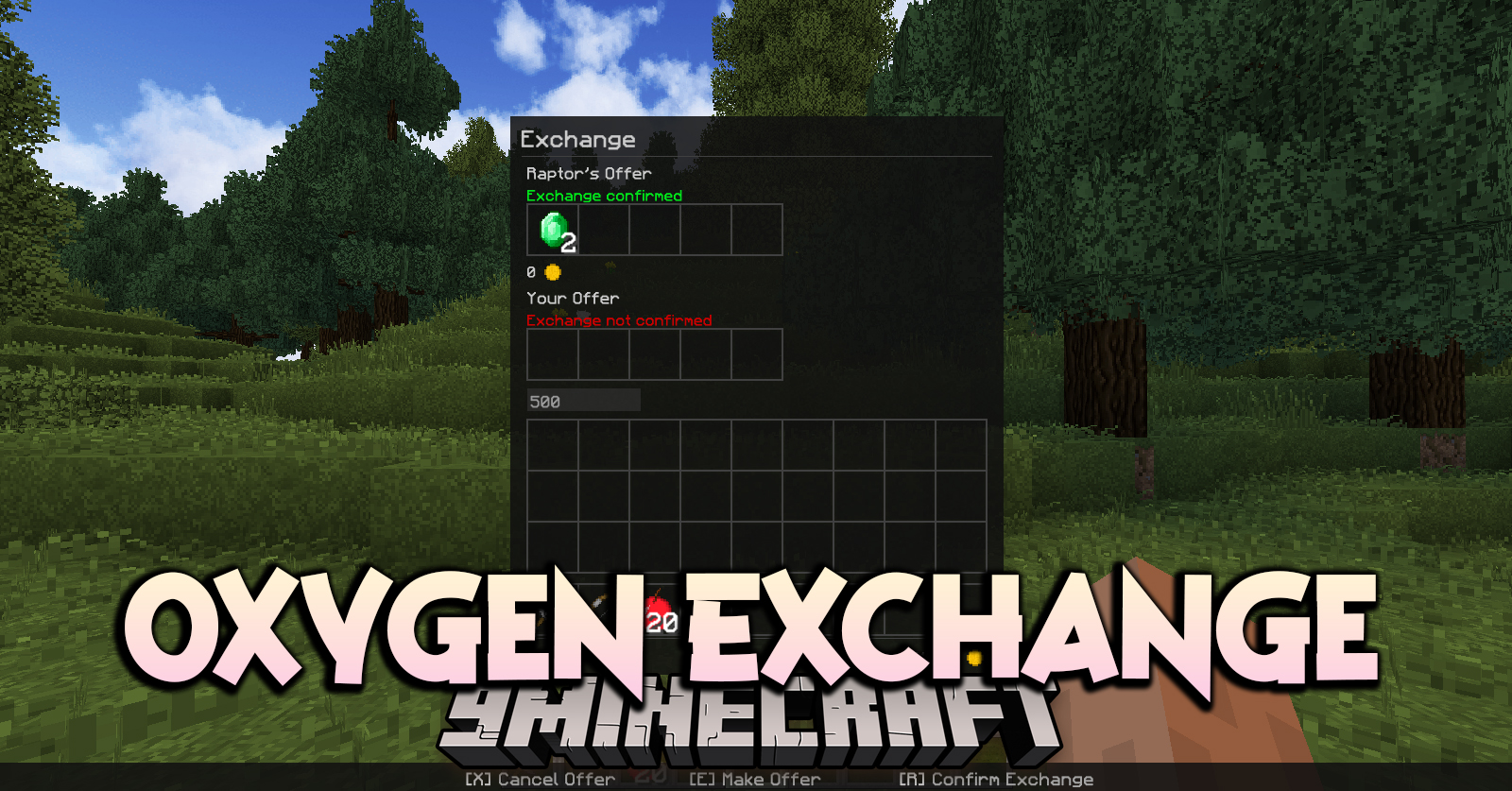
Oxygen Exchange Mod adds a menu for the safe exchange of items and virtual currency “oxygen coins” [index 0] for players. To open the menu exchange must be offered to another player through the player interaction menu (Oxygen: Player Interaction) or use the command “/oxygenc exchange -offer” aiming the sight at the player (the player must be nearby). Required on server and client.
Features:
- Exchange of items
- Exchange virtual currency [index 0]
How to use:
- Place items in the slots above the buttons or enter the amount of currency you want to transfer.
- Click the “Offer” button, your offer will be synchronized with another player, and the slots and number field will become inactive.
- Wait for the offer of the second player. If the transaction does not suit you, click “Cancel” – offers will be rejected.
- If the transaction suits you, confirm the exchange by clicking the “Confirm” button. The exchange will be completed if both players confirm it.
Oxygen Exchange Mod Download Links
For Minecraft 1.12.2
Forge version: Download from Server 1 – Download from Server 2
Quick facts
- Edition: Minecraft Java
- File type: .jar
- How to install: Install the matching mod loader (Forge, Fabric or NeoForge) for your Minecraft version. → Download the .jar. → Put it in the .minecraft/mods folder and launch that loader profile.
- Where to get it: In MC Java Mods, or directly above on this page.
Install steps are the general flow for this file type — How to install Minecraft Java mods & modpacks walks through it step by step.
Verified by MCModsHub
- Downloads as 200319.mcaddon
- Download size: 72 KB
- Download link checked 29 Jul 2026 — working
- Mirrored on our own servers — the download does not depend on the original host
These come from our own check of the pack file, not from the source page.