Climate Control/Geographicraft
Minecraft Java mod. Downloads from the MC Java Mods app on Android.
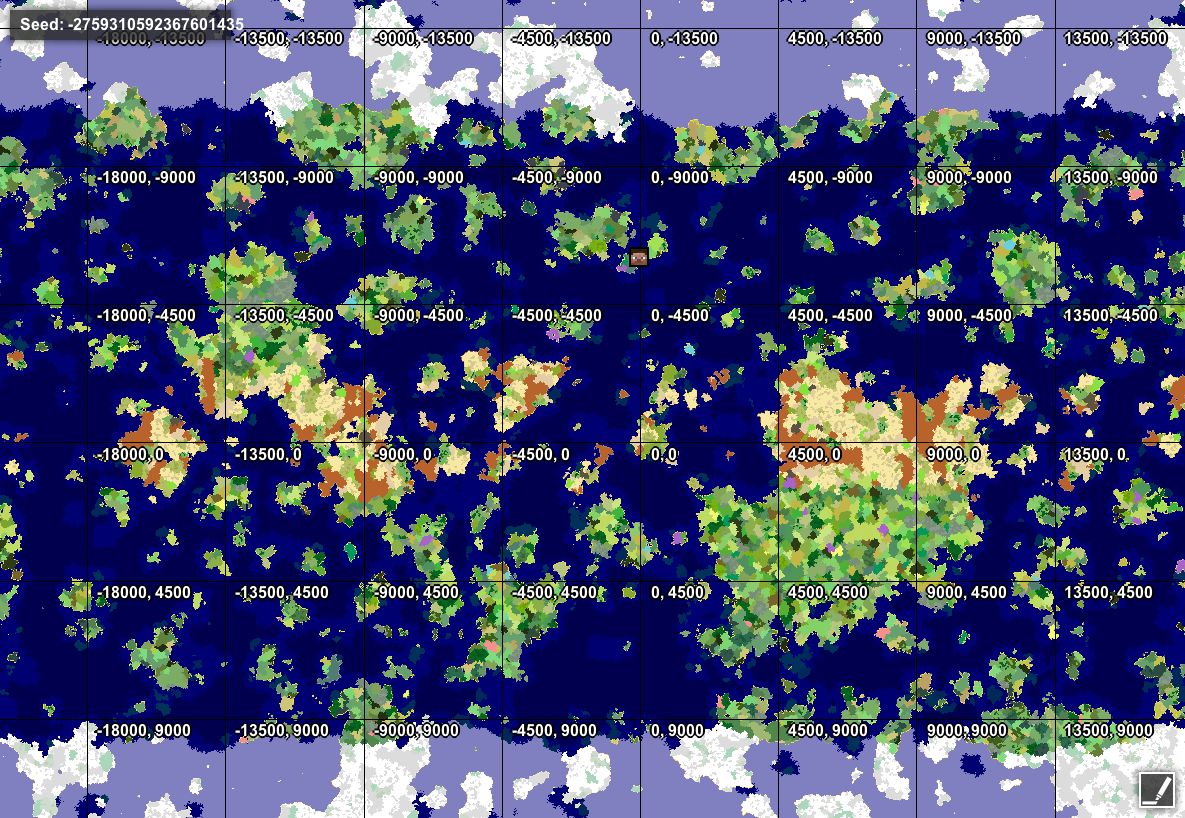
⬇ Download on CurseForgeClimate control allows you control climate zones, ocean sizes, biome frequencies, and continent sizes. Make Minecraft worlds into Yourcraft worlds!
Set climate zones to smaller, more manageable sizes so you can find a variety of biomes more easily.
Prevent hot biome-cold biome transitions, if you want, or mix all the biomes together.
Change the frequencies of common biomes and climate zones to occur as often or as rarely as you want.
Restore true oceans to 1.7, or keep a universal continent with large lakes.
Create a variety of land sizes, from giant continents tens of thousands of blocks across to islands that fit on a single map.
Make climate bands to mimic an earthlike world.
Set initial spawn area to any land area anywhere.
Increase sub-biome variety in vanilla biomes.
Link to more detailed discussion of landmass control towards the bottom of the MC Forum thread. I am also journaling a world to show the combination of RTG and the new Geographicraft version here.
- Edition: Minecraft Java
- File type: .jar
- How to install: Install the matching mod loader (Forge, Fabric or NeoForge) for your Minecraft version. → Download the .jar. → Put it in the .minecraft/mods folder and launch that loader profile.
- Where to get it: Opens on CurseForge — not every file is mirrored on our own servers.
Install steps are the general flow for this file type — How to install Minecraft Java mods & modpacks walks through it step by step.
Climate Control/Geographicraft is a free Minecraft Java mod. Downloaded 3,856,995 times (via CurseForge). Download it and open it directly in the game.