
Virtual Witch Arrangement
Java mod listed for Minecraft 1.20–1.21. Downloads from the MC Java Mods app on Android.
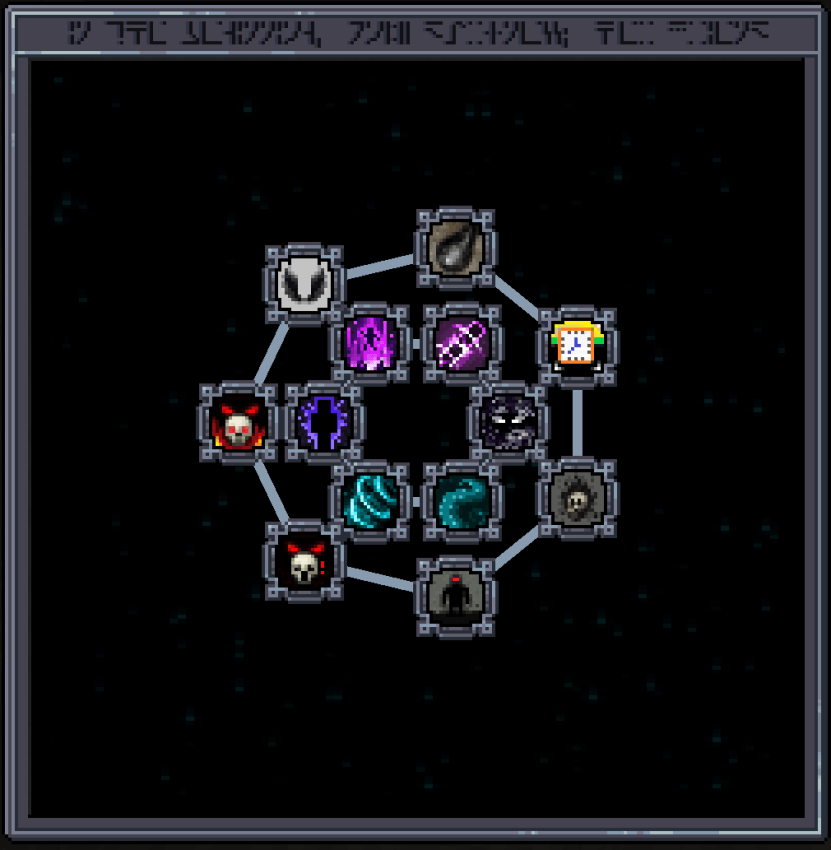
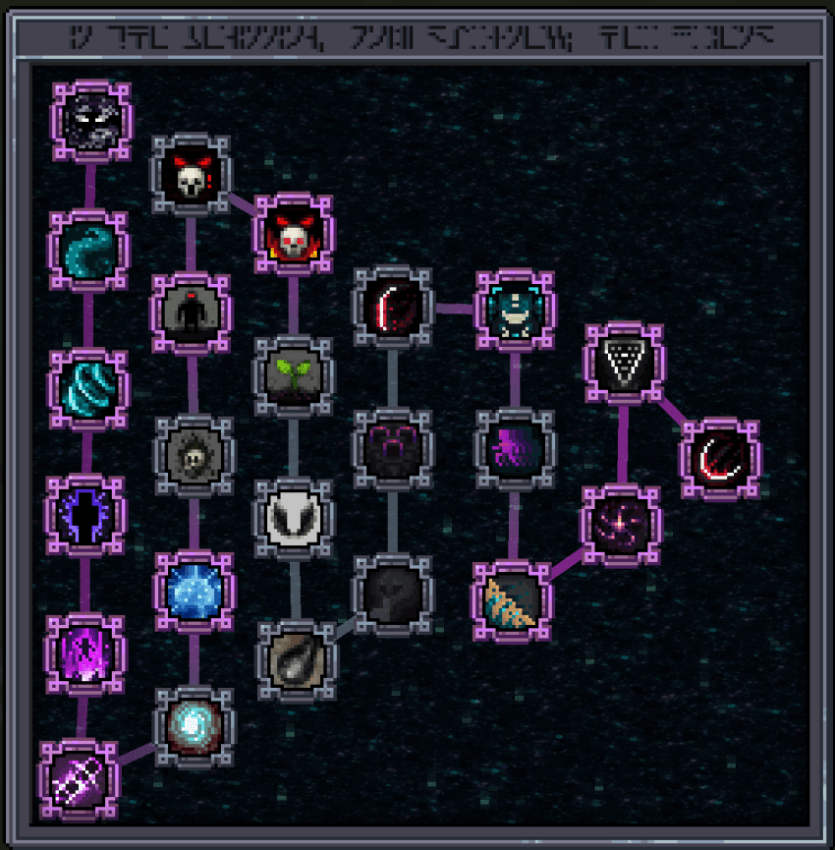
Adjust the Eldritch Research Screen of Iron's Spellbooks for improved readability when many Eldritch spells are present.
⬇ Download on CurseForgeAs various Iron’s Spellbooks add-ons introduce more Eldritch spells, the Eldritch Research Screen of ISS can become very crowded, making it hard to see and select icons. If this has been bothering you, this mod is made exactly for that!
1.20.1
- This mod enlarges the Eldritch Research Screen and changes how spell icons are arranged (implemented by redirecting to a new Screen via a mixin).
- You can switch to different layouts by editing the
virtualwitcharrangement-client.tomlconfiguration file.
1.21.1
- This mod allows you to freely drag the spell nodes on the Eldritch Research Screen. Simply hold ALT and drag with the left mouse button.
- Your custom layout is saved to
config/vwa_eldritch_research_nodes.jsonon the client, which means it won’t reset — and modpack authors can even provide preset node layouts for players.
- Edition: Minecraft Java
- File type: .jar
- Minecraft versions listed: 1.21.1, 1.20.1
- How to install: Install the matching mod loader (Forge, Fabric or NeoForge) for your Minecraft version. → Download the .jar. → Put it in the .minecraft/mods folder and launch that loader profile.
- Where to get it: Opens on CurseForge — not every file is mirrored on our own servers.
Install steps are the general flow for this file type — How to install Minecraft Java mods & modpacks walks through it step by step.
Virtual Witch Arrangement is a free Minecraft Java mod. Compatible with Minecraft 1.21.1, 1.20.1. Downloaded 2,451,790 times (via CurseForge). Download it and open it directly in the game.