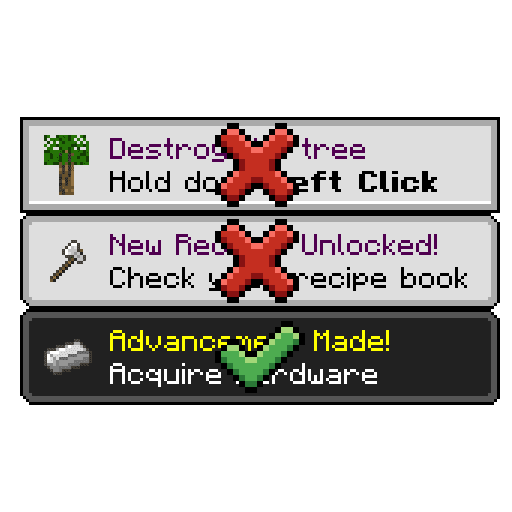
Toast Manager Mod gives you more control over the toasts (popups) that appear in Minecraft. It has options to hide the ones you don’t want to see, as well as new customization options for how toasts are displayed. By default, the mod blocks toasts for Recipes and Tutorials, but any kind (even modded) can be disabled in the configuration file. This mod offers all the same functionality as Toast Control, and in fact you can use the exact same configuration file between the two if you like.
Screenshots:
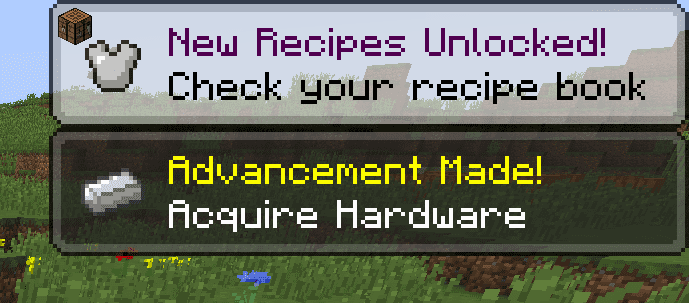
Translucent Toasts: This is what the translucent toast option looks like, this is the default look of the mod.
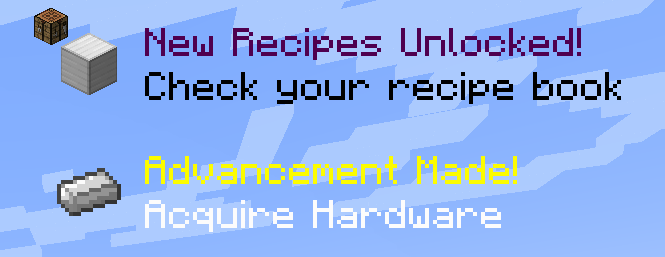
Transparent Toasts: Here’s transparent mode, for when you really need to see that corner of the screen.
Toast Manager Mod Download Links
For Minecraft 1.21.1, 1.21
Fabric version: Download from Server 1 – Download from Server 2
For Minecraft 1.19.4
Fabric version: Download from Server 1 – Download from Server 2
For Minecraft 1.19.2
Fabric version: Download from Server 1 – Download from Server 2
For Minecraft 1.18.2
Fabric version: Download from Server 1 – Download from Server 2
For Minecraft 1.16.5
Fabric version: Download from Server 1 – Download from Server 2
- Edition: Minecraft Java
- File type: .jar
- Minecraft versions listed: 1.21.1, 1.19.2
- How to install: Install the matching mod loader (Forge, Fabric or NeoForge) for your Minecraft version. → Download the .jar. → Put it in the .minecraft/mods folder and launch that loader profile.
- Where to get it: In MC Java Mods, or directly above on this page.
Install steps are the general flow for this file type — How to install Minecraft Java mods & modpacks walks through it step by step.
- Downloads as 200908.mcaddon
- Download size: 26 KB
- Download link checked 29 Jul 2026 — working
- Mirrored on our own servers — the download does not depend on the original host
These come from our own check of the pack file, not from the source page.