
Hidden Names
Java mod listed for Minecraft 1.16–1.21. Downloads from the MC Java Mods app on Android.
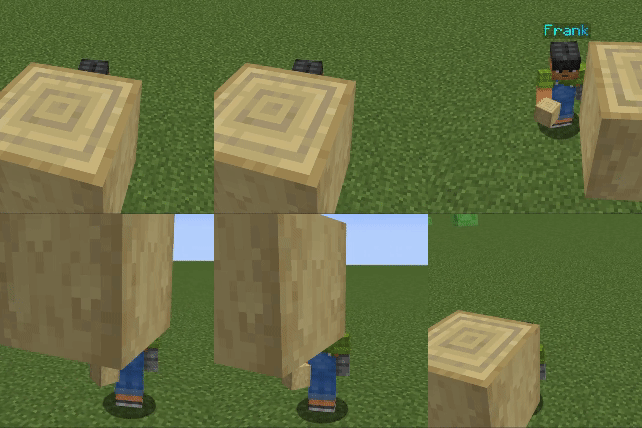
⬇ Download on CurseForgeHide and customize other player's names with commands
Commands
/hiddennames nameplateVisible [player(s)] [true/false]
/hiddennames defaultVisible [true/false]
/hiddennames blocksHideName [true/false] Blocks in the way hide the nameplate
/hiddennames setName [player(s)] [colour] [animation] ["name"] The name argument has to be in quotes
/hiddennames setName [player(s)] name ["name"]
/hiddennames setName [player(s)] colour [colour]
/hiddennames setName [player(s)] animation [animation]
/hiddennames setName [player(s)] reset
All commands require op level 2 or more to execute.
Support Me
- Join my Discord Server
- Edition: Minecraft Java
- File type: .jar
- Minecraft versions listed: 1.20.1, 1.20.4, 1.20.2
- How to install: Install the matching mod loader (Forge, Fabric or NeoForge) for your Minecraft version. → Download the .jar. → Put it in the .minecraft/mods folder and launch that loader profile.
- Where to get it: Opens on CurseForge — not every file is mirrored on our own servers.
Install steps are the general flow for this file type — How to install Minecraft Java mods & modpacks walks through it step by step.
Hidden Names is a free Minecraft Java mod. Compatible with Minecraft 1.20.1, 1.20.4, 1.20.2, 1.20.5 and newer. Downloaded 1,612,113 times (via CurseForge). Download it and open it directly in the game.